Highly recommend!
“WishDeck has completely changed how I organize my gift ideas. I keep all my wishes in one place and can easily share my lists with friends and family. Saves me so much time before holidays and birthdays.”
swetttikCanada

Wishlist link in bioUpdated
A wishlist link in bio is one link on your Instagram or TikTok profile that opens your whole wish list, so followers, friends and family can see what you want without asking. WishDeck gives you that link for free at wishdeck.com/your-name: it holds wishes from any store, opens in any browser without an account, and lets people reserve a gift in secret so nothing is bought twice.


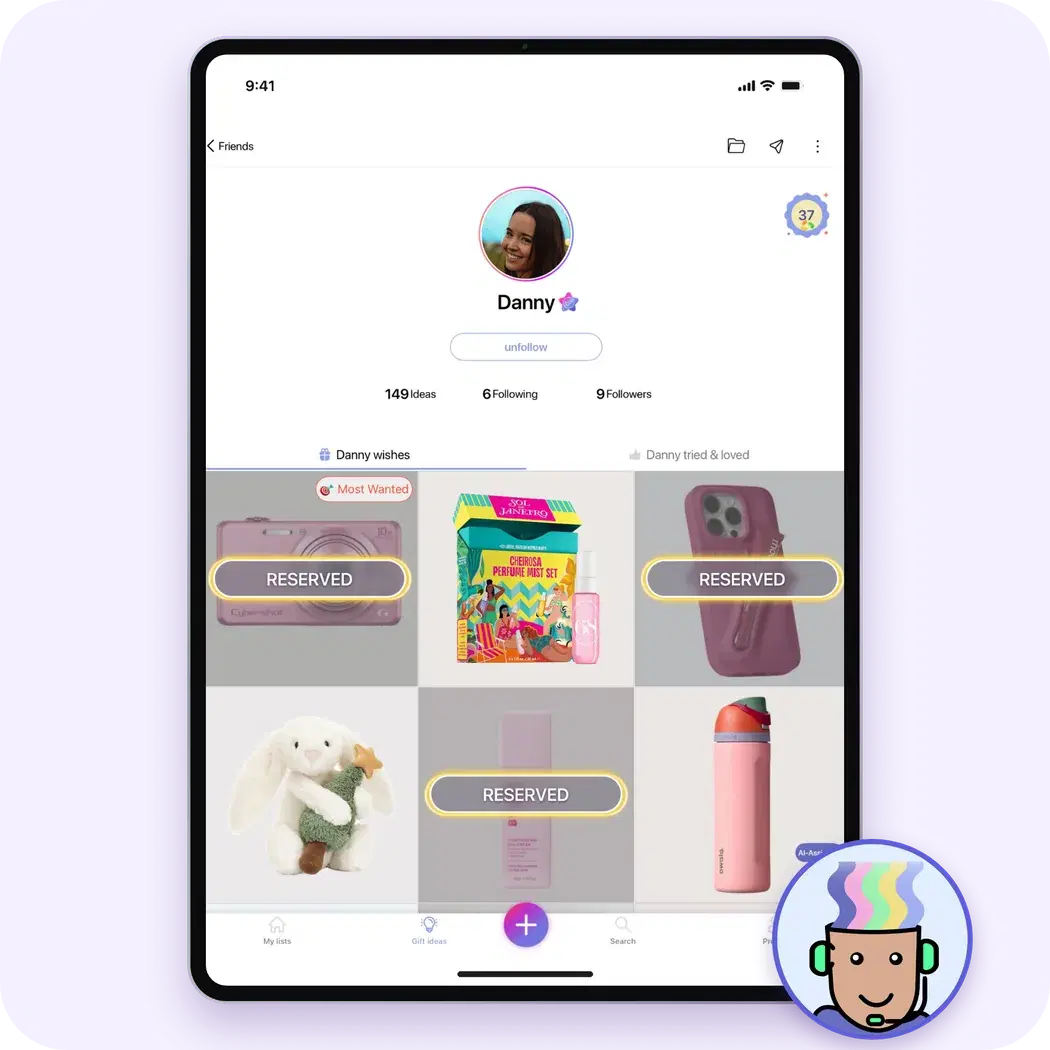
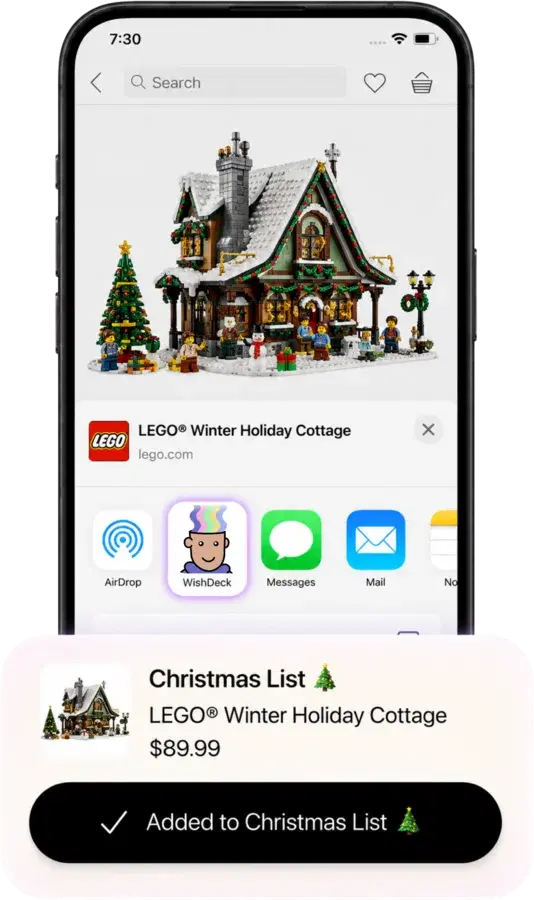
Create a free WishDeck account and add wishes by pasting product links from any store. Your list gets one address, wishdeck.com/your-name. Tap Share on your list to copy it.
In the Instagram app, open your profile and tap Edit profile, then Links, then Add external link (Add link on Android). Paste wishdeck.com/your-name and tap Done. Instagram allows up to five links on a profile, as of November 22, 2026.
In the TikTok app, tap Profile, then Edit profile, then Add next to Links, and enter your link. TikTok offers this to accounts with at least 1,000 followers or a Verified Business Account, as of November 22, 2026.
A bio has room for very few links. The one that carries your wish list has to work for anyone who taps it.
Wishes from any store sit on the same list, so one bio link covers all of them and you never swap links between shops.
Anyone who taps the link sees your list in the browser. There is no app to install and no sign-up to view it.
Whoever buys a gift reserves it first with a free sign-up. Other people see it is taken, you do not, and you never see who reserved what.
WishDeck is free for you and for your followers. It handles no payments and charges no fees: the buyer goes to the store and pays the store price.
Add, edit or remove wishes whenever you like. The address in your bio stays the same, and everyone who taps it sees the latest version.
TikTok's help page recommends direct links, so people reach the site in a few steps. Your WishDeck address opens the list itself, with no extra page in between.
The bio is the permanent home of the link. These six places send people to it.
Tap Stickers, choose Link and enter wishdeck.com/your-name. Anyone who can see the story can tap the sticker and open your list.
End a post with one plain line, such as "my wishlist is linked in my bio", so people know where to look.
Under a video about gifts or a haul, pin a comment that points to the link in your bio.
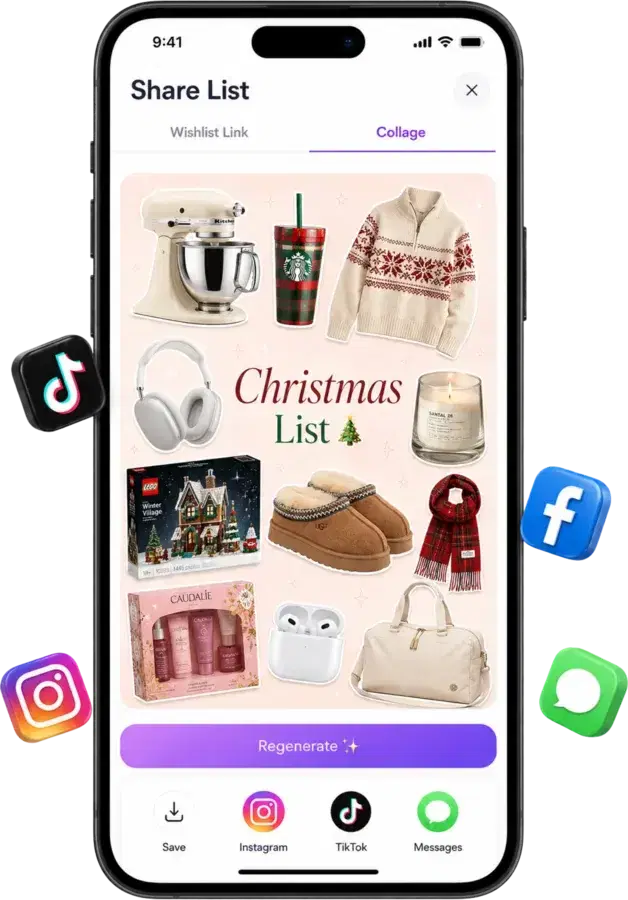
Turn the list into a collage image in WishDeck and post it with the link, so followers see what is on the list before they tap.
Use the same address in a YouTube description, a Twitch panel or a link-in-bio page, so every profile leads to one list.
Mention the link two to three weeks before your birthday or the holidays, when people start looking for a gift.
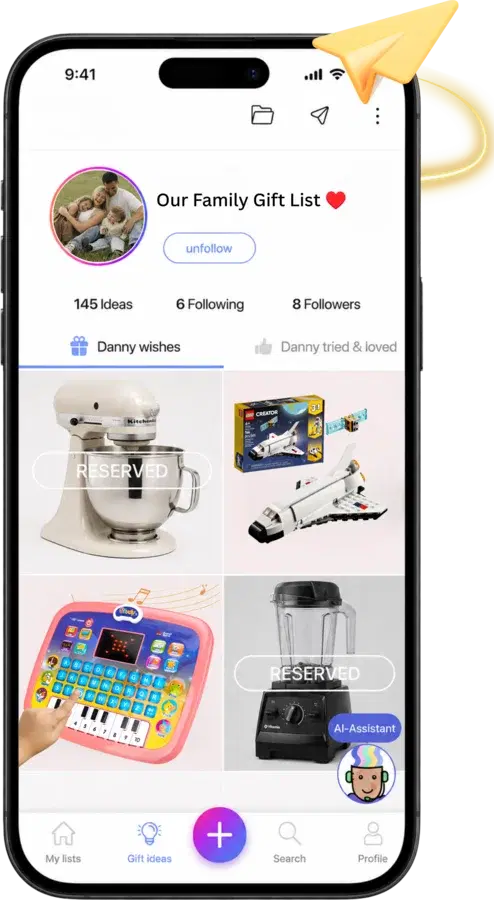
The link opens your list in the browser, with no app and no account. Every wish shows its photo and price and leads to the product page in its store. A follower who wants to send a gift taps Reserve, signs up for free and buys it from the store. Other people see the gift is taken. You do not see who reserved it.
one link, every wish 💜
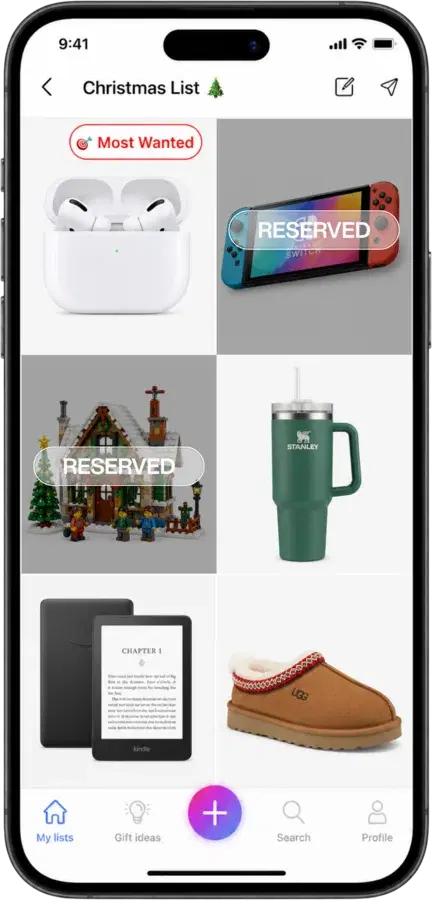
A universal wishlist link, a single-store wish list link and a link-in-bio page with product links all fit in a bio. They differ in what a follower can do after the tap.
| Feature | WishDeck link | Single-store wish list link | Link-in-bio page with product links |
|---|---|---|---|
| Wishes from any store behind one link | ✓ | — | ✓ |
| Followers open it without an account | ✓ | ✓ | ✓ |
| Gifts can be reserved, so nothing is bought twice | ✓ | Store items only | — |
| Opens the list directly, no extra page to tap through | ✓ | ✓ | — |
| Photo and price filled in from the product link | ✓ | ✓ | Varies by tool |
| Free, with no service fee | ✓ | ✓ | Varies by tool |
Keep exploring: creator wishlist for followers, the wishlist collage maker, the universal wishlist for any store, the Amazon wish list alternative, the free wish list maker and how to make a wishlist people use.
Why WishDeck
Rated 4.9 ★ on the App Store · 1 million+ wishes added by our users. Here’s what they say.
“WishDeck has completely changed how I organize my gift ideas. I keep all my wishes in one place and can easily share my lists with friends and family. Saves me so much time before holidays and birthdays.”
“Built a Black Friday list and stuck to it — no impulse buys this year. Friends can reserve my wishes secretly. Very useful app!”
“It really helped me choose the right gifts for my friends and family this holiday season. The recommendations were thoughtful and relevant — gift shopping faster and actually enjoyable.”
“We used it for the entire team to play secret Santa. It was fun!”
“Very convenient to just share a link with my family before the holidays. Also used it for office secret Santa — made things so much easier.”
“Wishdeck is a simple, easy way to keep track of all the things I want to buy or achieve. The layout is clean, nothing confusing, and it actually makes me want to come back and update my list.”
To put a wishlist link in your Instagram bio, open your profile in the Instagram app, tap Edit profile, tap Links, then Add external link (Add link on Android), paste your wishlist address and tap Done. Instagram's help page says you can add up to five websites, as of November 22, 2026. With WishDeck the address is wishdeck.com/your-name, and it opens for anyone without an account.
To add a wishlist link to your TikTok bio, tap Profile in the TikTok app, tap Edit profile, tap Add next to Links and follow the steps to enter your wishlist address, for example wishdeck.com/your-name. TikTok's help page says, as of November 22, 2026, that this is available to accounts with at least 1,000 followers or a Verified Business Account.
You cannot add a link to your TikTok bio while the account is not eligible. TikTok's help page says, as of November 22, 2026, that a website link can be added by accounts with "at least 1,000 followers" or a "Verified Business Account". Until then, write your address, wishdeck.com/your-name, in your bio text, say it in a video, and add the tappable link on Instagram.
The best wishlist to put in a bio is one that opens in a browser without an account, holds products from any store and lets people reserve gifts so nothing arrives twice. WishDeck does all three for free and gives you one short address, wishdeck.com/your-name, that keeps working when you change what is on the list.
Yes. Anyone who taps your WishDeck link can view the list in a browser, with no app and no account. Reserving a gift takes a free sign-up, which keeps the reservation in place so nobody else buys the same thing. You never see who reserved what, so the gift stays a surprise.
Yes. Set the Amazon list to Shared, copy its link and add it to your bio like any other website. It suits a list that holds only Amazon products. A universal list adds products from every other store behind the same link. WishDeck can import a Shared Amazon list: paste its link into Import from Amazon, and the items arrive with photos and prices, each keeping its Amazon link.
Tie the link to a moment when people already wonder what to get you, and say it once in plain words. For example: "People keep asking what I want for my birthday, so my wishlist is in my bio." Put gifts at several prices on the list, and bring it up again only before the next occasion. On WishDeck nobody has to tell you what they reserved.
Yes. When you create an Instagram story, tap Stickers, choose Link and enter your wishlist address, such as wishdeck.com/your-name. Instagram's help page says anyone who can see your story can tap the sticker to visit the link, and notes that not every sticker is available to every account. On WishDeck you can also turn the list into a collage image and post it in the story with the link.
Instagram's help page says you can add up to five websites to your profile, as of November 22, 2026, and that anyone on or off Instagram can see them. You can change their order under Edit profile, Links, Reorder links. If your wishlist is one of several links, move it to the top before your birthday or the holidays.
Free on iPhone, Android and the web. Add wishes from any store, copy your link and put it where your followers already look.