Highly recommend!
“WishDeck has completely changed how I organize my gift ideas. I keep all my wishes in one place and can easily share my lists with friends and family. Saves me so much time before holidays and birthdays.”
swetttikCanada

For creators, streamers and artistsUpdated
A creator wishlist is a public list of things a creator would love to receive, shared as one link in the bio so fans can send a gift instead of guessing. WishDeck makes that link free for streamers, YouTubers, TikTok creators and artists: add wishes from any store, followers open it in any browser without an account, and each gift is reserved in secret so two fans never send the same thing. WishDeck charges no fees and takes no commission on gifts.


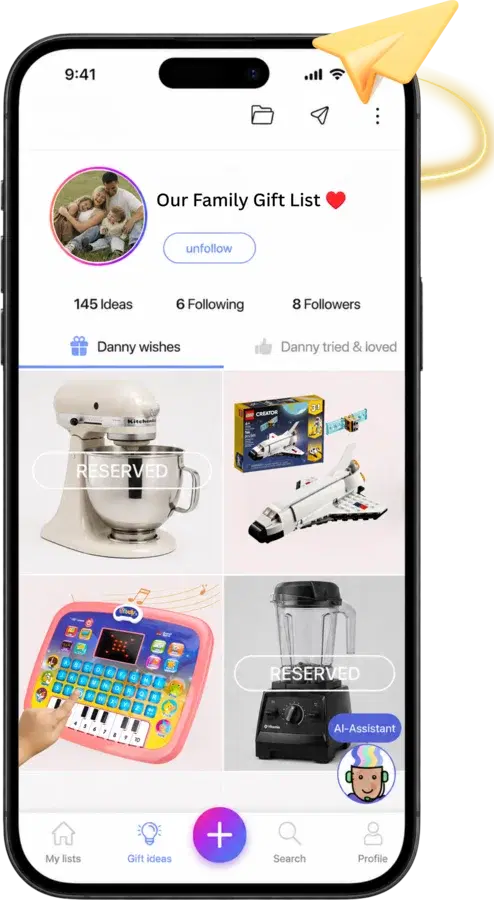
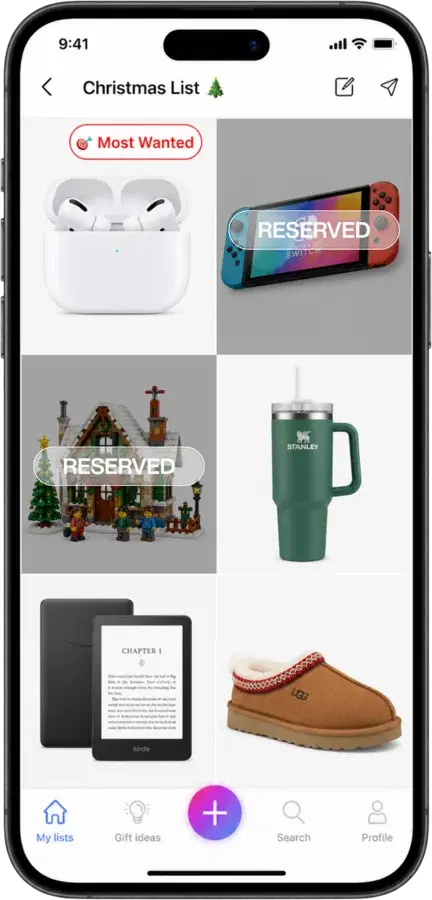
Paste links from any store: the camera you are saving for, the skincare fans keep asking about, books, plants, studio supplies. Photos and prices fill in. Flag one wish as Most Wanted.
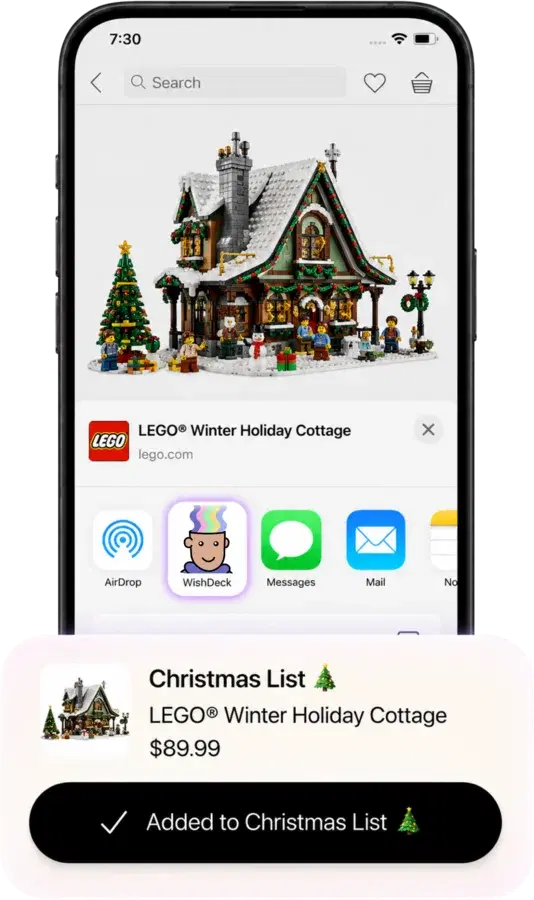
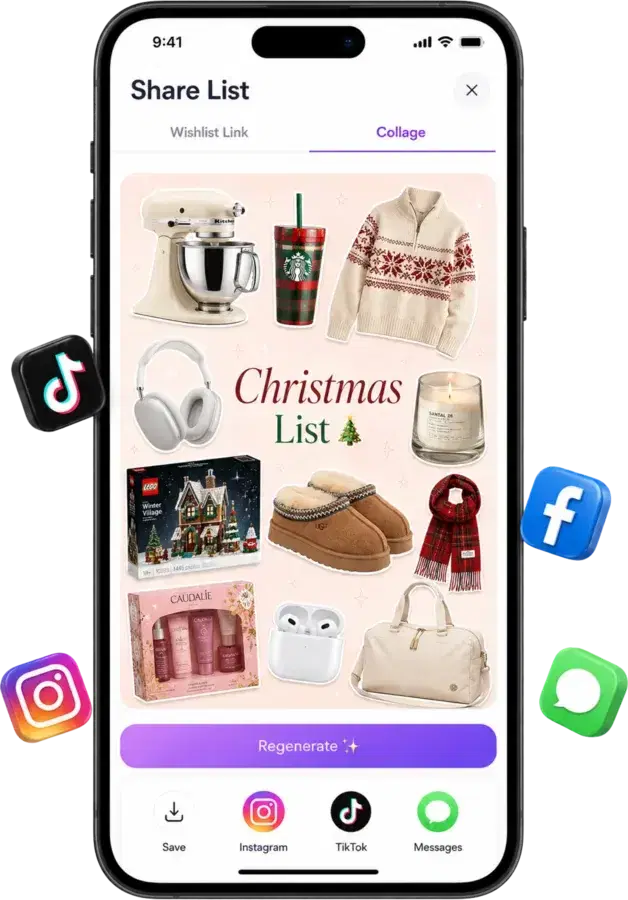
Your list lives at wishdeck.com/your-name. Add it to Linktree or your TikTok, Instagram, Twitch or YouTube bio, or share it as a collage in a story.
A follower taps Reserve on the gift they are sending, then buys it from the store. Other fans see it is taken, you do not, so gifts stay a surprise and nothing arrives twice.
WishDeck is a wishlist, not a payment platform. Fans buy directly from the store at the store's price, and WishDeck never touches the money.
Some creator gifting platforms add a service fee at checkout or take a share of each gift. On WishDeck a follower buys the item from the store, and that is the whole transaction.
WishDeck never asks followers for your address and never shares it. Decide how gifts reach you, for example through a PO box or a studio address, and mention it in your list description only if you want to.
Mix a $12 candle with the lens you are saving for. Fans pick what fits their budget, and every wish links back to the store it came from.
Keep a public list for followers and separate lists for friends and family. Circles, a Premium feature, let you show certain wishes only to the people you choose.
Once a wish is yours, mark it fulfilled and, if you love it, move it to Tried & Loved. Followers browse real recommendations from you, sorted by things, places and more.
One tap turns your list into a collage sized for Instagram or TikTok, so announcing a new wishlist is a post, not a chore.
The creator wishlists that get used share the same habits. Six that matter more than the platform you pick.
Ten to twenty wishes from about $10 to the one big thing. Most gifts come from the low and middle of the list, and a fan with $15 should still find something.
Fans who want to make a bigger gesture look for a signal. One flagged wish is that signal; five flagged wishes are noise.
A PO box, a studio address or "message me after you reserve" in the list description. Followers will not send anything if they have to ask.
Mark received wishes as fulfilled and add something new each month. A list with sold-out or already-gifted items reads as abandoned.
Bio link, Linktree, Twitch panel, YouTube description, pinned comment. The list should be one tap from every place your audience watches you.
A thank-you post keeps gifts coming. Reservations on WishDeck are private, so thank people the way they chose to be seen.
Your WishDeck link goes wherever your other links go: Linktree, Beacons, a TikTok or Instagram bio, a Twitch panel, a YouTube description or a pinned comment. Creators who add it to a link-in-bio page see followers land on the list, reserve a gift and sign up in the same visit.
link in bio, done 🤍
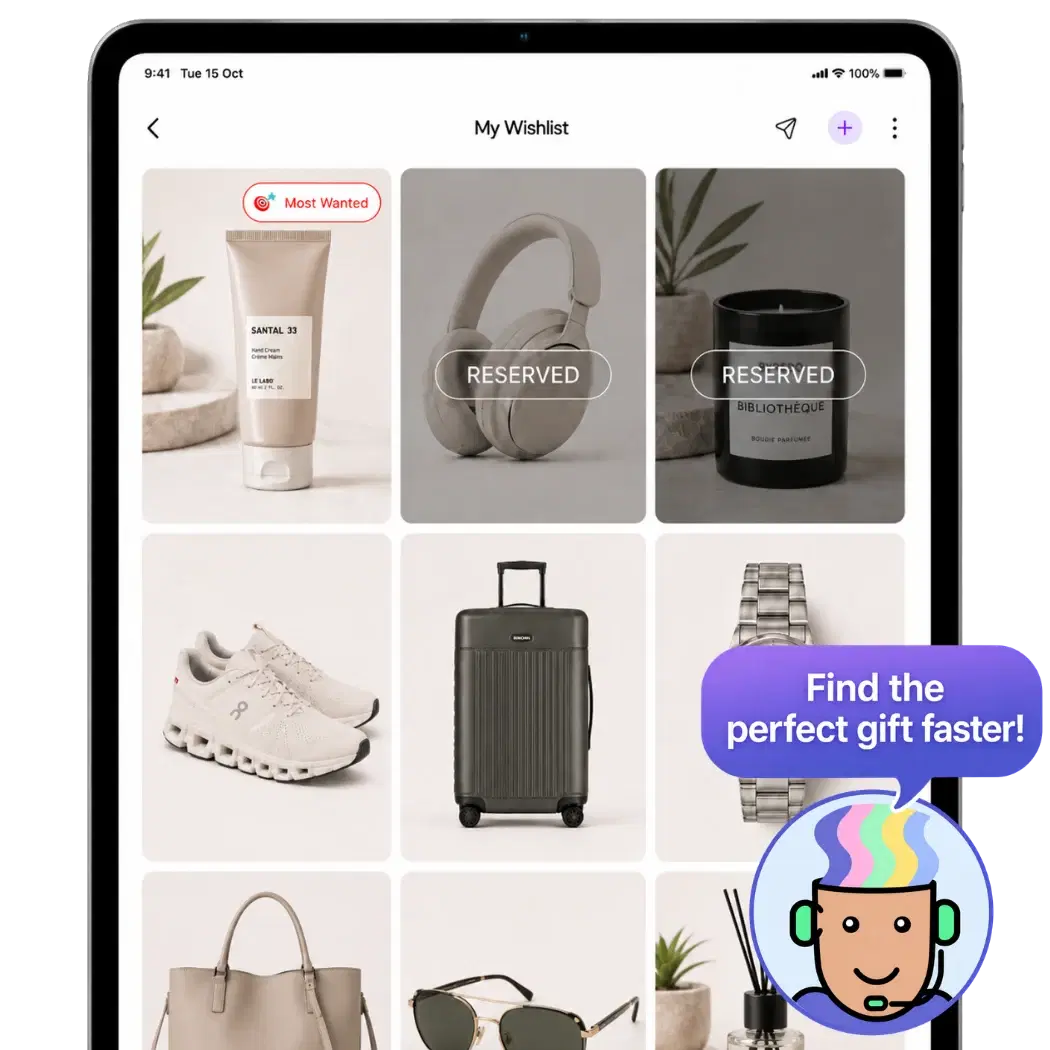
A wishlist link, a gifting platform and a store list solve different problems for streamers, YouTubers and other creators. Here is where each one stands.
| Feature | WishDeck | Gifting platform | Amazon list |
|---|---|---|---|
| Wishes from any store | ✓ | Depends on platform | — |
| Free for creators and followers, no service fee | ✓ | Often adds a fee | ✓ |
| Followers view without an account | ✓ | ✓ | ✓ |
| Secret reservations, no duplicate gifts | ✓ | Purchase-based | Purchases only |
| Payments handled by | The store | The platform | Amazon |
| Collage share, Tried & Loved, birthday reminders | ✓ | — | — |
| Native iPhone and Android apps plus the web | ✓ | Varies | ✓ |
Keep exploring: the free wish list maker, how to make an aesthetic wishlist people share, the Christmas list maker, the Amazon wish list alternative and how to make a wishlist people actually use.
Why WishDeck
Rated 4.9 ★ on the App Store · 1 million+ wishes added by our users. Here’s what they say.
“WishDeck has completely changed how I organize my gift ideas. I keep all my wishes in one place and can easily share my lists with friends and family. Saves me so much time before holidays and birthdays.”
“Built a Black Friday list and stuck to it — no impulse buys this year. Friends can reserve my wishes secretly. Very useful app!”
“It really helped me choose the right gifts for my friends and family this holiday season. The recommendations were thoughtful and relevant — gift shopping faster and actually enjoyable.”
“We used it for the entire team to play secret Santa. It was fun!”
“Very convenient to just share a link with my family before the holidays. Also used it for office secret Santa — made things so much easier.”
“Wishdeck is a simple, easy way to keep track of all the things I want to buy or achieve. The layout is clean, nothing confusing, and it actually makes me want to come back and update my list.”
A public list of things a creator would like to receive, shared as a link so followers can send a gift instead of guessing. On WishDeck the list opens in any browser, each wish links to a store, and reservations stop two fans sending the same thing.
Spread prices from about $10 to one big item, flag a single Most Wanted, say in the description how gifts reach you, mark received wishes as fulfilled and add something new monthly, and put the link in every bio and panel your audience sees. Thank people publicly without naming them, since reservations are private.
Three kinds: a wishlist link like WishDeck, where fans reserve a wish and buy it from the store with no fee; gifting platforms that process the purchase themselves and often add a service fee; and store lists such as an Amazon list, which only hold that store's products. WishDeck is the free, any-store option.
They open your link, tap Reserve on a wish, and buy it from the store the wish links to. Where it ships is between you and them: many creators share a PO box in the list description or send delivery details privately to the fan who reserved.
No. WishDeck does not process payments, add a service fee, or take a share of gifts. Followers pay the store's price at the store. Some store links earn WishDeck a small commission from the store, at no cost to the buyer.
Viewing needs nothing: no app, no account. Reserving a gift takes a free sign-up of a few seconds, which is what keeps reservations reliable when hundreds of people see the same list.
Yes. Keep a public list for followers and separate lists for family and friends, and share only the links you want public. Circles, a Premium feature, show individual wishes only to the people you choose.
Yes. Your list is a normal link, wishdeck.com/your-name, so it works in Linktree, Beacons, TikTok, Instagram, Twitch, YouTube and anywhere else a link can go.
No. By default you do not see reservations at all, which keeps gifts a surprise. Premium accounts can reveal that a wish is reserved, but never who reserved it.
Free on iPhone, Android and the web. Add wishes from any store, put one link in your bio, and let fans reserve in secret.