Highly recommend!
“WishDeck has completely changed how I organize my gift ideas. I keep all my wishes in one place and can easily share my lists with friends and family. Saves me so much time before holidays and birthdays.”
swetttikCanada

Free Christmas list makerUpdated
A Christmas list maker turns product links from any store into one online Christmas list with links that the whole family can open. WishDeck is a free Christmas list maker for iPhone, Android and the web: paste a link from Amazon, Target, Etsy or any shop, share one link in the family chat, and gift-givers reserve presents in secret so nothing arrives twice.


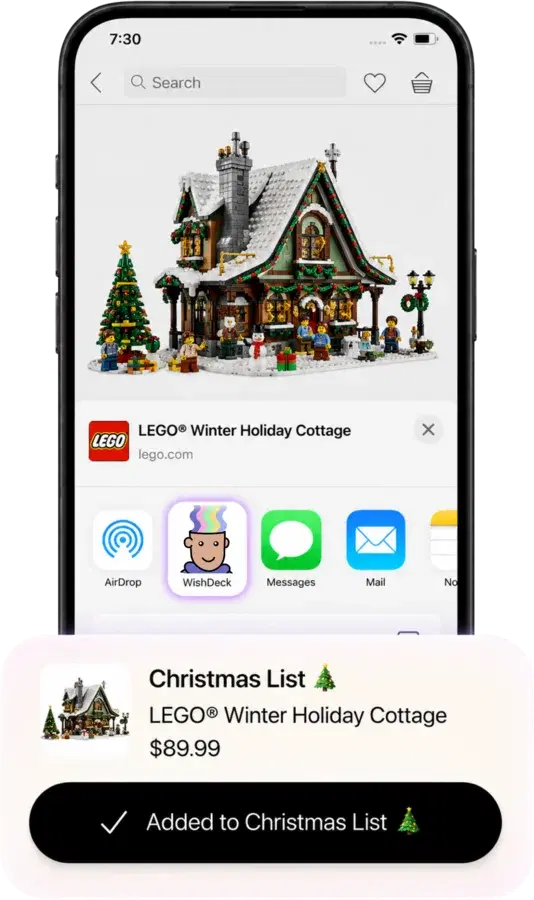
Found the perfect gift on Amazon, Target, Etsy or a small shop? Paste the link and WishDeck fills in the photo, name and price. Add sizes, colors and a note. Already keeping a list on Amazon? Import it in one step.
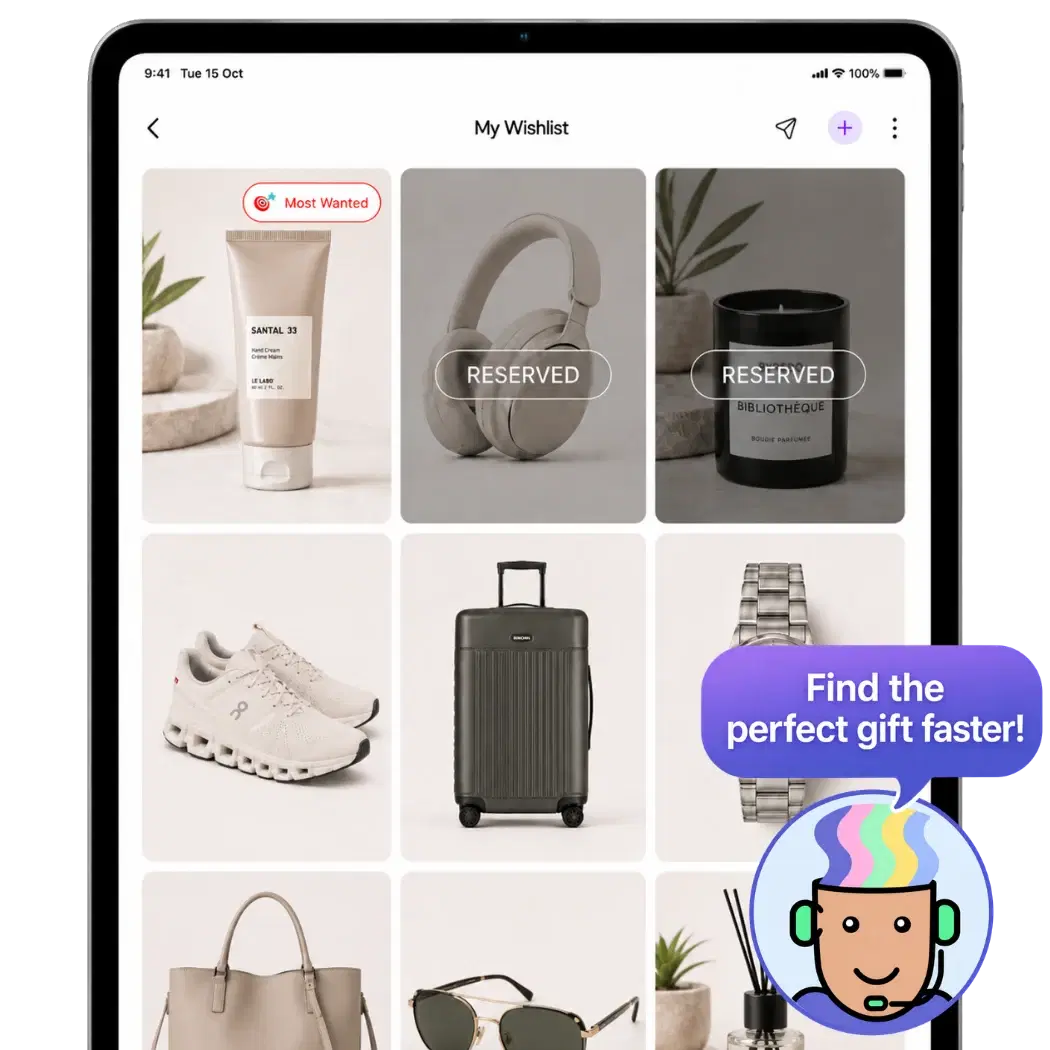
Your list lives at wishdeck.com/your-name. Send the link once to the group chat, or share it as a collage on Instagram. Grandparents open it in any browser, no app and no account.
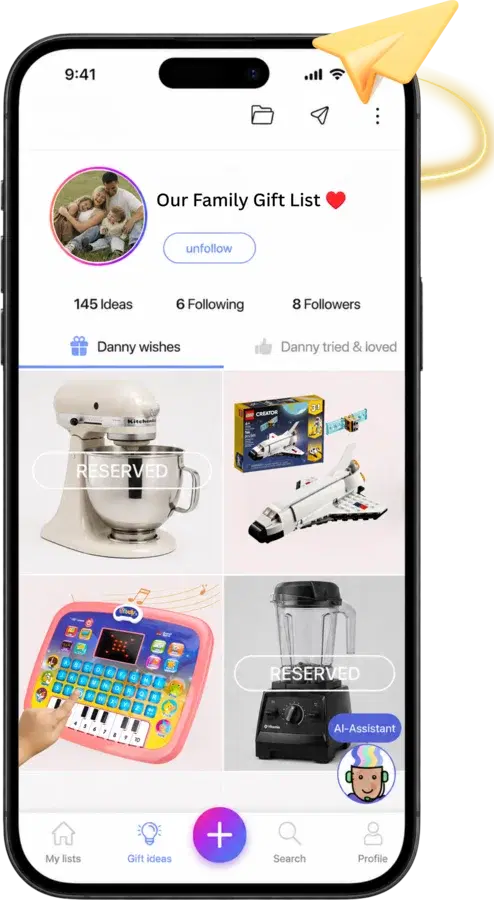
Gift-givers tap Reserve on what they are buying. Other relatives see it is taken, you never do, so every present stays a surprise and nobody buys the same thing twice.
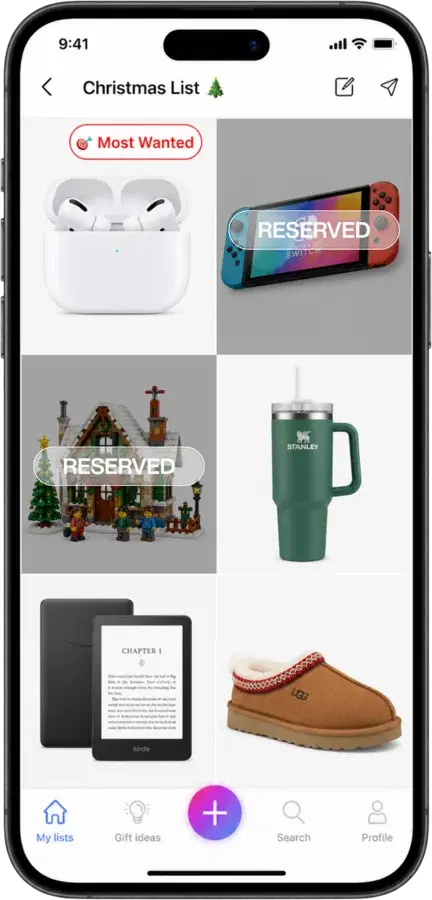
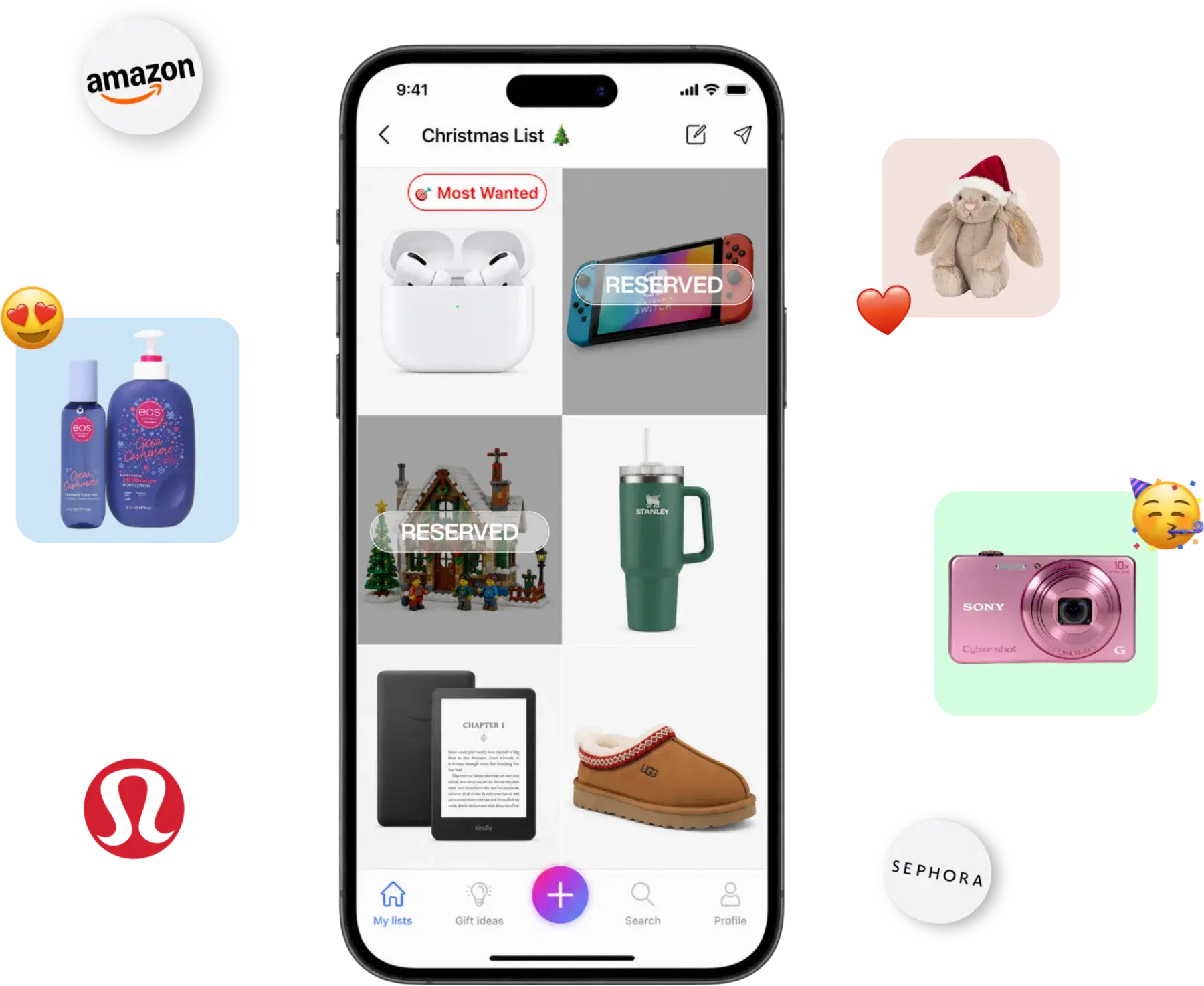
WishDeck is a full wish list maker for any occasion. These are the parts families lean on every December.
Keep a list for each kid, for Mom and Dad, for grandparents, side by side. One parent can run Christmas for the whole household and share only the lists that matter.
Make a list for a child from your own account, add the toys they ask for, and share it with relatives. The child does not need a phone or an account.
Playing Secret Santa? Draw names in the app. Every participant's wishlist is already attached, so nobody has to ask what to buy.
Flag the one gift you want most, add sizes, colors and notes, and mark a wish fulfilled once it is yours. Gift-givers see exactly what to get.
The AI gift assistant suggests what is trending right now and what people are adding to their wishlists, so even the person who "doesn't need anything" ends up with a list.
One tap turns your Christmas list into a collage sized for Instagram, TikTok or Messages. Regenerate until it looks right.
A list that gets you the gifts you want has a spread of prices and enough detail that nobody has to ask. Six things to include.
Flag the single thing you want most so the person with the biggest budget knows where to start.
Stocking stuffers, a book, a candle. Every gift-giver, including kids buying for parents, can find something they can afford.
Gifts in the $30 to $80 range are what most relatives buy. Aim for five or more so choices do not run out after the first two reservations.
A gift several people can chip in on. Say so in the note, and one relative can coordinate the rest.
Write the shoe size, the color and the model in the note. It saves the "which one?" text and the January exchange.
Concert tickets, a class, a dinner. Add them as wishes with a link so they can be reserved like anything else.
Share your list by mid-November so relatives can shop the Black Friday and Cyber Monday sales, and add a few lower-priced wishes so every budget has a choice. Reservations keep working right up to Christmas Eve, and you can edit the list any time, even after it is shared. Everyone who has the link sees the latest version.
no more “what do you want?” texts 🎁
Paper, a notes app, a printable template or a single store's list can hold a Christmas list. What they cannot do is the gifting part.
| Feature | WishDeck | Notes app or paper | Printable template | Single-store list |
|---|---|---|---|---|
| Gifts from any store in one list | ✓ | ✓ | ✓ | — |
| Photos and prices fill in automatically | ✓ | — | — | ✓ |
| One link that opens without an account | ✓ | — | — | ✓ |
| Secret reservations, no duplicate gifts | ✓ | — | — | Store items only |
| Separate lists for each family member | ✓ | — | — | — |
| Secret Santa draw with wishlists attached | ✓ | — | — | — |
| Free iPhone and Android apps plus the web | ✓ | — | — | — |
Keep exploring: the free wish list maker for any occasion, the best Christmas wishlist sites and apps compared, the Amazon wish list alternative, the creator wishlist for followers and Christmas gift guides.
Why WishDeck
Rated 4.9 ★ on the App Store · 1 million+ wishes added by our users. Here’s what they say.
“WishDeck has completely changed how I organize my gift ideas. I keep all my wishes in one place and can easily share my lists with friends and family. Saves me so much time before holidays and birthdays.”
“Built a Black Friday list and stuck to it — no impulse buys this year. Friends can reserve my wishes secretly. Very useful app!”
“It really helped me choose the right gifts for my friends and family this holiday season. The recommendations were thoughtful and relevant — gift shopping faster and actually enjoyable.”
“We used it for the entire team to play secret Santa. It was fun!”
“Very convenient to just share a link with my family before the holidays. Also used it for office secret Santa — made things so much easier.”
“Wishdeck is a simple, easy way to keep track of all the things I want to buy or achieve. The layout is clean, nothing confusing, and it actually makes me want to come back and update my list.”
Yes. WishDeck is a free online Christmas list maker for iPhone, Android and the web. Making lists, adding gifts from any store with links, sharing your link and reserving gifts for others all cost nothing. Optional Premium features such as revealing reserved wishes and Circles are paid.
Create a free WishDeck account, paste a product link from any store, and the photo, name and price fill in automatically. Repeat for each gift, add a size or a note where it matters, then share your link, wishdeck.com/your-name, in the family chat. A full list takes about ten minutes.
The best website is one that adds gifts from any store by link, shares as a single link that opens without an account, and hides reservations from the list maker so surprises survive. WishDeck does all three at wishdeck.com, with free iPhone and Android apps that sync to the same list. Our comparison of Christmas wishlist sites and apps covers the alternatives.
Use an app that works for the whole family, not just for you: relatives should be able to open the list without installing anything. WishDeck is free on iPhone and Android, the list opens in any browser for everyone else, and reservations are hidden from you by default. Giftster and GiftList are the closest alternatives if you want to compare.
Yes. Every wish on WishDeck keeps the link to the store it came from, so relatives tap the wish and land on the exact product page at Amazon, Target, Etsy or wherever you found it. You can add a second link or a note if the item is sold in several places.
Gift-givers can. When someone reserves a present, other people viewing the list see it is taken, so nobody doubles up. You, the list maker, do not see reservations by default, which keeps every gift a surprise. Premium accounts can choose to reveal that a wish is reserved, but never who reserved it.
Yes. From one account you can keep a separate list for each child, add the toys they ask for, and share each list with relatives. Kids do not need their own phone or account.
No. Your list opens in any browser with no app and no account. Reserving a gift takes a free sign-up of a few seconds, which is what keeps reservations reliable across the whole family.
Yes. In WishDeck, choose Import from Amazon, paste the link of your shared Amazon list, and the items are added to a new list with photos and prices. Set the Amazon list to Shared first so it can be read.
Draw names in the WishDeck app and each participant is matched with someone whose wishlist is already attached. Reservations stay secret, so the person you drew never learns what you picked.
Free on iPhone, Android and the web. Add gifts from any store, share one link and let the family reserve in secret.