Highly recommend!
“WishDeck has completely changed how I organize my gift ideas. I keep all my wishes in one place and can easily share my lists with friends and family. Saves me so much time before holidays and birthdays.”
swetttikCanada

Free wishlist collage makerUpdated
A wishlist collage maker turns the items on your wish list into one image you can post to a story or send in a chat. WishDeck is a free wishlist collage maker for iPhone, Android and the web: save products from any store, tap Collage, and your wishes are arranged into a finished picture in a few minutes, with nothing to design.


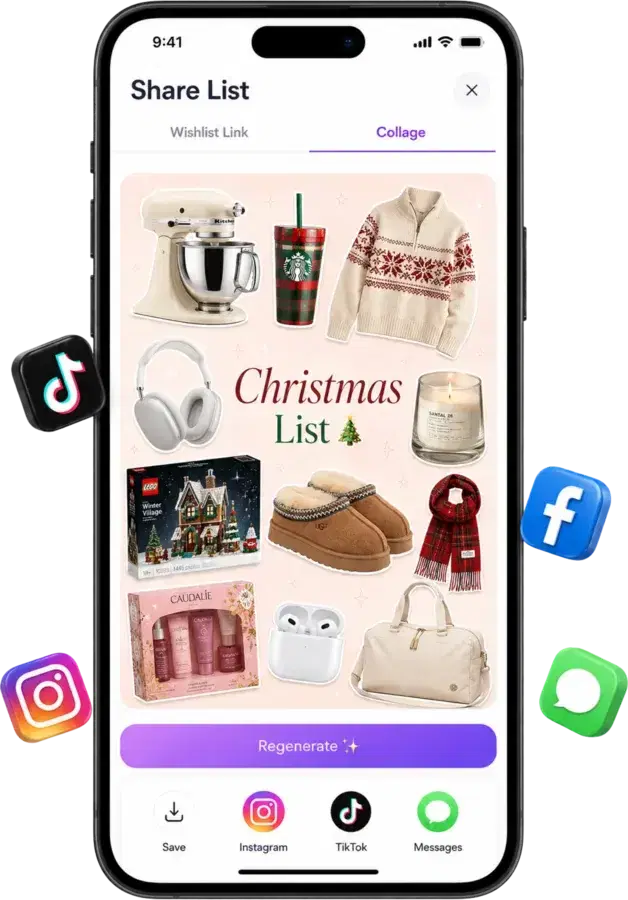
Paste a product link from Amazon, Sephora, Etsy or a small shop and WishDeck fills in the photo, name and price. The collage is built from these photos, so every wish needs a picture.
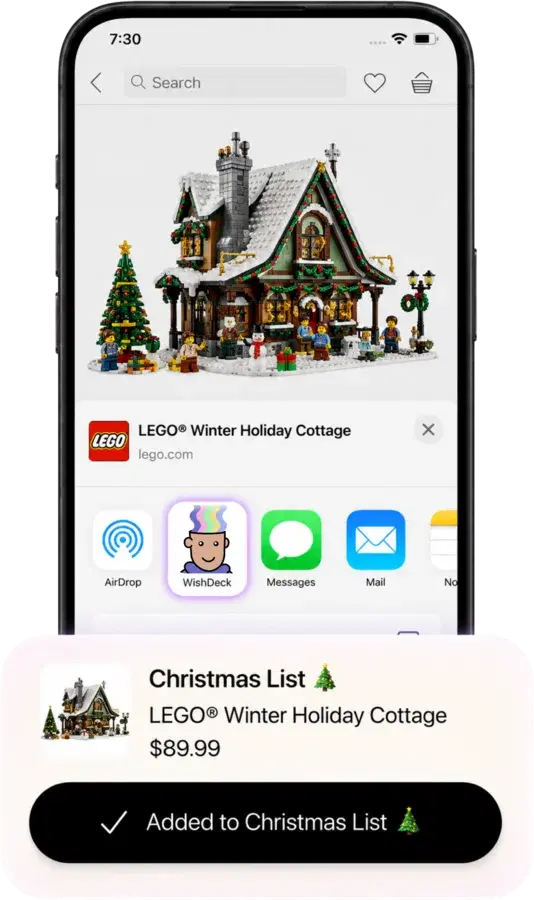
Open the public list you want to show, tap Share and switch to the Collage tab. Tap Generate collage. WishDeck arranges your wishes into several variants in up to three minutes, and you can keep browsing while it works.
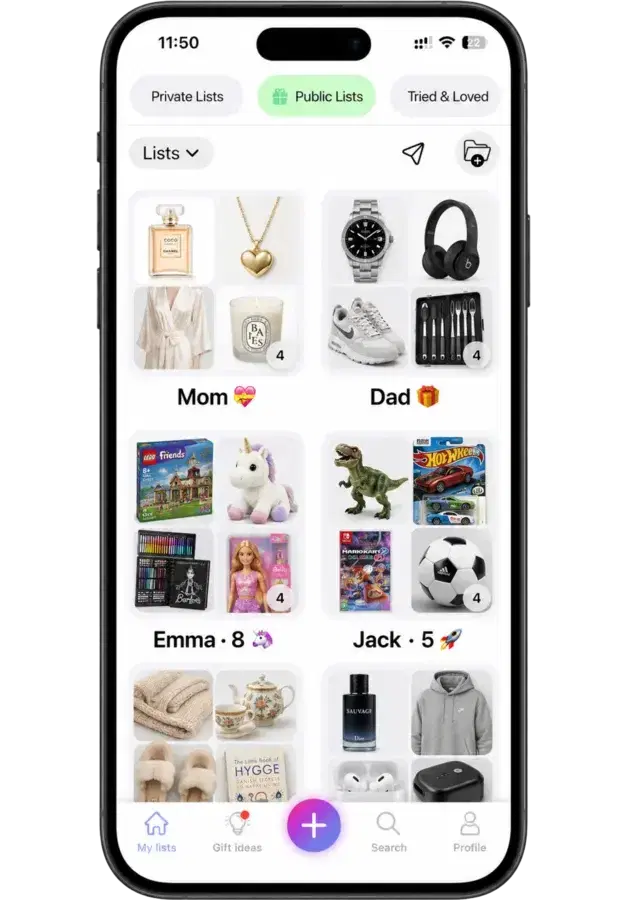
Save the image or send it to Instagram, TikTok or Messages. Add your link, wishdeck.com/your-name, so friends can open the list, see where each item is sold and reserve a gift in secret.
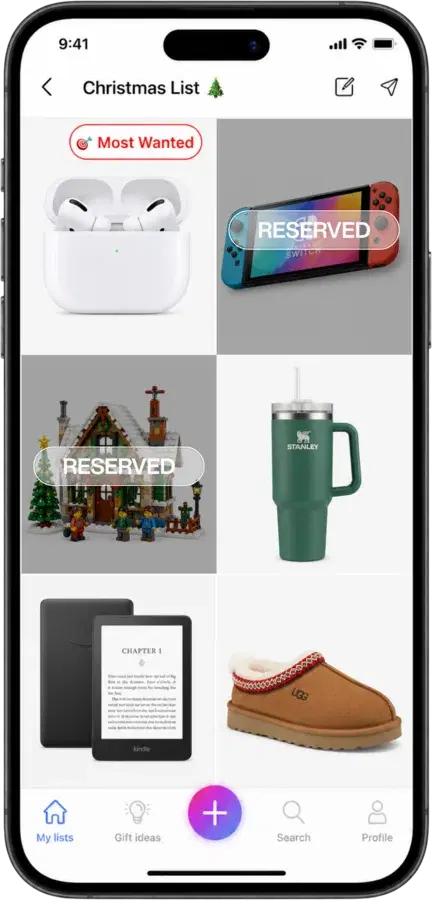
The collage is one part of WishDeck, a free wish list maker. These are the facts about the collage itself.
The collage uses the product photos of the wishes you already saved from any store. You do not upload pictures again or cut anything out by hand.
Each collage comes in several variants. Look through them and keep the one that fits your feed or your family chat.
Tap Generate collage and carry on. WishDeck says the collage may take up to three minutes, and it is waiting for you when you come back.
Save the image to your device or pass it to Instagram, TikTok or Messages from the same screen.
Add or remove a wish and you can generate again at no cost. If the list has not changed, a new free collage is available after 24 hours.
Your link, wishdeck.com/your-name, opens the full list in any browser without an account. Each wish links to its store, and friends reserve gifts in secret so nothing is bought twice.
The collage is made from what is on your list. Six habits that make the picture and the list behind it work better.
A wish without a picture is left out of the collage. Add one before you generate.
Make a separate list for Christmas, a birthday or a wedding and generate the collage from that list, so the image tells one story.
A few small gifts, some in the middle and one bigger wish give every friend something in their range.
Fulfilled wishes are left out of the next collage, so the picture shows only what you still want.
A collage is a picture and holds no links. Add wishdeck.com/your-name as a story link sticker, in your bio or in the message.
A new collage is free whenever the list changes. Post the new image, because one you already shared does not update.
Keep one list per occasion and make the collage from that list: a Christmas wishlist collage for the family chat in December, a birthday wishlist collage for your story two or three weeks before the day. With Premium you can set the middle text, up to 20 characters, and describe a background such as a Christmas or birthday theme.
your list, ready to post 💜
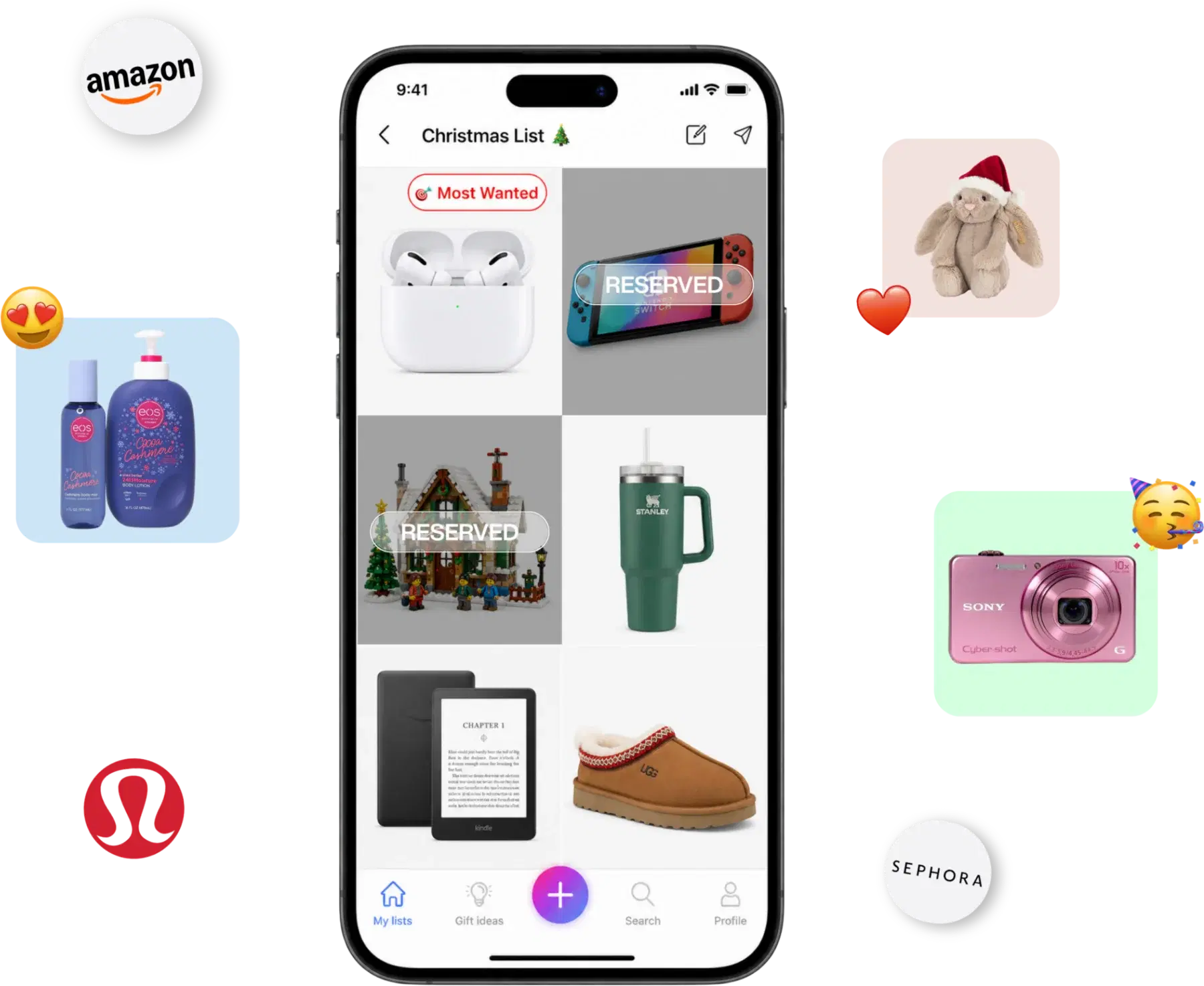
A design template, a pin board or a set of screenshots can all show what you want. They differ in how much work they take and in whether the picture leads to a list people can buy from.
| Feature | WishDeck collage | Design app template | Pinterest board | Screenshots of a list |
|---|---|---|---|---|
| Made from your real wish list in one tap | ✓ | — | — | — |
| One finished image to post or send | ✓ | ✓ | — | One per screen |
| No cutting out or arranging product photos | ✓ | — | ✓ | ✓ |
| Leads to a list where every item links to its store | ✓ | — | If each pin has a link | Depends on the list |
| Friends can reserve gifts on that list | ✓ | — | — | Depends on the list |
| New version when the list changes | Generate again, free | Rebuild by hand | Add pins by hand | New screenshots |
Keep exploring: how to make an aesthetic wishlist, how to put a wishlist link in your bio, the free wish list maker, the Christmas list maker, the birthday wishlist maker and the creator wishlist.
Why WishDeck
Rated 4.9 ★ on the App Store · 1 million+ wishes added by our users. Here’s what they say.
“WishDeck has completely changed how I organize my gift ideas. I keep all my wishes in one place and can easily share my lists with friends and family. Saves me so much time before holidays and birthdays.”
“Built a Black Friday list and stuck to it — no impulse buys this year. Friends can reserve my wishes secretly. Very useful app!”
“It really helped me choose the right gifts for my friends and family this holiday season. The recommendations were thoughtful and relevant — gift shopping faster and actually enjoyable.”
“We used it for the entire team to play secret Santa. It was fun!”
“Very convenient to just share a link with my family before the holidays. Also used it for office secret Santa — made things so much easier.”
“Wishdeck is a simple, easy way to keep track of all the things I want to buy or achieve. The layout is clean, nothing confusing, and it actually makes me want to come back and update my list.”
To make a wishlist collage, save your wishes to a list on WishDeck, tap Share, switch to the Collage tab and tap Generate collage. WishDeck arranges the product photos from your list into a finished image in up to three minutes. Pick the variant you like, then save it or send it to Instagram, TikTok or Messages. There is nothing to cut out or arrange by hand.
Yes. WishDeck is a free wishlist collage maker for iPhone, Android and the web. Making a list, generating a collage from it and saving or sharing the image cost nothing, and a new collage is free again whenever your list changes or after 24 hours. Optional Premium adds more variants for the same list and a custom middle text and background.
WishDeck is a wish list app that makes a wishlist collage from the items you have saved. It works in the iPhone and Android apps and on wishdeck.com: add products from any store, tap Share and open the Collage tab. The same list also has a link, wishdeck.com/your-name, where friends see each item with its store link and can reserve a gift.
Make a separate Christmas list on WishDeck and add gifts that share a look, such as one color palette or one theme, with clean product photos. Then tap Share, open the Collage tab and pick the variant you like. With Premium you can also set the middle text, up to 20 characters, and describe a Christmas background.
Yes. Save the collage image, or use the Instagram, TikTok and Messages buttons under it in the WishDeck app, and post it like any photo. On an Instagram story, add the Link sticker with your wishdeck.com/your-name address so viewers can tap through to the list. On TikTok, post the image and keep the link in your bio.
The collage is a picture, so it does not hold links itself. Post it together with your WishDeck link, wishdeck.com/your-name. On the list, every wish shows its photo and price and opens the exact product page in its store. Friends can also tap Reserve there, so two people do not buy the same gift.
Yes. On WishDeck you do not open a design app, pick a template or cut out product photos. You save products to your wish list as usual, tap Collage, and the layout is made for you from those products. If one variant does not look right, choose another, or generate a new collage after you change the list.
Yes. When you add or remove a wish, change its picture or move it to another list, WishDeck lets you generate a new collage for free. If the list has not changed, a new free collage is available after 24 hours, and Premium unlocks more variants in between. Post the new image afterwards, because a collage you already shared does not update by itself.
WishDeck does not use a template that you fill in by hand. It builds the collage from the products on your list and gives you several variants to choose from. A standard collage is titled My Wishlist on WishDeck. With Premium you can replace the first part of that title with your own text, up to 20 characters, and describe the background you want.
A wishlist collage on WishDeck uses the visible wishes of the list you selected. A wish is left out when it has no picture, when it is marked as fulfilled, or when it is shared only with a Circle. New collages are made for public lists, so a private list has to be made public first. Fix the wish, then generate a new collage.
Free on iPhone, Android and the web. Save wishes from any store, tap Collage and share the picture with your link.