
 Best Classroom Tech for Teachers (2026)
Best Classroom Tech for Teachers: Tablets, Document Cameras & Timers (2026)
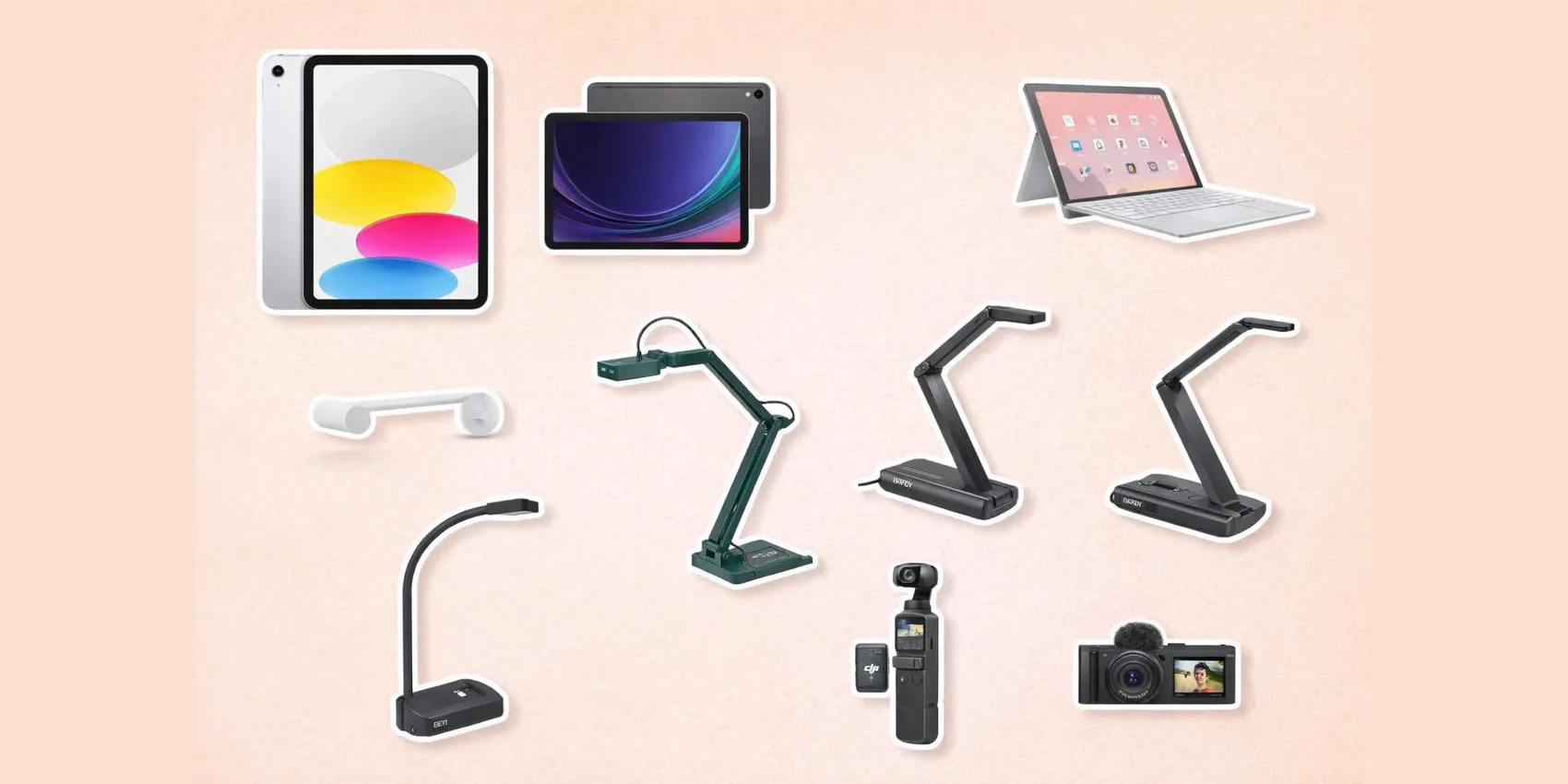
The best classroom tech for teachers in 2026 is a fast tablet for grading and slides, a plug-and-play document camera, and a visual timer that runs transitions without nagging. This guide sorts 20 classroom-proven picks into six sections — tablets and detachables, document cameras, video and streaming, visual timers, power and charging, and creative annotation tools — with prices from $25 to $948.
Shopping for a teacher, not a classroom? See our teacher gifts from the whole class, the classroom supplies teachers actually wishlist, and teacher gifts under $25.
Add-on magic: Save any pick to a WishDeck wishlist in a tap, compare its price across Amazon, Best Buy, Walmart and brand stores before checkout, and share one link so your school team or family reserves gear without buying duplicates.
Table of Contents
1. Teacher Tablets & Detachables
2. Document Cameras & Visual Presenters
3. Video & Streaming for Lessons
4. Visual Timers for Classroom Flow
5. Power, Charging & Connectivity
6. Creative & Annotation Tools
7. Ready to Share Your Wishlist
Our Top 5 Picks
 Best Tablet
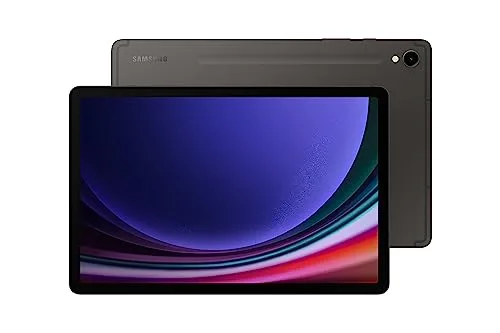
Samsung Galaxy Tab S9
S Pen included and a bright AMOLED screen — grading, slides, and annotation in one slab.
$479.95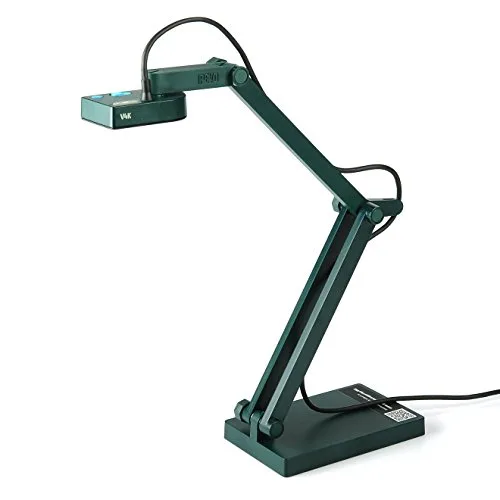 Best Doc Camera
IPEVO V4K Document Camera
The 8MP USB doc cam teachers actually buy — plug in, point, and project worksheets.
$104.05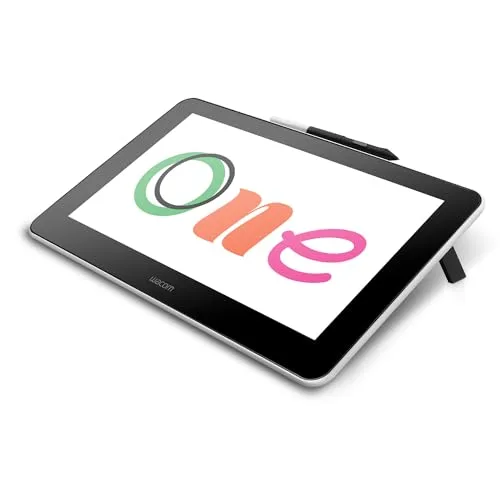 Best Splurge
Wacom One 13.3" Pen Display
Write on the screen while it mirrors to the projector — live annotation that feels natural.
$376.50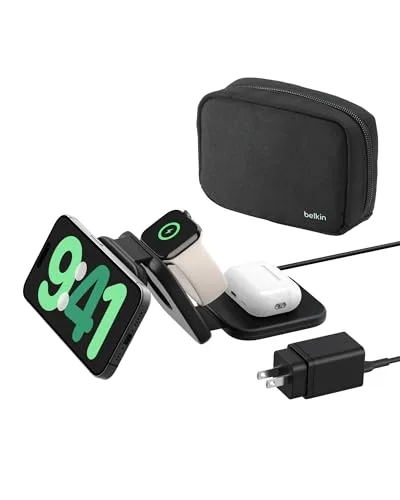 Best Charging Hub
Belkin BoostCharge Pro 3-in-1
Phone, watch, and earbuds topped up on one desk pad — no cable spaghetti by the gradebook.
$99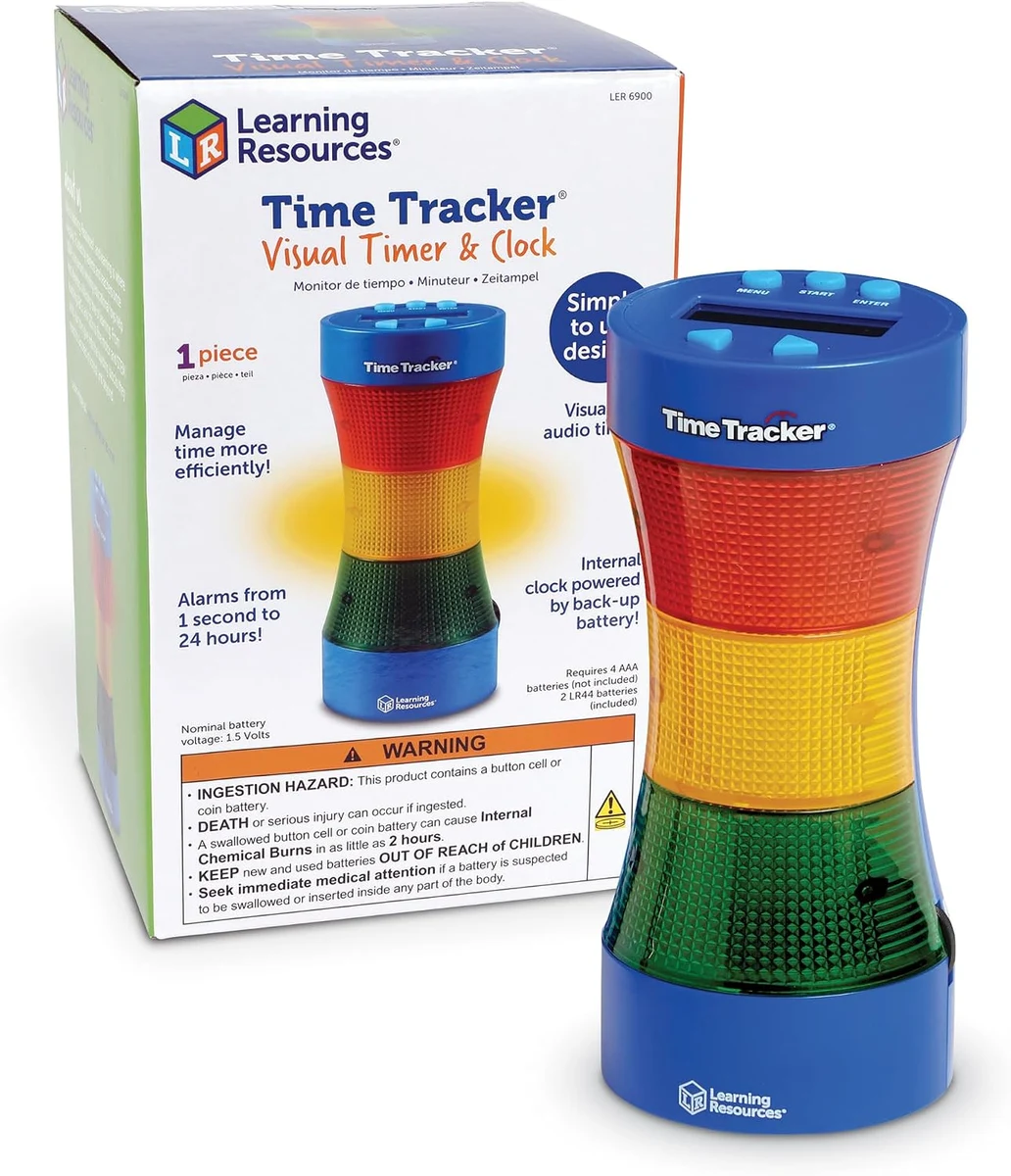 Best Under $25
Learning Resources Time Tracker
Green-yellow-red countdown every kid understands — transitions without the nagging.
$24.79Teacher Tablets & Detachables
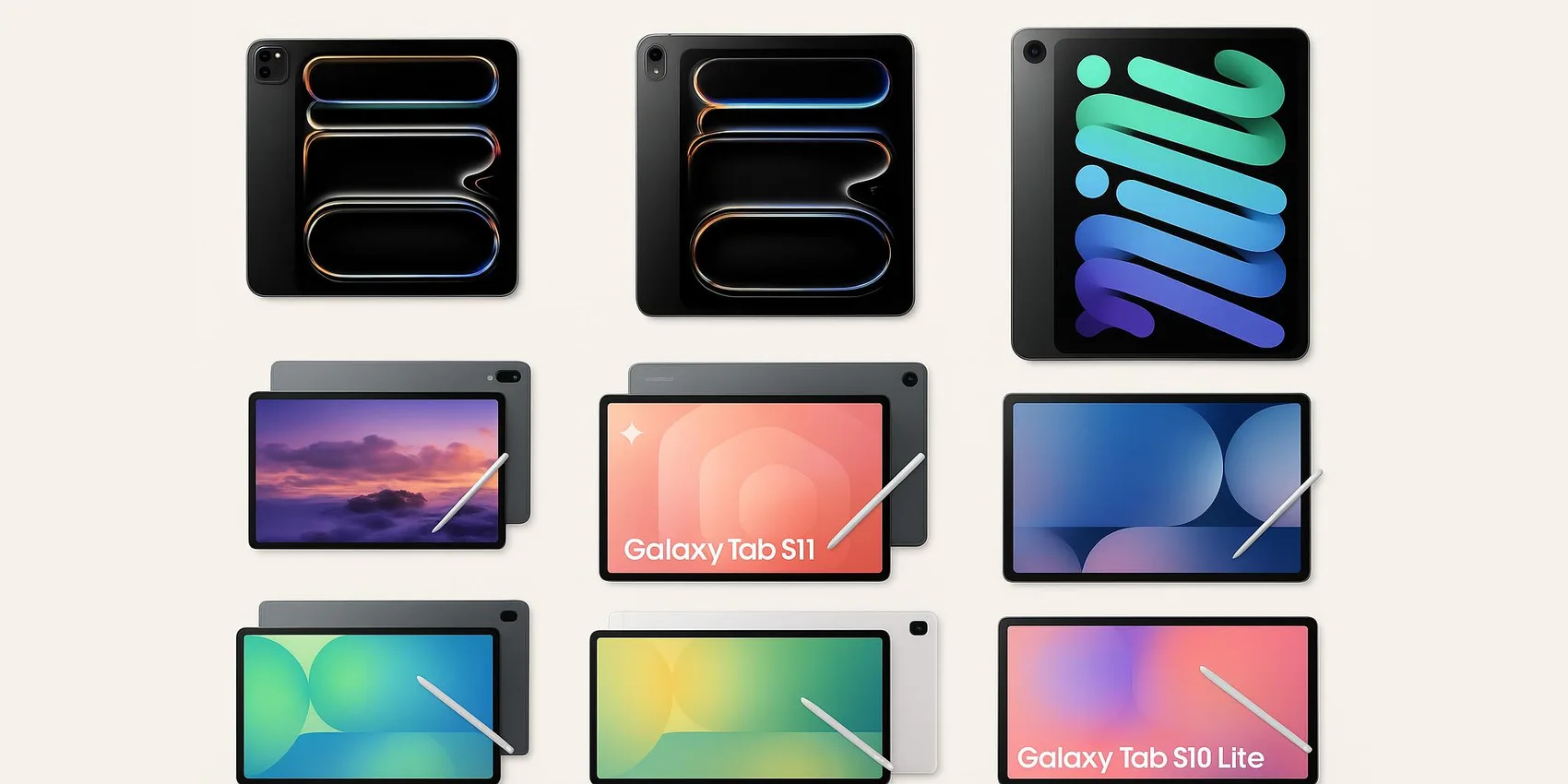
Tablets and detachable laptops are ideal for circulating the room, projecting slides, running formative checks, and keeping plans handy. These picks focus on everyday classroom smoothness—fast wake, comfortable note-taking, and reliable app ecosystems.
1. Apple iPad (10th Generation)
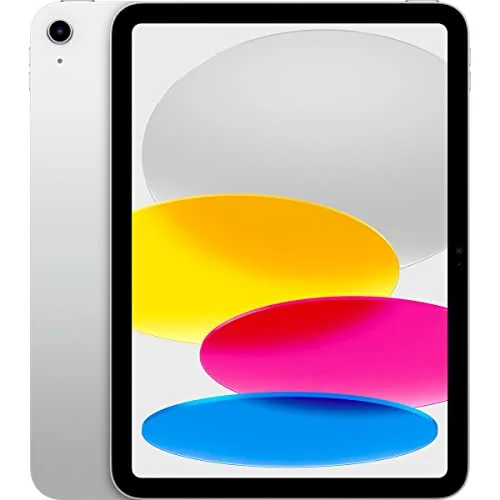


A classroom-friendly tablet for teachers who want a simple, grab-and-go device for slides, attendance, quick scans/photos, and small-group instruction. Reviewers note it’s especially appreciated for its straightforward setup and strong app support for planning and content delivery. Buyers consistently report it feels “just works” for daily routines, though accessories and compatibility choices matter. Best for teachers who want an easy, reliable tablet because it fits into most classroom workflows without fuss.
- Smooth, low-friction daily use for planning and presenting
- Strong ecosystem of education and productivity apps
- Solid all-around pick for shared home/classroom use
- The most common complaint is accessory compatibility can be confusing across iPad/Pencil generations
- Storage can feel limiting if you keep lots of videos/files locally
- You may want a case/stand for comfortable all-day classroom positioning


2. Samsung Galaxy Tab S9

A premium Android tablet for teachers who want a bright, responsive screen for marking up PDFs, managing multiple apps, and running classroom tools without feeling cramped. Across expert reviews, it’s frequently positioned as a top-tier Android option with a polished build and a smooth pen-and-note workflow. Buyers consistently report it feels fast and refined, though the price can sting compared to midrange tablets. Best for Android-first teachers because it delivers a high-end tablet experience that stays quick under real multitasking.
- Excellent for multitasking lessons, email, and annotations
- Premium feel and smooth everyday performance
- Strong choice if you already live in Android/Google apps
- The most common complaint is the price is high for a classroom budget
- Some school tools are still optimized more for iPad in certain districts
- Accessories add to the total cost

3. ASUS Chromebook Detachable CM30 (CM3001)0 (CM3001)
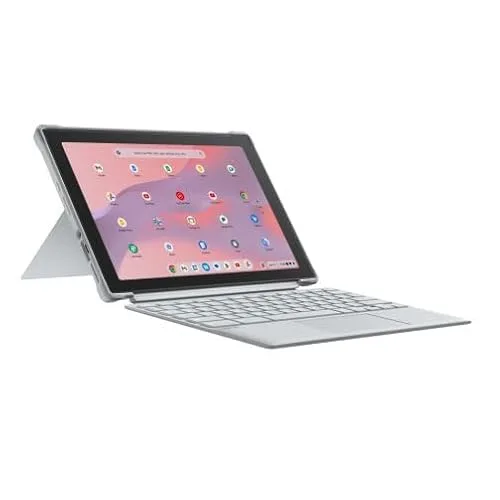

A detachable Chromebook that works well for teachers who need a budget-friendly device for Google Classroom, Docs, and lightweight planning—plus the flexibility to use it as a tablet. Reviewers often highlight the value of having a keyboard-first workflow without carrying a full laptop. Buyers consistently report it’s convenient for everyday school tasks, while heavier multitasking can feel slower than premium options. Best for Google Workspace classrooms because it covers core teaching tasks at a friendly price.
- Great fit for Google Classroom and Docs-based planning
- Detachable design supports both typing and handheld use
- Budget-friendly way to add a dedicated school device
- The most common complaint is performance can feel limited with many tabs/apps open
- Screen and speakers are often described as “fine, not fancy”
- Not ideal for heavy video editing or demanding creative apps
Document Cameras & Visual Presenters
Document cameras turn any worksheet, book page, math problem, or lab demo into a clear whole-class visual. These options range from affordable USB workhorses to higher-end presenters for polished, consistent projection.
4. Logitech Scribe Whiteboard Camera
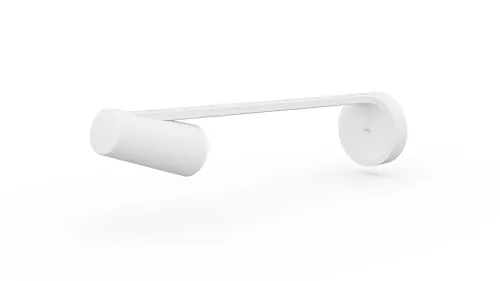

A whiteboard camera for teachers who want remote or hybrid learners to see board work clearly without glare, shadows, or a teacher blocking the view. Across expert reviews, it’s commonly framed as a premium solution for making whiteboard content legible in video calls and recordings. Buyers consistently report it can dramatically improve readability, but it’s best when installed thoughtfully and used with compatible room setups. Best for hybrid teaching because it prioritizes clean, shareable whiteboard visuals.
- Improves legibility of whiteboard writing for remote viewers
- Reduces common issues like glare and blocked content
- Strong fit for classrooms that rely on video lessons or conferencing
- The most common complaint is the price is hard to justify for smaller budgets
- Setup and placement can require planning (and sometimes permissions)
- Works best within specific classroom/conferencing ecosystems
5. IPEVO V4K Document Camera

A USB document camera for teachers who want crisp, close-up demos of handwriting, manipulatives, and book pages without constant refocusing. Reviewers note it’s a popular sweet spot for classroom clarity and straightforward setup with common teaching platforms. Buyers consistently report it’s dependable for daily use, though lighting and positioning still matter for the best image. Best for everyday instruction because it delivers clear visuals without jumping into premium pricing.
- Strong clarity for worksheets, books, and small objects
- Straightforward USB setup for common classroom computers
- Good value for teachers upgrading from older doc cams
- The most common complaint is you may need good desk lighting to avoid shadows
- Arm positioning can take a minute to dial in for your workspace
- Not as “all-in-one” as standalone visual presenters with built-in displays
6. Elmo MO‑1 Visual Presenter
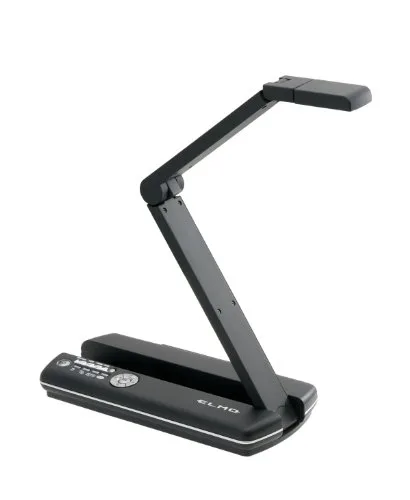

A visual presenter for teachers who want a more “presentation-ready” way to display documents, 3D objects, and live demonstrations with minimal fiddling. Reviewers often point to Elmo’s classroom heritage and the convenience of a dedicated presenter when you’re teaching bell-to-bell. Buyers consistently report it feels purpose-built for instruction, though it’s a bigger investment than basic USB doc cams. Best for high-use classrooms because it’s designed for consistent, repeatable live demos day after day.
- Purpose-built for clear, live classroom demonstrations
- Great for showing 3D objects and hands-on steps
- Feels like a dedicated teaching tool, not a workaround
- The most common complaint is the cost is steep versus simpler USB options
- Takes up more physical space than compact doc cams
- May be more capability than needed for occasional projection
7. AVerVision U50 USB Document Camera
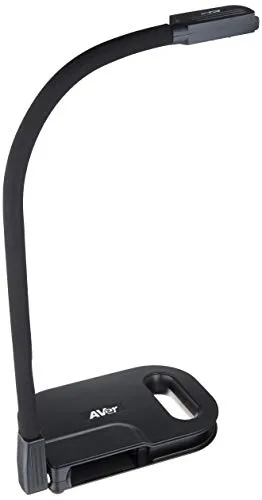

A USB document camera for teachers who want a no-drama way to project pages, show science samples, or model annotation live. Across reviews, it’s often described as a practical classroom tool that’s easy to integrate with existing computers and projectors. Buyers consistently report it’s reliable for routine demonstrations, with the main differences coming down to software preferences and workspace setup. Best for teachers who want a straightforward doc cam because it supports clear, repeatable whole-class modeling.
- Simple USB connection for fast classroom setup
- Good for modeling writing steps and showing physical materials
- Works well as a shared classroom tool across periods
- The most common complaint is bundled software isn’t everyone’s favorite
- Image quality depends on lighting and distance
- Stand/arm setup can feel bulky on smaller desks
Video & Streaming for Lessons
For teachers recording mini-lessons, flipping instruction, or hosting virtual office hours, video quality and reliability matter. These options range from a dedicated webcam for desk teaching to compact cameras for field trips, labs, and demonstrations.
8. DJI Pocket 3 Creator Combo
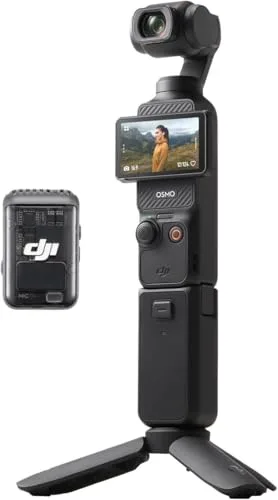

A compact stabilized camera kit for teachers who film hands-on demos, classroom projects, or field trips and want smooth footage without lugging a big rig. Across expert reviews, it’s praised for making handheld video look steady and “produced,” which helps when you’re moving between stations. Buyers consistently report it’s fun and efficient for quick capture, though the bundle can be overkill if you only need occasional clips. Best for teachers creating dynamic lesson videos because stabilization keeps the focus on the content, not shaky camera work.
- Stabilized video that looks smooth while you move around
- Compact enough to keep in a teacher bag
- Great for demos, labs, and field-trip style learning content
- The most common complaint is the Creator Combo cost feels high if you won’t use the extras
- Small device means smaller controls; takes practice to operate quickly
- Managing files/accessories can add a bit of workflow overhead

9. Sony ZV‑1 II
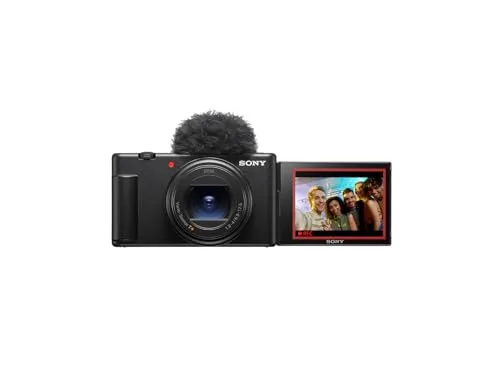

A compact creator-focused camera for teachers who want higher-quality video for course content, school announcements, or a classroom YouTube-style channel. Across expert reviews, it’s positioned as a strong step up for background blur, low-light classrooms, and a more “cinematic” look without going full interchangeable-lens. Buyers consistently report excellent image quality, with the tradeoff being a more involved camera workflow than a phone or webcam. Best for teacher-creators because it elevates lesson videos when quality and polish matter.
- Higher-quality video for polished lesson content
- Strong option for low-light rooms and more natural background separation
- Compact for a teacher kit that travels between school and home
- The most common complaint is it’s expensive compared to phone-based filming
- More settings and accessories can mean a steeper learning curve
- You’ll need a plan for audio and mounting to get the most from it

10. Elgato Facecam 4K
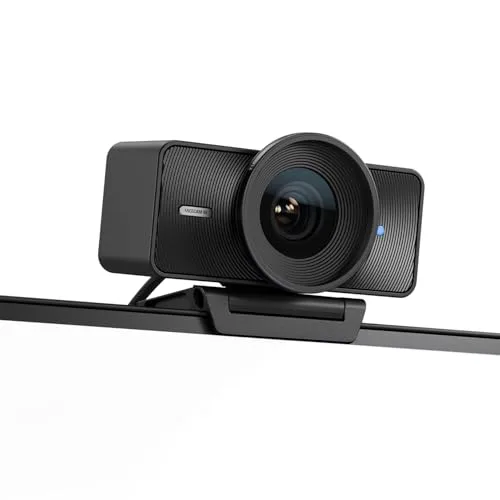
A dedicated webcam for teachers who want a cleaner, more professional look for virtual lessons, parent meetings, and recorded instruction. Reviewers often emphasize its sharp image and the control it gives you over how you appear on camera, which helps in bright classrooms and mixed lighting. Buyers consistently report it’s a meaningful upgrade from built-in laptop cameras, though you’ll want to spend a minute dialing in settings. Best for teachers who teach on video because it makes your on-screen presence clearer and more consistent.
- Noticeably sharper than most built-in laptop webcams
- Helpful controls for getting a consistent look in tricky lighting
- Great for virtual lessons and recorded mini-lectures
- The most common complaint is it’s pricier than basic webcams
- Settings software can feel like extra setup for non-techy users
- You may still need good room lighting for the best results
Visual Timers for Classroom Flow
A good visual timer reduces repeated reminders and helps students self-regulate transitions, stations, and independent work. These picks are simple, highly visible, and designed to support routines students can understand at a glance.
11. Time Timer 8‑Inch Visual Classroom Timer
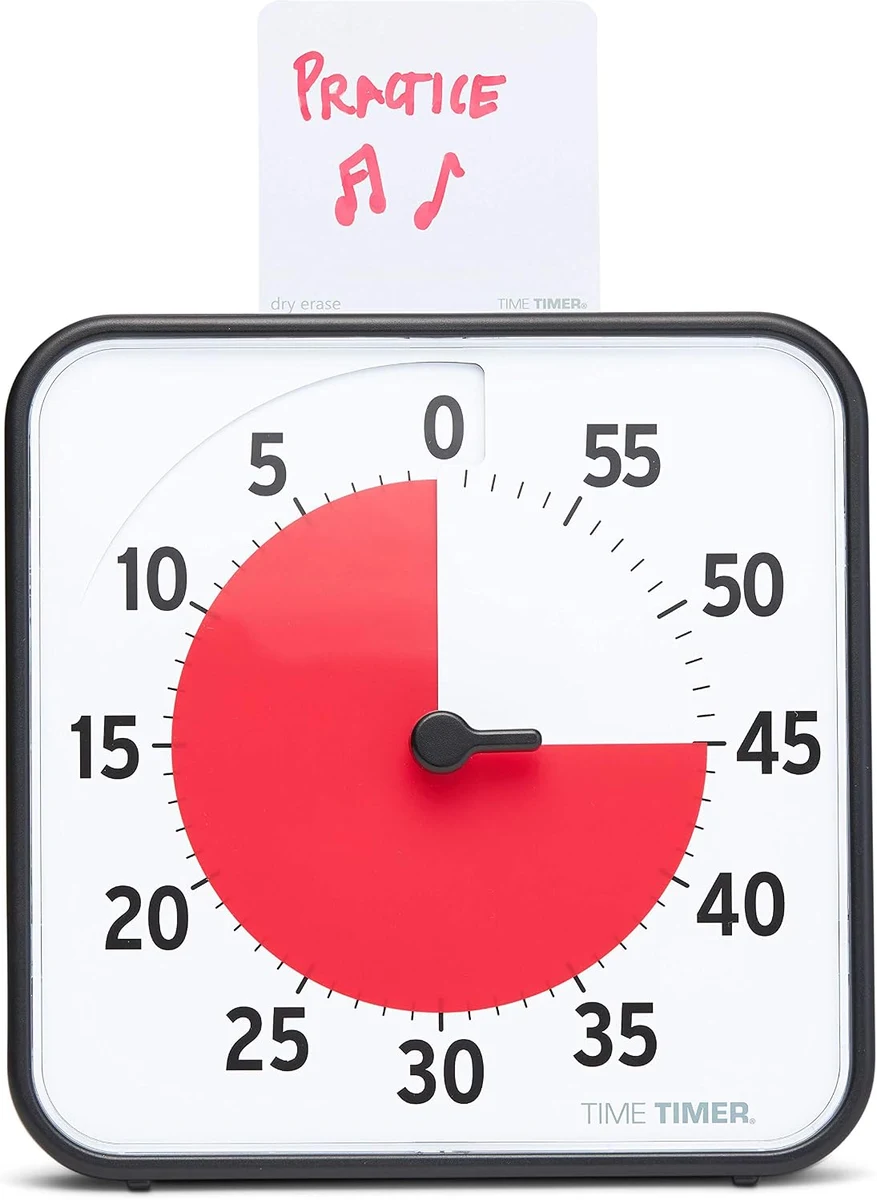

A large, easy-to-read visual timer for teachers who want students to “see time” during centers, tests, and transitions. Reviewers note the visual countdown is especially helpful for younger learners and neurodiverse classrooms where verbal reminders aren’t enough. Buyers consistently report it becomes part of the room’s routine quickly, though it’s a bigger desktop item than pocket timers. Best for whole-class routines because it makes expectations visible from across the room.
- Highly visible across the classroom
- Supports independent transitions and time awareness
- Simple, routine-friendly tool teachers can use daily
- The most common complaint is it can feel bulky on a crowded teacher desk
- Not ideal if you need a silent/hidden timer option
- Some teachers prefer a rechargeable timer over battery-dependent tools

12. Learning Resources Time Tracker Visual Timer
A color-coded visual timer for teachers who want a clear, student-friendly way to break time into chunks (great for stations, small groups, and “finish work” blocks). Reviewers often mention the color segments help students anticipate what’s next without constant teacher prompts. Buyers consistently report it’s intuitive and classroom-appropriate, with the main tradeoff being that it’s not a minimalist design. Best for elementary and intervention settings because the color cues make time management easier to teach.
- Color cues make time chunks easy for students to understand
- Great for centers, rotations, and small-group pacing
- Budget-friendly classroom management upgrade
- The most common complaint is the alert style/volume won’t suit every classroom
- Design is more kid-forward than minimalist
- Takes a little practice for students to learn the color meaning
Power, Charging & Connectivity
Between projectors, tablets, laptops, and phones, classrooms are basically cable ecosystems. These picks help teachers stay charged, connect reliably, and avoid the “my adapter is at home” panic.
13. Belkin USB-C 4‑Port Multiport Adapter
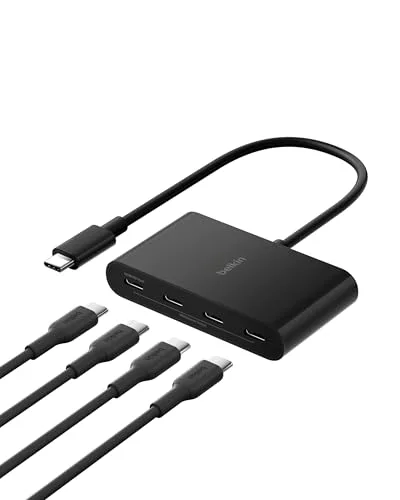

A multiport adapter for teachers who plug into projectors, external displays, USB accessories, or wired internet depending on the room they’re assigned. Reviewers note that a reliable hub reduces daily friction—especially in schools where every classroom setup is a little different. Buyers consistently report it’s a “save the day” item to keep in a teacher bag, though it’s another small accessory to track. Best for teachers who move rooms because it helps you connect quickly without hunting for the right port.
- Helps you connect to varied classroom tech setups
- Easy to keep in a bag for backup connections
- Reduces last-minute adapter scrambling before class
- The most common complaint is hubs can run warm during extended use
- Port selection may not match every projector/cable situation
- Another small item that can be misplaced in a busy classroom
14. Amazon Echo Show 8 (with Alexa)
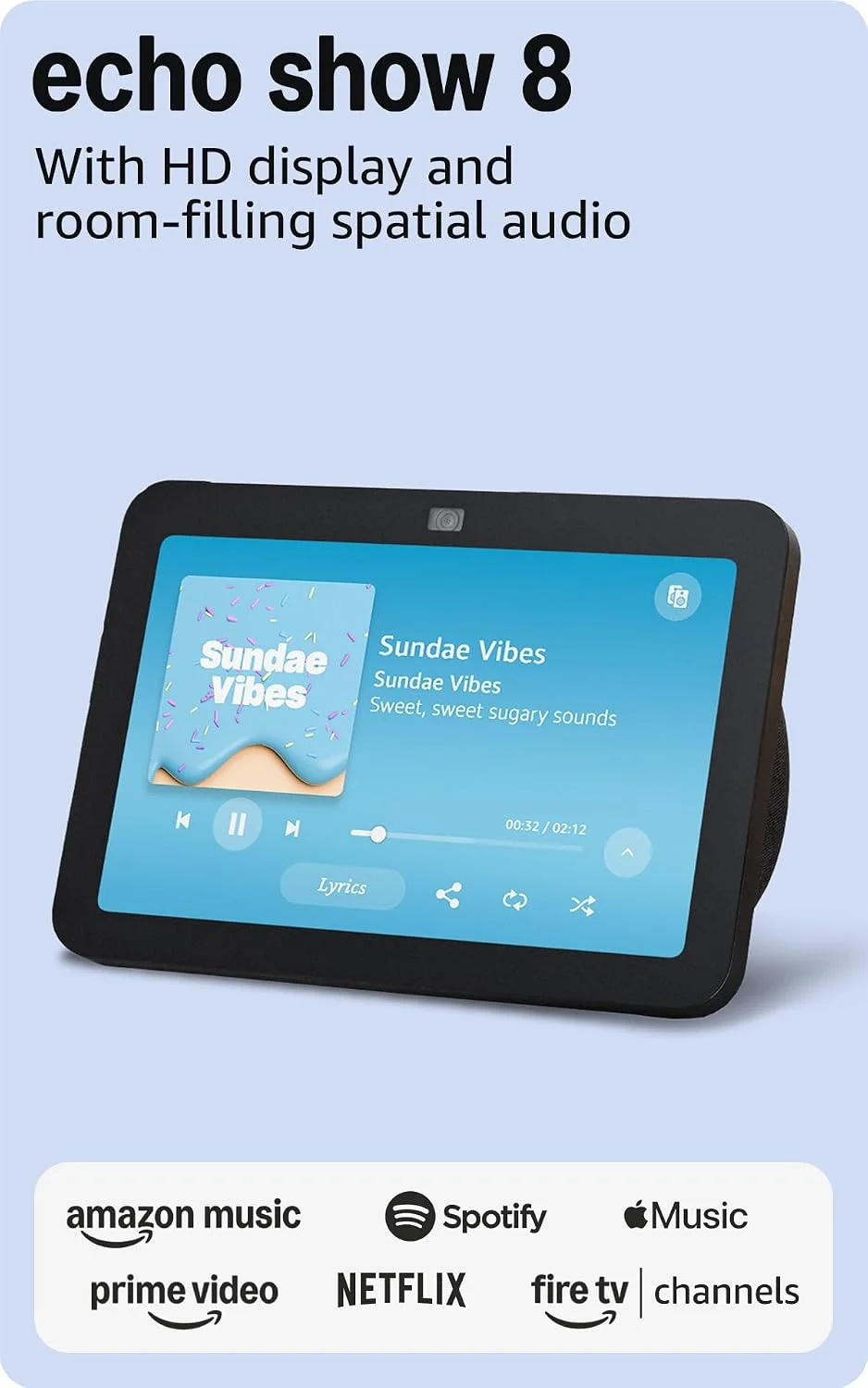
A small smart display for teachers who want a simple desk companion for reminders, timers, announcements, and quick info checks during planning periods. Reviewers note that smart displays can be handy as a centralized “routine hub,” especially when your hands are full. Buyers consistently report it’s convenient for everyday prompts, with the key consideration being whether voice assistants are allowed/comfortable in your classroom setting. Best for teacher desks because it helps automate small daily tasks and reminders in one place.
- Convenient for reminders, timers, and quick desk tasks
- Easy to use as a routine hub during planning time
- Compact footprint compared to larger smart displays
- The most common complaint is privacy/voice-assistant comfort varies by school and user
- May be distracting if notifications aren’t managed carefully
- Requires Wi‑Fi access that some school networks restrict
15. Belkin BoostCharge Pro 3‑in‑1 Wireless Charging Pad
A multi-device wireless charging pad for teachers who end the day with a phone, watch, and earbuds all hovering near empty. Across reviews, it’s praised for reducing cable clutter and making it easier to build a “charge station” at home or on a desk. Buyers consistently report it feels premium and convenient, with the main tradeoff being that wireless charging is more about simplicity than maximum speed. Best for teachers who juggle multiple devices because one spot resets your everyday essentials overnight.
- One-home-base charging that reduces cable mess
- Convenient routine: drop devices and move on
- Good giftable upgrade for a teacher desk or nightstand
- The most common complaint is it’s expensive for a charger
- Wireless charging isn’t as fast as plugging in for some devices
- Takes up desk/nightstand space compared to a single cable
16. Belkin BoostCharge Power Bank 20K with USB‑C PD
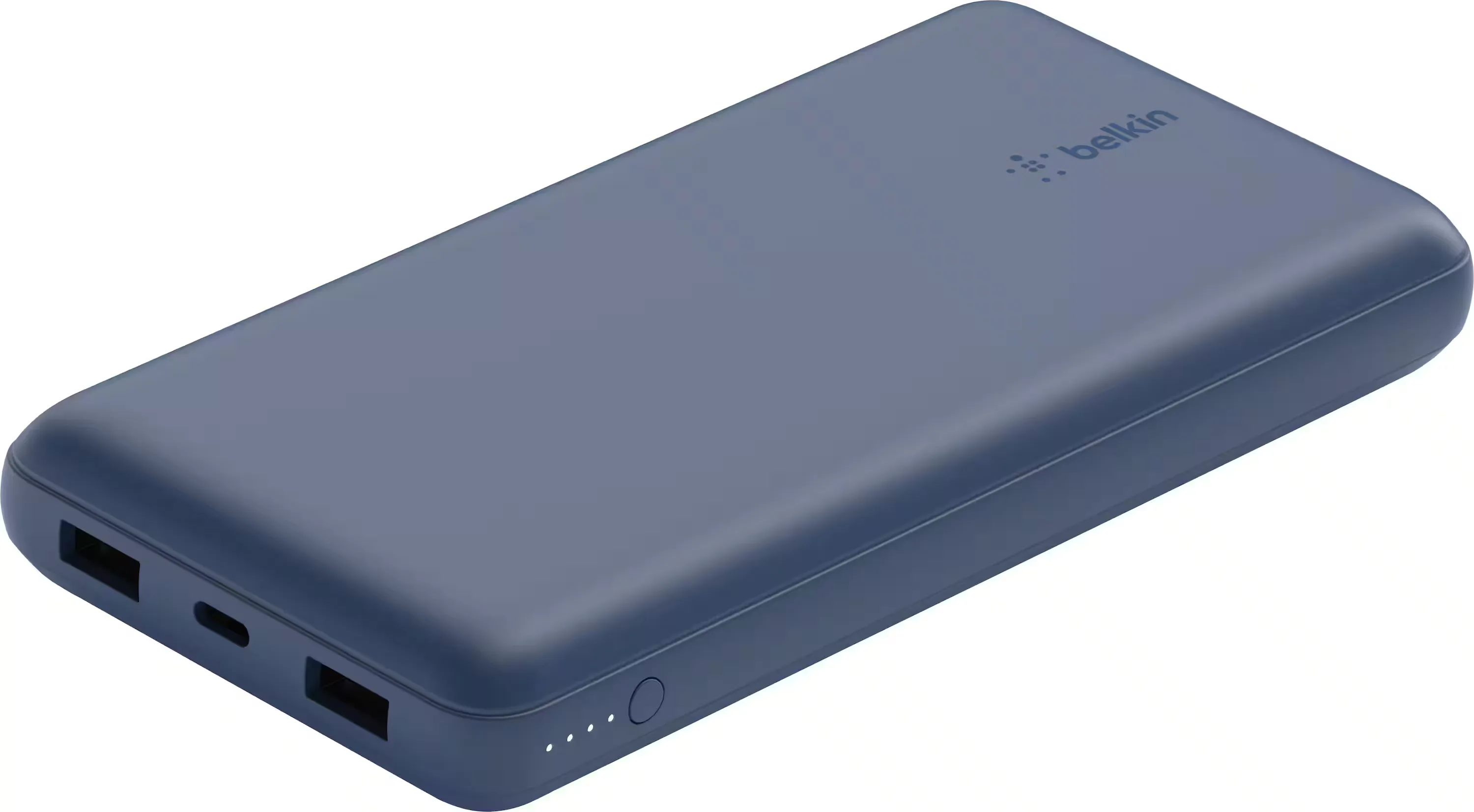
A high-capacity power bank for teachers who can’t risk a dead phone during dismissal, a dead tablet mid-observation, or a laptop that won’t make it through after-school meetings. Reviewers note that USB-C PD support makes these batteries more practical for modern devices beyond just phones. Buyers consistently report it’s dependable and well-built, though it adds noticeable weight in a tote bag. Best for teachers on long days because it’s a reliable backup when outlets aren’t available.
- Reliable backup power for busy school days
- Useful for modern USB-C devices, not just phones
- Good peace-of-mind item for field trips and after-school events
- The most common complaint is it feels heavy to carry daily
- Needs recharging discipline to stay ready
- Charging speeds depend on having the right cable/charger
17. Anker 737 Power Bank (PowerCore 24K)
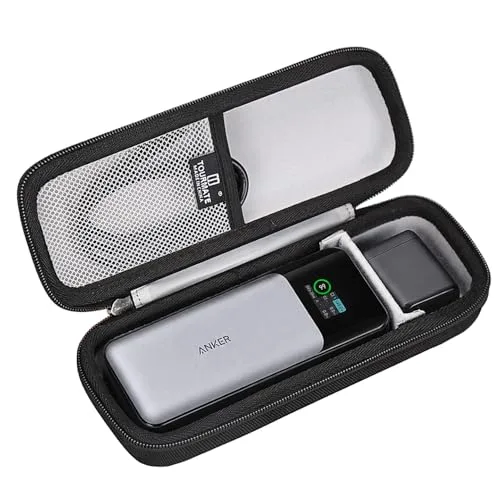

A premium power bank for teachers who carry multiple devices and want a more “power user” backup for travel days, conferences, or tech-heavy classrooms. Across expert reviews, it’s often highlighted for its ability to handle higher-demand charging scenarios compared to basic batteries. Buyers consistently report it feels like a serious piece of gear, with the tradeoff being cost and bulk. Best for tech-heavy teachers because it’s built to keep several devices going when you’re away from outlets.
- Handles demanding charging needs more confidently than basic banks
- Great for multi-device days (tablet + phone + accessories)
- Solid option for travel, conferences, and long events
- The most common complaint is it’s pricey for a power bank
- Heavier and bulkier than smaller “emergency” chargers
- Overkill if you only need a phone top-up once in a while
Creative & Annotation Tools
Annotation tools help teachers mark up student work, build visual explanations, and create clearer digital materials. These picks focus on natural handwriting feel and better on-screen modeling for students.
18. Apple Pencil (2nd Generation)
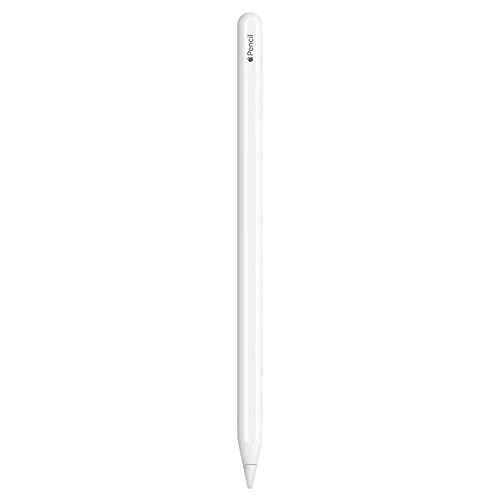
A stylus for teachers who want natural handwriting for grading, diagramming, and live annotation during lessons. Reviewers consistently highlight how responsive it feels for note-taking and markups, making it easier to “think on the page” digitally. Buyers commonly report it’s a game-changer for planning and feedback—provided you have a compatible iPad. Best for iPad-using teachers because it makes digital annotation fast, legible, and classroom-ready.
- Natural-feeling handwriting for grading and annotation
- Great for live markups during direct instruction
- Convenient for planners, PDFs, and quick sketches/diagrams
- The most common complaint is compatibility is limited—double-check your iPad model
- Easy to misplace in a busy classroom without a dedicated storage spot
- Replacement cost can feel high if it gets lost or damaged
19. Canon imageFORMULA P‑208II Portable Document Scanner
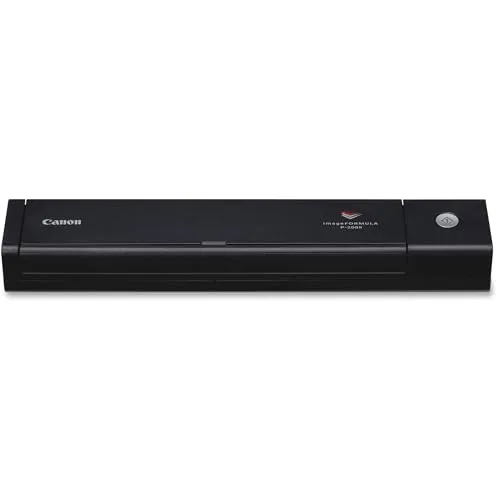

A portable scanner for teachers who deal with permission slips, IEP/504 paperwork (where appropriate), student work samples, or classroom forms that need to become PDFs fast. Reviewers note compact scanners are a huge time-saver when you’re tired of phone-scan apps and want consistent results. Buyers consistently report it’s convenient for turning paper into organized files, though the software/setup can take a little patience. Best for paper-heavy teachers because it speeds up the “paper to digital” step that eats planning time.
- Quick way to convert paper stacks into shareable PDFs
- Portable enough for home, classroom, and meetings
- Helpful for organizing forms and classroom documentation
- The most common complaint is software setup can be finicky depending on your computer
- Not designed for very large-volume scanning sessions
- Paper jams can happen if pages are wrinkled or mixed thickness

20. Wacom One 13.3" Creative Pen Display
A pen display for teachers who create digital lessons, draw diagrams, or want a more “whiteboard-like” way to teach on screen during virtual instruction. Across expert reviews, pen displays are often recommended for natural hand-eye teaching—writing directly where students are looking instead of on a separate tablet surface. Buyers consistently report it’s excellent for annotation and visual explanation, with the main tradeoff being desk space and needing to connect it to a computer. Best for teacher-creators because it makes on-screen teaching feel more like real-time coaching.
- Excellent for live digital whiteboarding and visual explanations
- More natural “write where you see it” workflow than many tablets
- Great for creating polished lesson assets and diagrams
- The most common complaint is it requires a computer connection and cable management
- Takes up desk space compared to a simple tablet
- Less portable for teachers who move between classrooms

Ready to Share Your Wishlist
Turn this classroom-tech list into a plan in minutes. Add any item to a WishDeck wishlist in one tap so the best ideas don't get lost in browser tabs, organize picks into folders (classroom, home office, back-to-school), and share the list with family or your school team. They can reserve gifts, so the class parents and your family never buy the same document camera twice. Start your teacher-tech wishlist in the WishDeck wishlist app.
Frequently Asked Questions
Popular Reads
- Best End-of-Year Teacher Gifts From the Whole Class (2026): Group Ideas

- Best Teacher Classroom Supplies: Amazon Wishlist Ideas for Back to School (2026)
- End-of-Year Teacher Gifts Under $25 From One Family — No Mugs, No Candles (2026)
- 20 Best Back-to-School Gifts 2026: Trending Tech, Dorm Gear & Daily Essentials
- 15 Best Tablets for Students (2026): Note-Taking Picks, iPad vs Galaxy vs Budget
Looking for more insights? Explore related topics: Best Teacher Classroom Supplies (2026), Best End-of-Year Teacher Gifts From the Class (2026), Teacher Gifts Under $25 From One Family (2026) or find more on our Blog.