
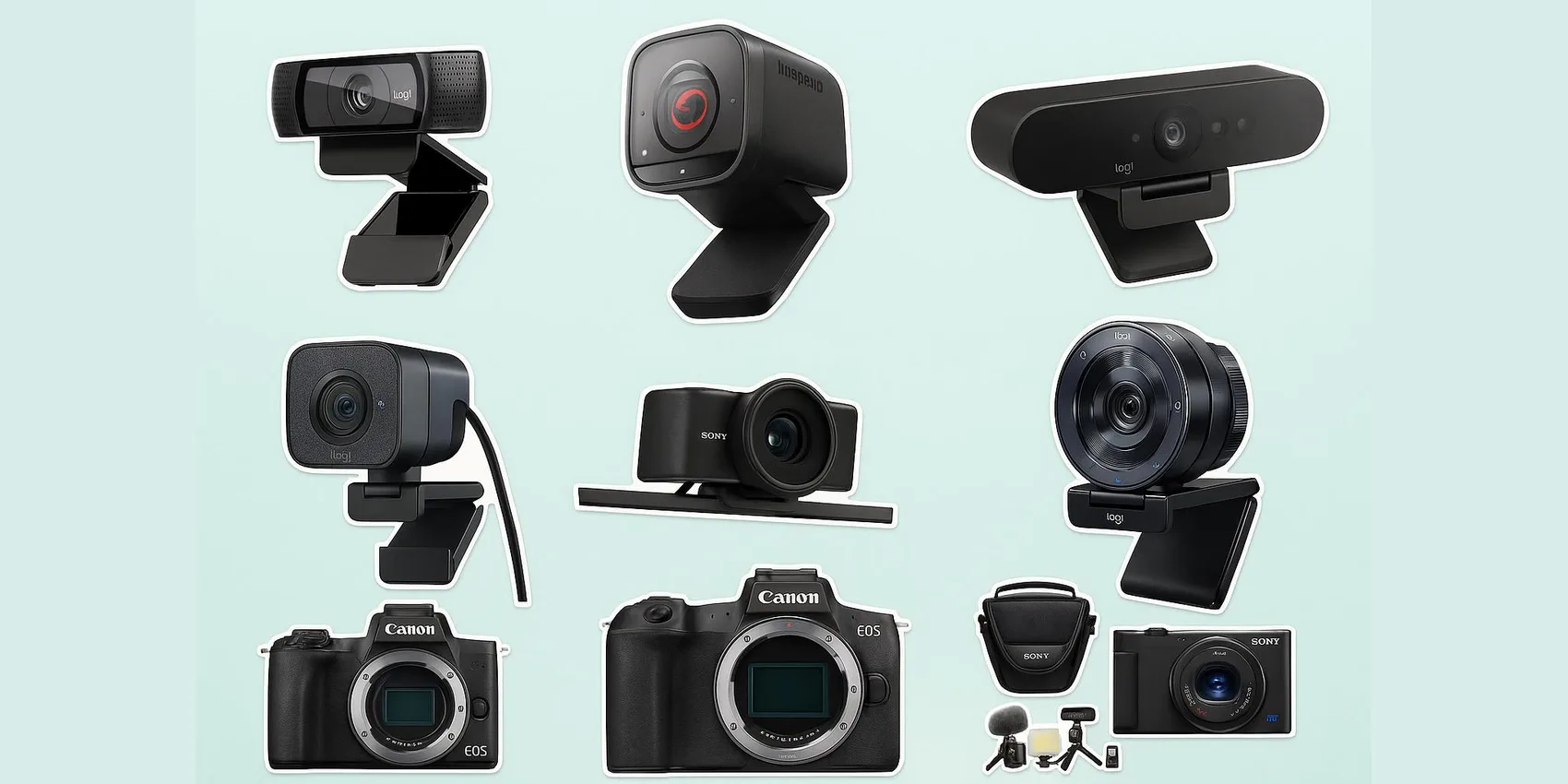
 Best Microphones & Webcams for Online Classes (2026)
Best Microphones for Online Classes 2026: 25 Budget USB Mic & Webcam Picks
The best microphones and webcams for online classes upgrade your audio and video with minimal setup—plug-and-play picks that sound clear and look sharp on Zoom, Google Meet, or your LMS. This guide sorts 25 picks across six lanes—the most popular USB mics, pro and podcast-grade mics, budget webcams, premium webcams, camera-as-webcam upgrades, and headsets—from a $24 best-seller mic to a $395 studio mic, ordered by what students actually buy the most.
Pair your setup with the rest of the desk: our picks for desk upgrades for remote work, the best monitors for a dorm desk, and wireless earbuds for studying and calls round out a clean, camera-ready workspace — and our student & college gift guides cover everything else on the desk.
Add-on magic: Found your combo? Drop each webcam, mic, or headset into a WishDeck wishlist in a tap, line up budget vs. pro options side by side, and share the list so family can pitch in before the term starts.
Table of Contents
1. Most Popular USB Microphones (Student Favorites)
2. Pro & Podcast-Grade Microphones
3. Best Budget & Plug‑and‑Play Webcams
4. Best Premium Webcams for Sharper Video
5. Mirrorless/Compact Camera Upgrades (Webcam-Style Quality)
6. Headsets & Earbuds for Quiet, Focused Calls
Our Top 5 Picks
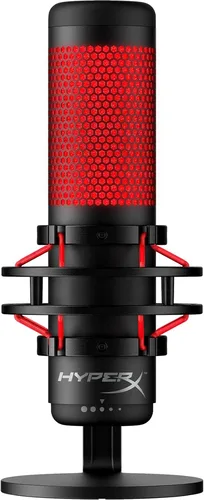 Most Popular Mic
HyperX QuadCast USB Microphone
4.8 stars across 35,000+ Amazon ratings—the streamer icon with tap-to-mute and a built-in shock mount.
$140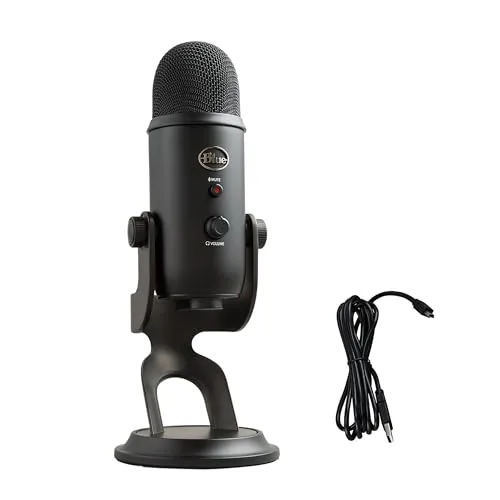 Best USB Mic
Blue Yeti USB Microphone
Plug-and-play USB mic with onboard controls for clearer speech in discussions and recordings.
$110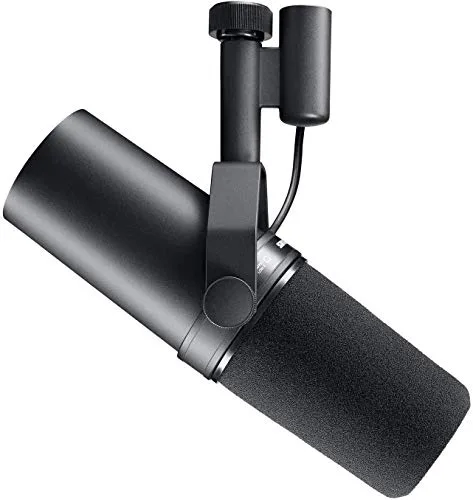 Best Splurge
Shure SM7B Dynamic Microphone
Studio-grade dynamic mic that keeps your voice focused and clear in noisy, untreated rooms.
$395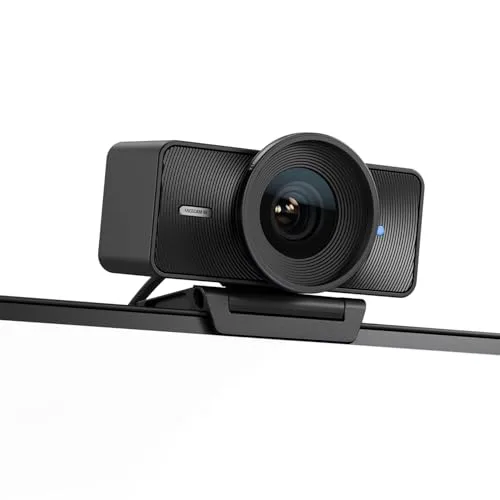 Best Webcam
Elgato Facecam
Crisp, true-to-color 1080p built for presenters—looks polished on every class call.
$200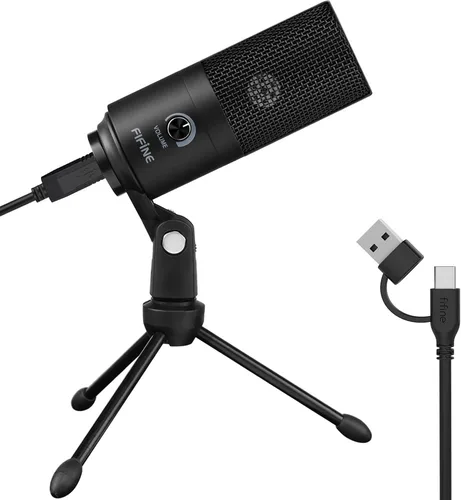 Best Under $25
Fifine K669B USB Microphone
The $24 budget phenomenon with 34,000+ Amazon ratings—a massive upgrade over any laptop mic.
$24Most Popular USB Microphones (Student Favorites)
If you came here for one upgrade, make it a microphone—clear audio matters more than video for participation grades, and these are the mics students actually buy in 2026. Every pick in this section is a proven best-seller with tens of thousands of reviews, plugs straight into USB, and works without drivers or software.
1. Blue Yeti USB Microphone


A well-known USB microphone that’s still a go-to in 2026 for clearer speaking on class calls. It suits students who participate often, record voiceovers, or need a flexible desktop mic for different tasks. The onboard controls make it easy to adjust without digging through software mid-lecture. Reviewers’ take: 4.6 stars across 56,000+ Amazon ratings—the most-reviewed USB mic in this guide, and still the default answer to “which mic should I get?”
- Easy USB setup with convenient onboard controls
- Works well for speaking, tutoring, and basic recordings
- Sturdy desktop mic that stays put
- Can pick up room sound if your space is echoey
- Takes up noticeable desk space
- Benefits from good mic placement technique
2. HyperX QuadCast USB Condenser Gaming Microphone

The streamer favorite that’s just as good for seminars in 2026—a full-size USB condenser with a built-in anti-vibration shock mount, pop filter, and a tap-to-mute sensor on top that beats fumbling for a mute button mid-class. Four polar patterns mean it handles solo participation, group-project recordings, and podcast assignments equally well. Reviewers’ take: 4.8 stars across 35,000+ Amazon ratings—one of the highest-rated USB mics sold anywhere, at any price.
- Tap-to-mute sensor with a clear LED status light
- Built-in shock mount and pop filter—no accessories needed
- Four polar patterns cover solo calls and group recordings
- The red lighting isn’t everyone’s aesthetic on camera
- Bigger desk footprint than compact mics
- Condenser pickup still hears an echoey room
3. Fifine K669B USB Condenser Microphone
The budget phenomenon of USB audio in 2026—a $24 metal-bodied condenser mic with a gain dial that makes laptop audio sound like a different device. It’s the right first mic for students who want to stop repeating themselves on calls without spending real money, and it’s small enough to survive a dorm desk. Reviewers’ take: 4.5 stars across 34,000+ Amazon ratings—the best-selling budget mic on the platform, and the biggest audio upgrade per dollar in this guide.
- Unbeatable price for a real desktop condenser mic
- Physical gain dial for quick volume fixes mid-call
- Solid metal build that doesn’t feel like a $24 gadget
- No mute button or headphone monitoring jack
- Fixed short tripod limits positioning options
- Picks up background noise in loud shared spaces
4. HyperX SoloCast USB Condenser Gaming Microphone
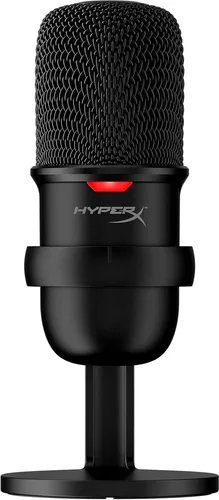
The QuadCast’s smaller sibling and one of the most popular compact mics of the decade—a single-pattern USB condenser with the same tap-to-mute sensor in a footprint that disappears behind a laptop. Ideal for students who want noticeably better audio than a headset without a “streamer setup” on camera. Reviewers’ take: 4.6 stars across 23,000+ Amazon ratings, with the tap-to-mute sensor called out again and again as the feature that makes it worth it.
- Tap-to-mute with LED indicator at a budget price
- Compact enough for the smallest dorm desk
- Works on PC, Mac, and consoles with zero setup
- Single cardioid pattern only—no group-recording modes
- No onboard gain control or headphone jack
- Stock stand sits low; a boom arm helps positioning
5. Razer Seiren V3 Mini USB Microphone
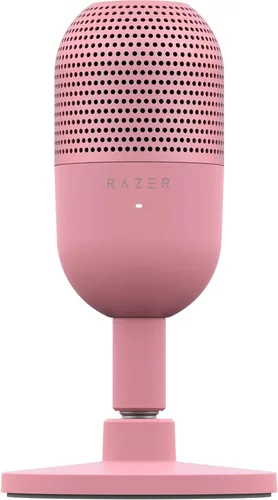
The 2026 refresh of Razer’s ultra-compact classic—a supercardioid USB condenser the size of a soda can, now with a tap-to-mute top and a built-in shock absorber that ignores desk bumps and keyboard thumps. It’s the pick for students who want their setup invisible on camera and their voice front-and-center. Reviewers’ take: 4.8 stars at Best Buy, and the Seiren Mini line it replaces carries 13,000+ Amazon ratings—reviewers consistently praise the sound quality and compact size.
- Tiny footprint that stays out of frame on camera
- Tap-to-mute with LED—new for the V3 generation
- Supercardioid pickup focuses tightly on your voice
- No headphone jack for live monitoring
- Sensitive to distance—stay close for best results
- No gain control on the mic itself
6. Microsoft Xbox/PC Adaptive USB Microphone — Blue Snowball iCE (USB condenser)
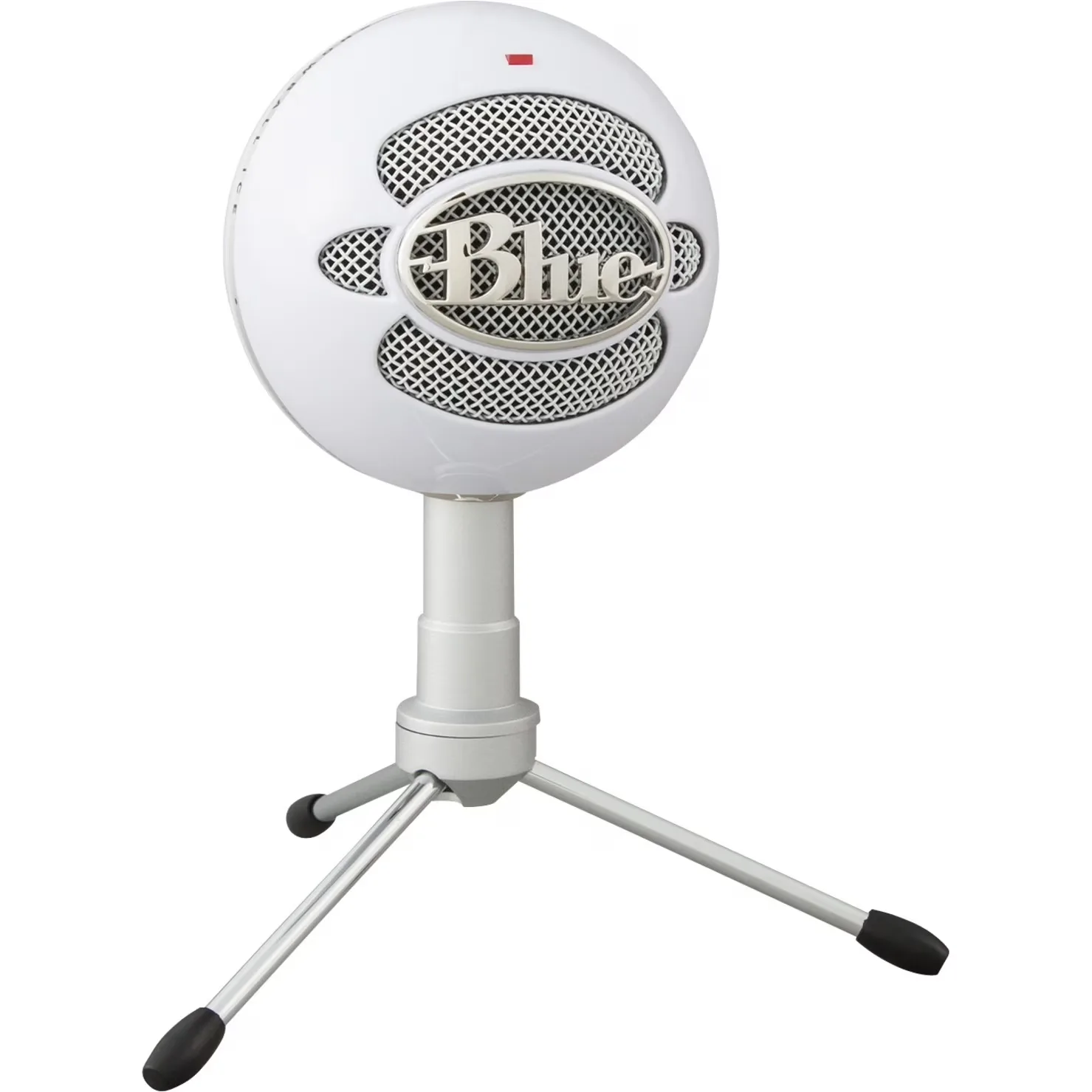
A simple USB condenser mic option that can be a practical pickup for online classes in 2026, especially for accessible gaming-and-learning setups. It’s aimed at students who want clearer speech than a headset mic without getting complicated. Good for basic participation and casual recording when you have a reasonably quiet room.
- Straightforward USB connection for quick setup
- Clearer voice than many laptop mics
- Budget-friendly entry point for desktop audio
- Can pick up room echo and background sounds
- Limited controls compared with more advanced USB mics
- Best results require careful distance and placement
7. Rode NT-USB Mini Microphone
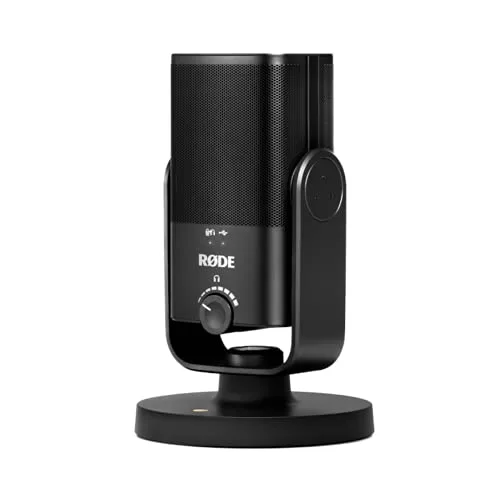
A compact USB mic that’s perfect for tight desks in 2026—think dorm rooms, shared apartments, or mobile study stations. It’s aimed at students who want a big jump in clarity for seminars and presentations without a bulky mic taking over the workspace. A strong pick for straightforward, no-drama audio that’s easy to live with.
- Small footprint—great for cramped desks
- Clear voice for classes, tutoring, and recordings
- Simple USB workflow with minimal setup
- Limited physical controls compared with larger mics
- Can still capture room echo if you’re far from the mic
- May need a better mount for ideal positioning
Pro & Podcast-Grade Microphones
Presenting a thesis, teaching sections, or recording content that gets graded? These mics step up isolation and voice quality for 2026 setups where audio is part of the job—several work over USB now and XLR later, so they grow with you.
8. Shure MV7 USB/XLR Microphone
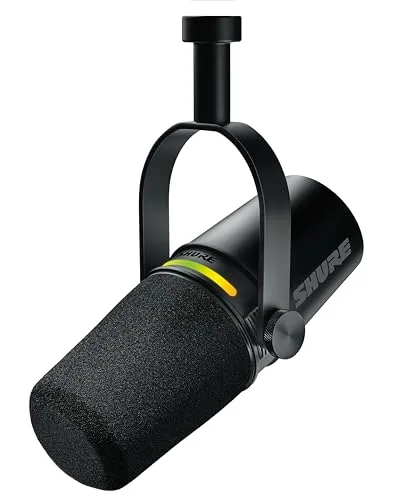
A versatile mic for 2026 that works via USB now and can grow with you via XLR later. It’s ideal for students who speak a lot on calls, record lectures or voiceovers, or want better isolation in noisy living situations. The dynamic-mic style makes it forgiving in untreated rooms—great for dorm life and shared apartments.
- Good isolation for noisy or echoey rooms
- USB now, XLR later for a scalable setup
- Great for close-up speaking and clear participation
- Sounds best when you speak close to the mic
- More expensive than entry-level USB mics
- May encourage extra accessories (arm, pop filter) over time
9. Shure MV6 USB Gaming Microphone
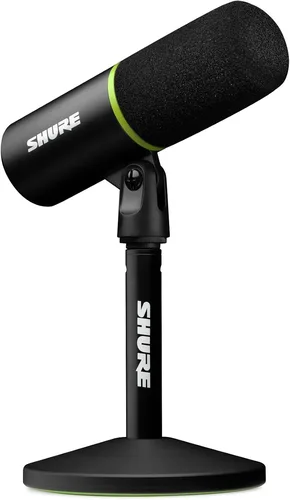
Shure’s newest USB mic is the “no settings” pick of 2026—a dynamic mic with auto-level mode and a real-time denoiser that handles gain and background hum for you, so you sound consistent from the first call. It’s built for students who want SM7B-family voice quality without learning audio gear: plug in USB-C and talk. Reviewers’ take: 4.7 stars at Best Buy and 4.6 on Amazon, with reviewers repeatedly praising the sound quality and ease of use.
- Auto-level and denoiser—no drivers or tuning needed
- Dynamic capsule stays focused in untreated rooms
- Headphone jack for real-time monitoring
- USB-only—no XLR path if you upgrade later
- Costs more than most entry USB mics
- Works best close-up, like all dynamic mics
10. Elgato Wave:3 USB Microphone
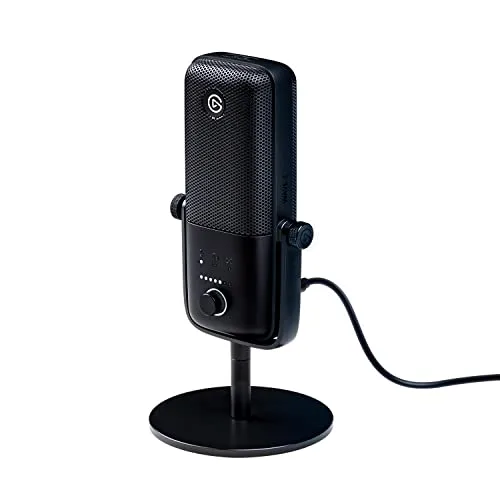
A sleek USB microphone that fits modern online-class setups in 2026, especially if you juggle lectures, Discord study rooms, and recorded assignments. It’s for students who want clear speech and simple control without building a full studio. Great when you need consistent audio for presentations and frequent participation.
- Clean, clear voice capture for calls and recordings
- Simple physical controls for quick adjustments
- Looks tidy in a minimalist desk setup
- You’ll still want good placement to avoid keyboard noise
- May require a stand/arm upgrade depending on your desk
- Not as isolating as a close-talk dynamic mic in loud spaces
11. Audio‑Technica AT2020USB+ Cardioid Condenser USB Microphone
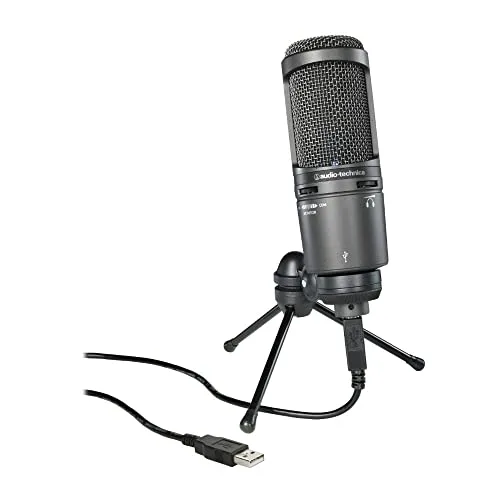
A solid USB condenser mic for 2026 if you’re doing a lot of speaking—seminars, teaching, or recorded presentations. It’s a good fit for students who want a more “studio-like” sound and can keep a consistent mic position. The cardioid pickup pattern helps focus on your voice, which is handy when roommates or family are around.
- Focused pickup helps keep attention on your voice
- Great for consistent speaking and recorded work
- Well-suited for structured desk setups
- More sensitive to room acoustics than dynamic mics
- Best results require careful placement
- Not the most portable desk mic
12. Shure SM7B Vocal Dynamic Microphone
A legendary dynamic mic for 2026 setups where you want your voice to sound focused and controlled—perfect for serious online teaching, tutoring, or content-heavy coursework. It’s best for someone building a long-term desk rig and willing to learn the basics of audio gear. If you’re in a noisy home and want your voice to stay front-and-center, it’s a strong (but advanced) choice.
- Excellent vocal focus in imperfect rooms
- Pro-grade choice for heavy speaking and recording
- Great long-term investment for advanced setups
- Not plug‑and‑play USB—requires additional audio gear
- Higher total cost once accessories are added
- Needs careful setup and positioning to shine
13. Sennheiser MKE 400 Compact Shotgun Microphone
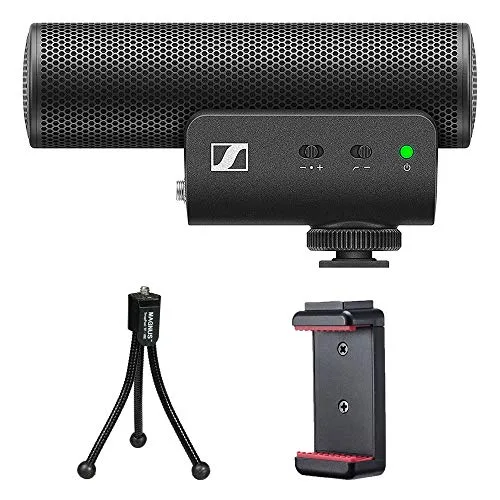
A compact shotgun mic that’s useful in 2026 if you’re recording class projects, presentations, or demonstrations where a camera setup is involved. It’s best for students who move between desk and fieldwork—capturing clearer speech while keeping the mic out of frame. A smart pick for video assignments where built-in camera audio isn’t cutting it.
- Directional pickup helps reduce surrounding noise
- Great for video projects and recorded presentations
- Compact size keeps setups lightweight
- Not ideal as a primary mic for laptop-only Zoom calls
- Placement matters a lot for consistent voice
- May require adapters depending on your device
Best Budget & Plug‑and‑Play Webcams
If you need a quick video upgrade for Zoom, Google Meet, or your LMS in 2026, these are the easiest wins. They’re simple to mount, simple to use, and ideal for dorm desks and kitchen tables alike.
14. Logitech C920 HD Pro Webcam
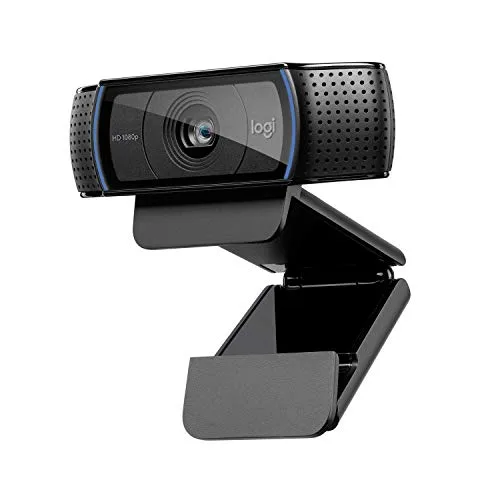
A classic, dependable webcam that still makes sense in 2026 for students who just need to look clear and consistent on calls. It’s easy to clip onto a monitor and works well for everyday lectures, office hours, and group projects. A practical pick for families buying one upgrade that reliably “just works” across different computers. Reviewers’ take: 4.6 stars across 32,000+ Amazon ratings—one of the most-reviewed webcams ever sold, and still the safe default.
- Reliable, widely compatible USB webcam choice
- Easy monitor clip for quick positioning
- Consistent image for everyday class calls
- Not as crisp as newer premium webcams
- Auto exposure can hunt in tricky lighting
- Built‑in microphones are basic for noisy rooms
15. AnkerWork PowerConf C300 Webcam
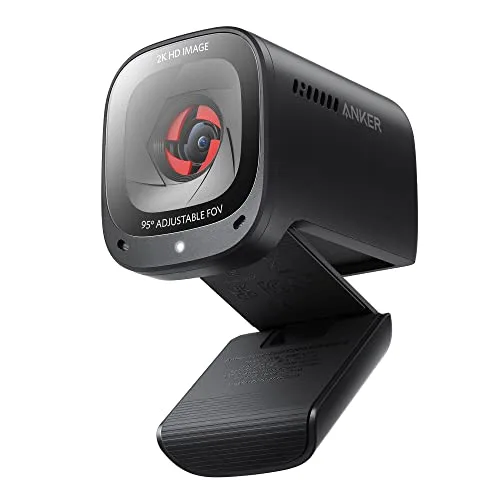
A straightforward USB webcam that’s great for getting into online classes in 2026 without fuss. It’s a solid pick for students who want a cleaner picture than a laptop cam and a setup that works right out of the box. Useful extras like a built-in privacy cover and easy mounting help for shared spaces or on-the-go study spots.
- Plug‑and‑play USB setup for quick class readiness
- Privacy cover helps when your camera isn’t in use
- Good value for a starter webcam upgrade
- Built‑in mic is still a step down from a dedicated microphone
- Low‑light performance can depend heavily on room lighting
- Limited advanced manual controls compared with pro models
Best Premium Webcams for Sharper Video
These webcams are for 2026 learners who present often, tutor online, or want a cleaner, more polished look. Expect better handling of backlight, more detail, and more control over your image.
16. Logitech Brio 4K Pro Webcam
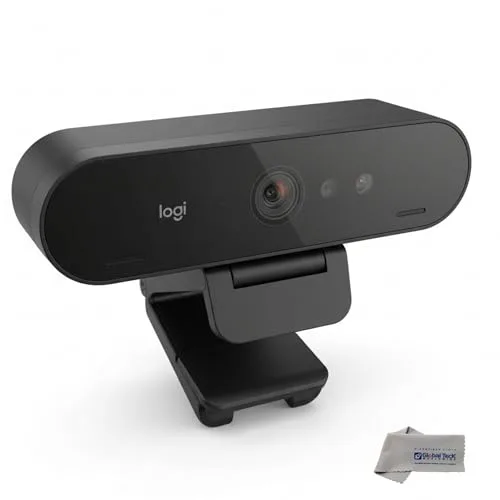
A premium webcam built for sharp, confident video in 2026—ideal for students who present slides on camera, TA’s who host sections, or anyone doing lots of office hours. It’s designed to keep faces looking natural even when lighting isn’t perfect. Great for a “set it and forget it” upgrade that still leaves room for tweaking framing and exposure.
- Crisp image that holds up well for presentations
- Handles challenging lighting better than basic webcams
- Good option for a more polished, professional look
- Costs significantly more than entry-level options
- 4K can be overkill for typical class platforms
- Best results may require adjusting software settings
17. Logitech StreamCam
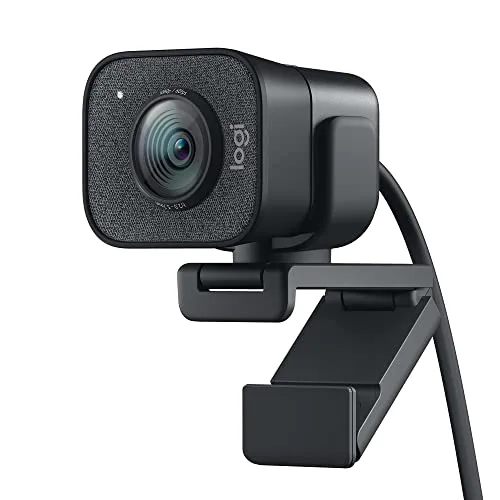
A flexible webcam that fits 2026 hybrid schedules—great for students who switch between lectures, study streams, and group projects. The standout is how easy it is to reframe and rotate for different setups, like a vertical shot for quick updates or a wider desk view for demonstrations. It’s a strong choice for learners who want a modern look without jumping to a full camera rig.
- Easy to reposition and adapt to different desk setups
- Sharp, smooth video for daily calls and recordings
- Good all-around pick for hybrid school + content needs
- Works best with good room lighting
- USB cable length/placement can be limiting on some desks
- Not as customizable as a dedicated camera system
18. Elgato Facecam
A sharp, no-nonsense webcam for 2026 students who want a clean, “pro” look on calls and recorded assignments. It’s especially good for stable color and detail when you’re teaching, tutoring, or presenting regularly. A smart pick if you care about consistent image quality and prefer a webcam workflow over a full camera + capture setup.
- Crisp, detailed image that looks polished on calls
- Designed with creators and presenters in mind
- Good choice for consistent color and clarity
- Premium price compared with typical webcams
- May benefit from additional lighting for best results
- Fewer built-in audio benefits than a mic upgrade
19. Razer Kiyo Pro Webcam
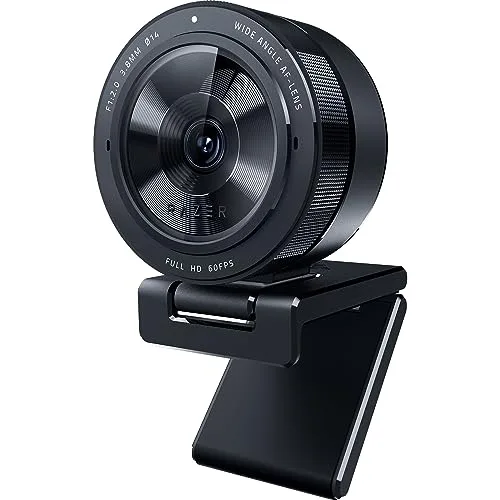
A strong webcam choice for 2026 when your lighting isn’t perfect—think evening classes, dim dorms, or shared rooms. It’s great for students who want to look clear without turning their desk into a studio. If you’re frequently on camera and want a webcam that’s built to cope with tricky lighting, this is a solid upgrade.
- Handles low or uneven lighting better than many basic webcams
- Good clarity for on-camera participation
- Sturdy option for everyday use
- Higher cost than most student starter picks
- May need some tuning for the best color balance
- Built-in mic still benefits from a separate microphone
Mirrorless/Compact Camera Upgrades (Webcam-Style Quality)
If you want the most “real life” look in 2026—natural background blur, better color, and strong detail—using a camera as a webcam is the move. These picks are best for frequent presenters, creators, or anyone building a long-term study/work setup.
20. Canon EOS M50 Mark II (used as webcam via Canon EOS Webcam Utility)
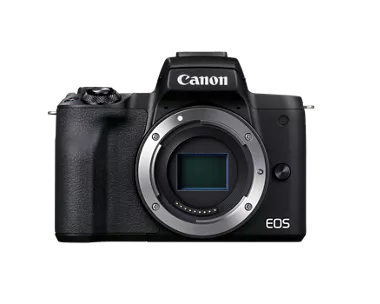
A camera-based upgrade that can deliver a noticeably more polished look for online classes in 2026 when used with Canon’s webcam utility. It’s a great fit for students recording presentations, language practice, or portfolio critiques where image quality matters. Expect more control over framing and background blur than a typical webcam, with a learning curve that pays off if you use it often.
- More cinematic look than standard webcams
- Flexible framing and lens options (if applicable)
- Good for recorded assignments and live sessions
- More setup than a plug‑and‑play webcam
- Battery/power management can require planning
- May need extra accessories depending on your workflow
21. Canon EOS R50 (used as webcam with capture or USB tether)
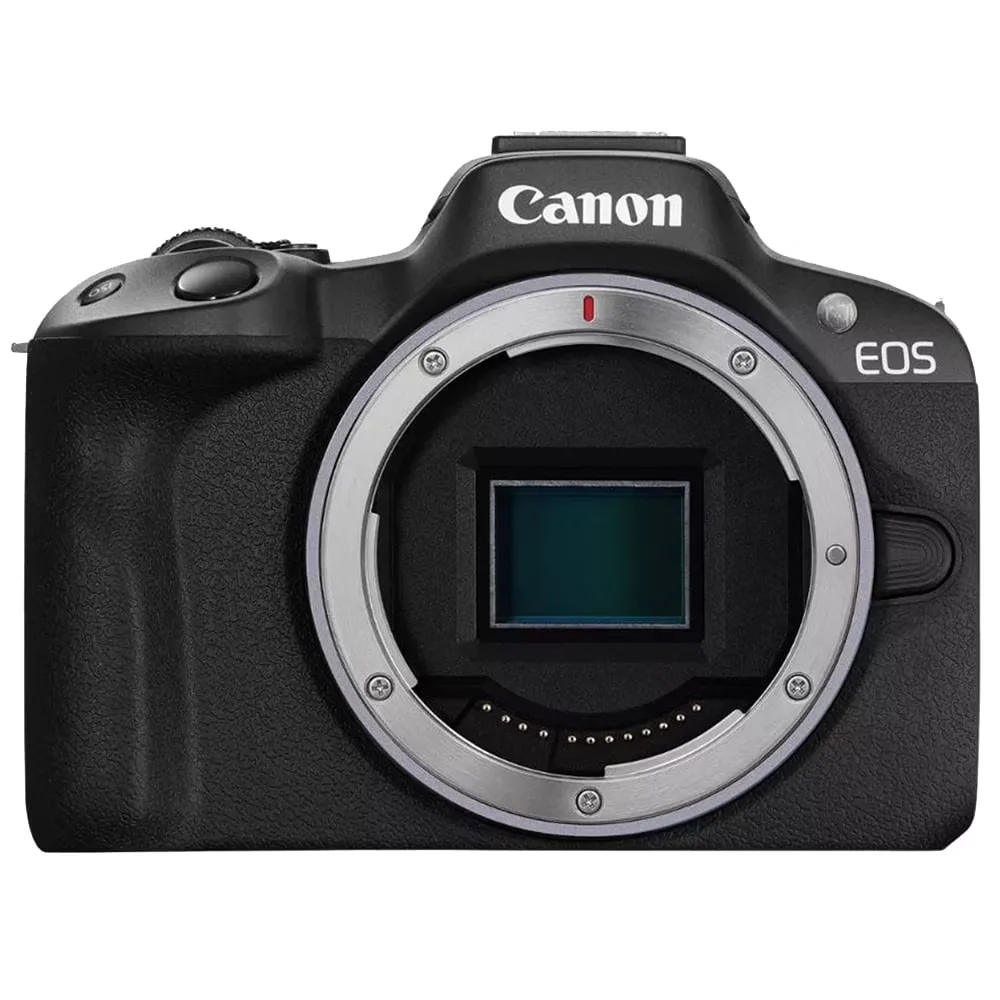
A modern camera option that can double as a high-quality webcam in 2026 with capture or USB tethering. It’s ideal for students who present frequently, teach online, or want a setup that also works for campus events and content projects. You’ll get strong detail and more creative control than a typical webcam—perfect when your video presence is part of your grade or job.
- Excellent image quality potential for online classes
- Versatile for both school and everyday photography/video
- More control over exposure and focus than webcams
- Can require capture/tether setup and extra cables
- Higher overall cost once accessories are considered
- Not as “instant” as a simple USB webcam
22. Sony ZV-1 (used as a high-quality webcam/camera)
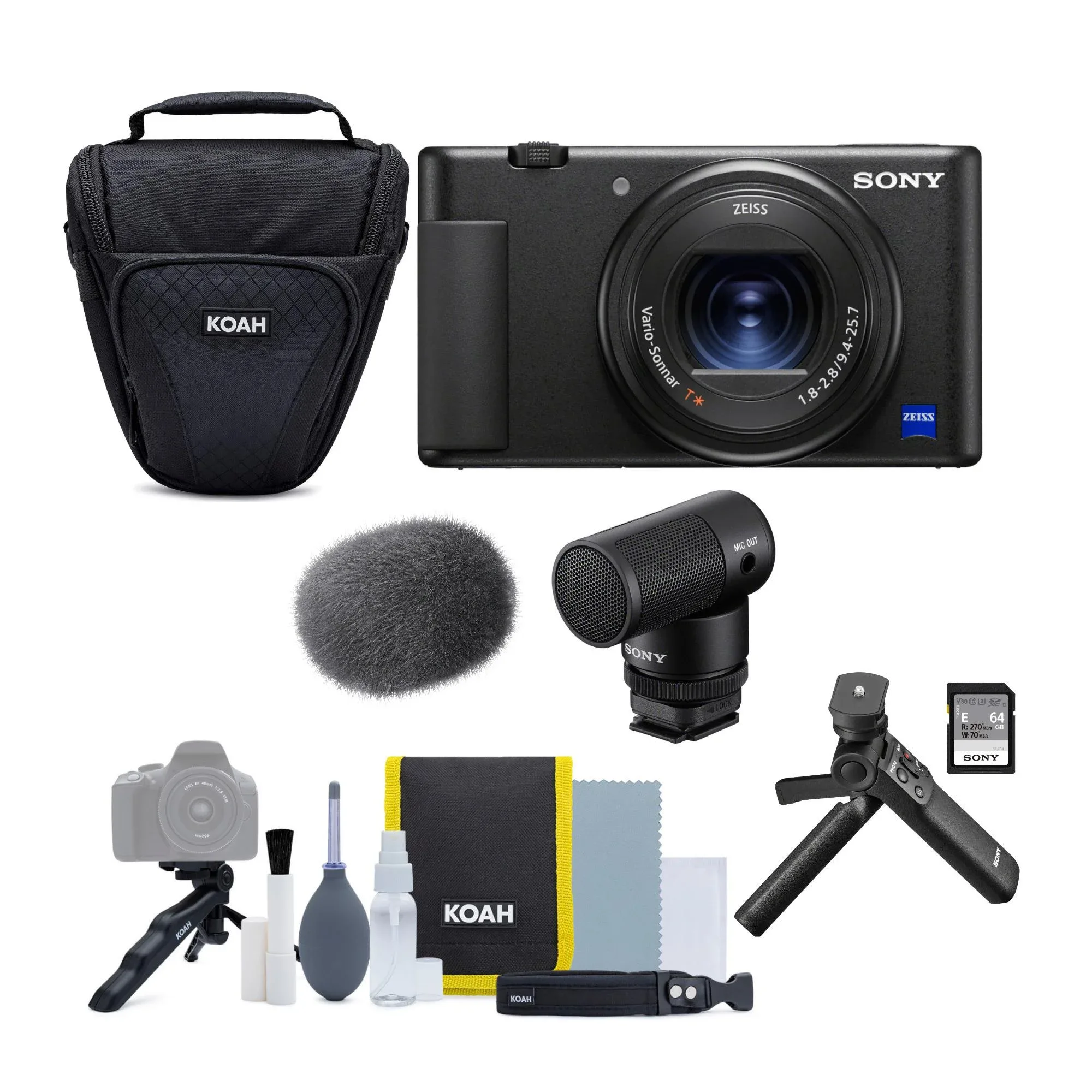

A compact camera that’s popular as a high-quality webcam alternative in 2026—great for students who want portability and a big image upgrade. It works well for recorded presentations, critique sessions, and hybrid study groups where you want more depth and color than a typical webcam. A strong choice if you split time between online classes and shooting real-world projects.
- Compact, travel-friendly option with strong image potential
- Great for recorded presentations and portfolio work
- More flattering background separation than most webcams
- More setup and settings than a standard webcam
- Accessories may be needed depending on your computer
- Overkill if you only need basic on-camera attendance
23. Amazon Echo Show 10 (3rd Gen) — smart display with built-in camera and mic
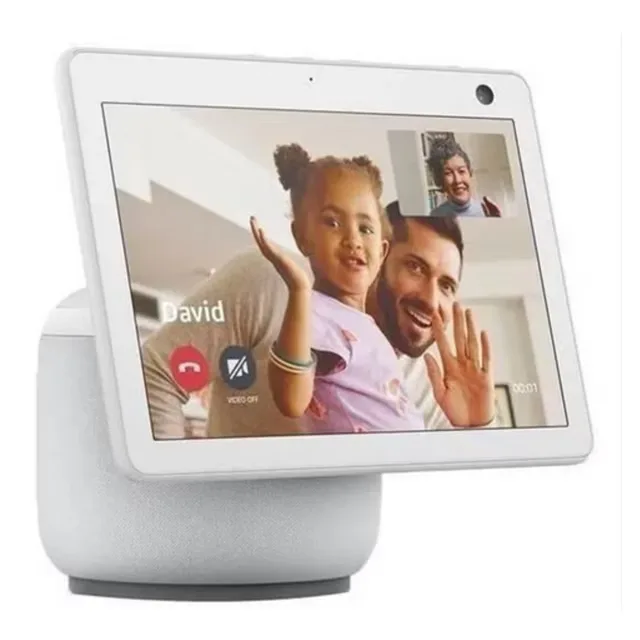
A smart display that can double as a simple video calling station in 2026, with a built-in camera and microphone. It’s best for students who want a dedicated device in a shared space—think quick check-ins, tutoring calls, or keeping family in the loop while studying. Not a traditional “webcam,” but a convenient option when you want a hands-free screen for calls and reminders.
- All-in-one device for quick video calls and daily routines
- Convenient for shared spaces or family check-ins
- Useful as a secondary screen for timers and reminders
- Not designed as a primary webcam for class platforms
- Less control over video framing than a PC webcam
- Depends on your workflow and app compatibility
Headsets & Earbuds for Quiet, Focused Calls
Sometimes the easiest 2026 upgrade is keeping your mic close and your audio private. These are great for shared living, commuting, or any time you want clearer voice pickup without a desk mic in the way.
24. Samsung Galaxy Buds2 Pro (with integrated conferencing mic)
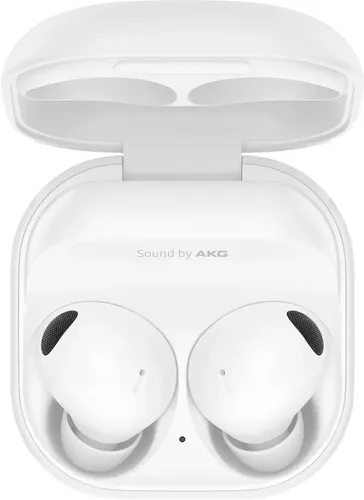
A convenient earbud choice for 2026 when you want a low-profile way to join class discussions and keep audio private. It’s best for students who take calls from campus, libraries, or shared homes and don’t want a full headset on camera. Great as an everyday carry item that also handles quick group-project meetings.
- Compact, easy-to-carry option for class audio on the go
- Keeps lecture audio private in shared spaces
- Low-profile look for on-camera calls
- Mic quality varies with environment and wind/noise
- Fit comfort can differ by ear shape
- Not as consistent as a boom-mic headset for speaking
25. Jabra Evolve2 65 Wireless Headset (mic headset for calls)
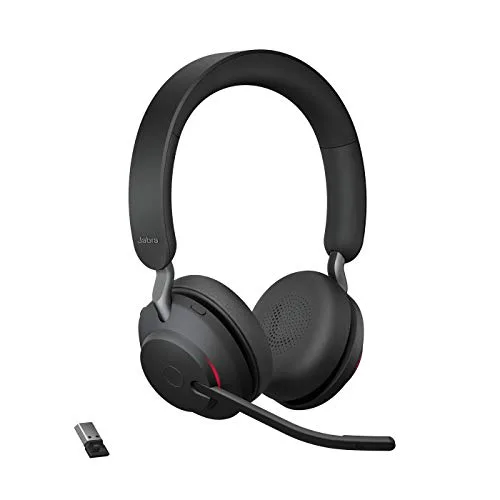
A wireless headset built for calls—perfect for 2026 online classes when you’re in a shared space and need your voice to cut through. It’s for students who bounce between lectures, study groups, and part-time work calls and want one reliable audio solution. The boom mic style keeps pickup consistent even if you shift around during long sessions.
- Consistent voice pickup thanks to boom mic design
- Wireless convenience for moving around between classes
- Great for shared spaces where a desk mic is awkward
- Bulkier look than earbuds for on-camera calls
- Battery management becomes part of your routine
- Premium price for a headset-only upgrade
Ready to Share Your Wishlist
Build your class setup in minutes: open WishDeck and add any webcam, mic, or headset from this guide in one tap so you don't lose the options you liked. Make folders for "Online Classes," "Dorm Desk," and "Presentation Gear," then share the list with friends and family. They can reserve items before buying, so you avoid duplicates and keep any surprises intact. Start your WishDeck wishlist and get class-ready fast.
Frequently Asked Questions
Popular Reads
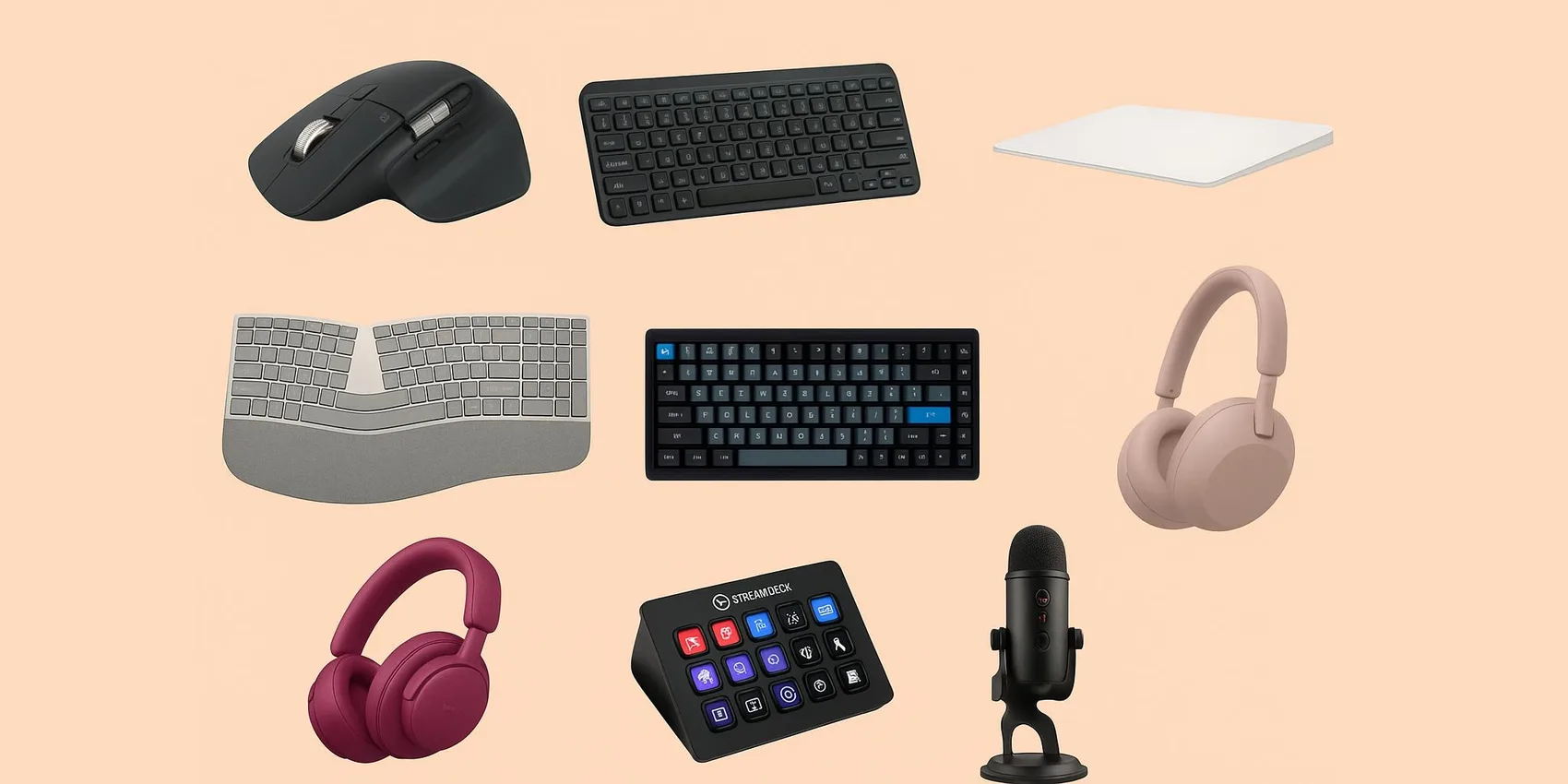
- Best Desk Gifts for Remote Workers (2026): Ergonomic & Productivity Upgrades
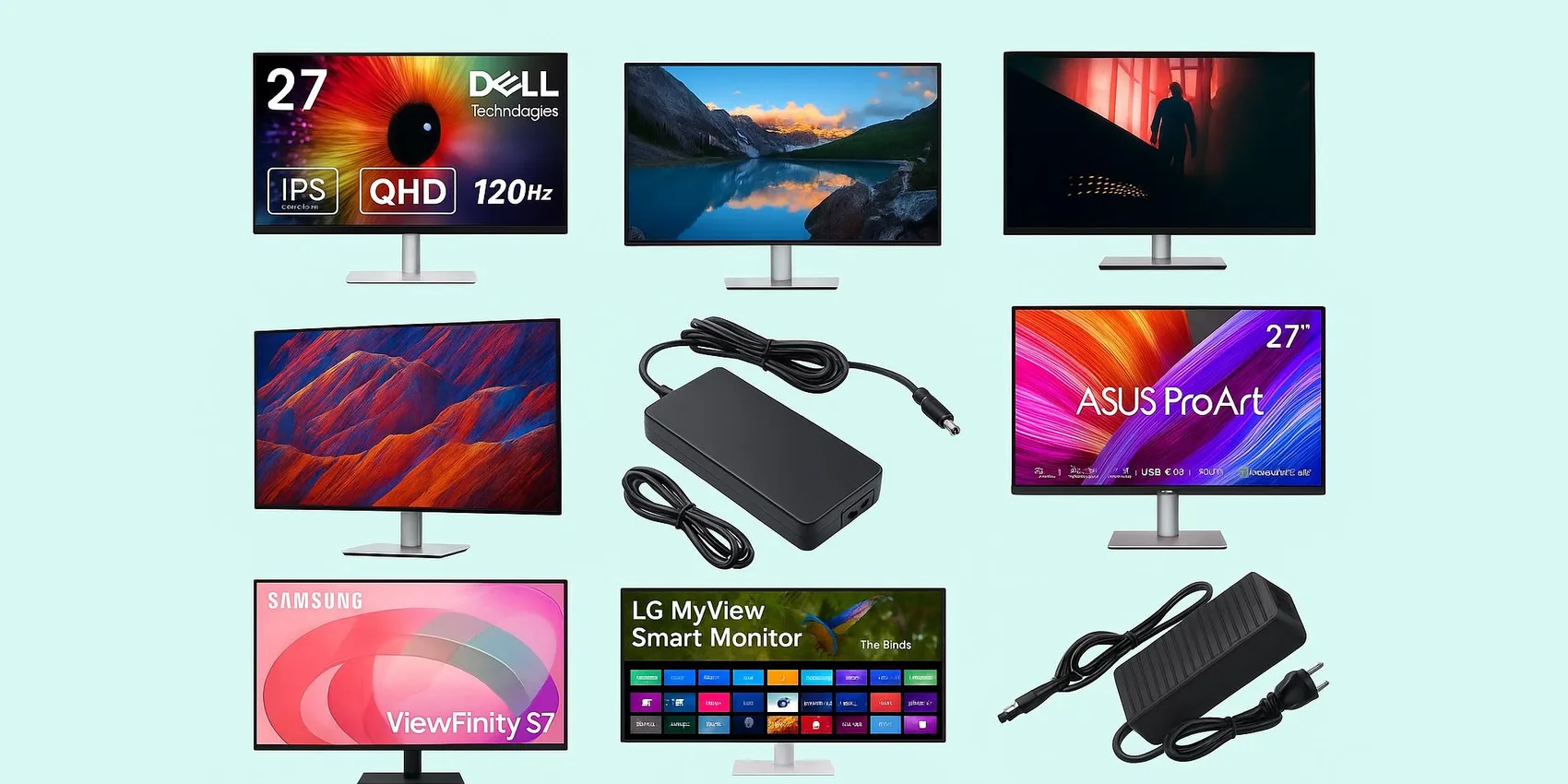
- Best External Monitors for Students (2026): Dorm‑Desk Picks
- Best Earbuds for Studying & Online Classes (2026): Quiet ANC for Students
- Best Noise-Cancelling Headphones for Students (2026): Under $100 Picks
- 20 Gifts for New Content Creators (2026): Phone-First Mics, Gimbals & Lights
Looking for more insights? Explore related topics: Best Desk Gifts for Remote Workers (2026), Best External Monitors for Students (2026), Best Noise-Cancelling Headphones for Students (2026) or find more on our Blog.