
 Kindle vs Kobo (2026)
Kindle vs Kobo: Which E-Reader to Buy for Students & Book Lovers (2026)
For most students and book lovers in 2026, Kindle is the easier e-reader to live with, while Kobo wins for library borrowing, page-turn buttons, and open file formats. This guide compares 11 current models across four lanes — Kindle picks, Kobo picks, color and note-taking upgrades, and alternatives — from $139.99 to about $400.
Building out the rest of the study setup? See our guides to gifts for book lovers, note-taking tablets for students, and printers for college students.
Add-on magic: Torn between two models? Park both on a WishDeck wishlist, see what each costs at Amazon, Target and the Kobo store side by side, and share the list so whoever is gifting grabs the right reader (and the right color) the first time.
Table of Contents
1. Best Kindle picks for most readers
2. Best Kobo picks for library lovers & customization
3. Color and note-taking upgrades (for textbooks & research)
4. Beyond Kindle & Kobo (alternatives worth a look)
Our Top 5 Picks
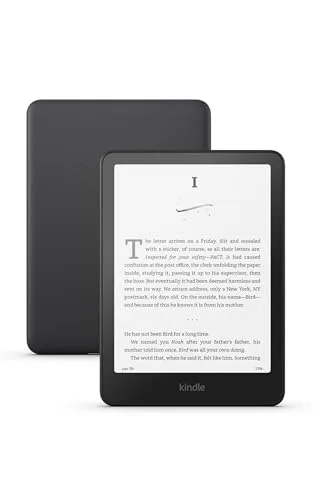 Best Kindle Overall
Kindle Paperwhite (2024)
The easiest "set it up and read" e-reader to gift — fast, glare-free, and waterproof.
$159.99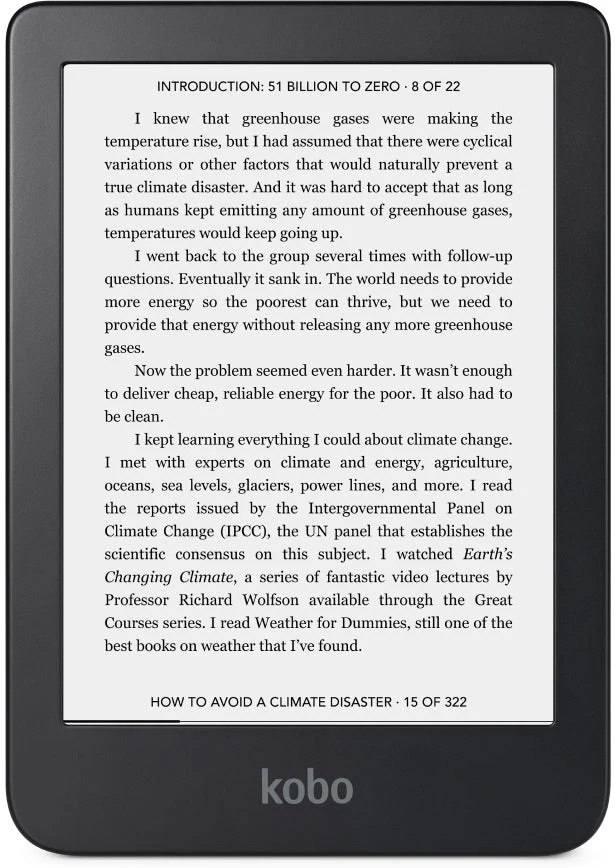 Best Compact Kobo
Kobo Clara 2E
Tote-bag sized and distraction-free — the budget-friendly door into Kobo's library-first world.
$139.99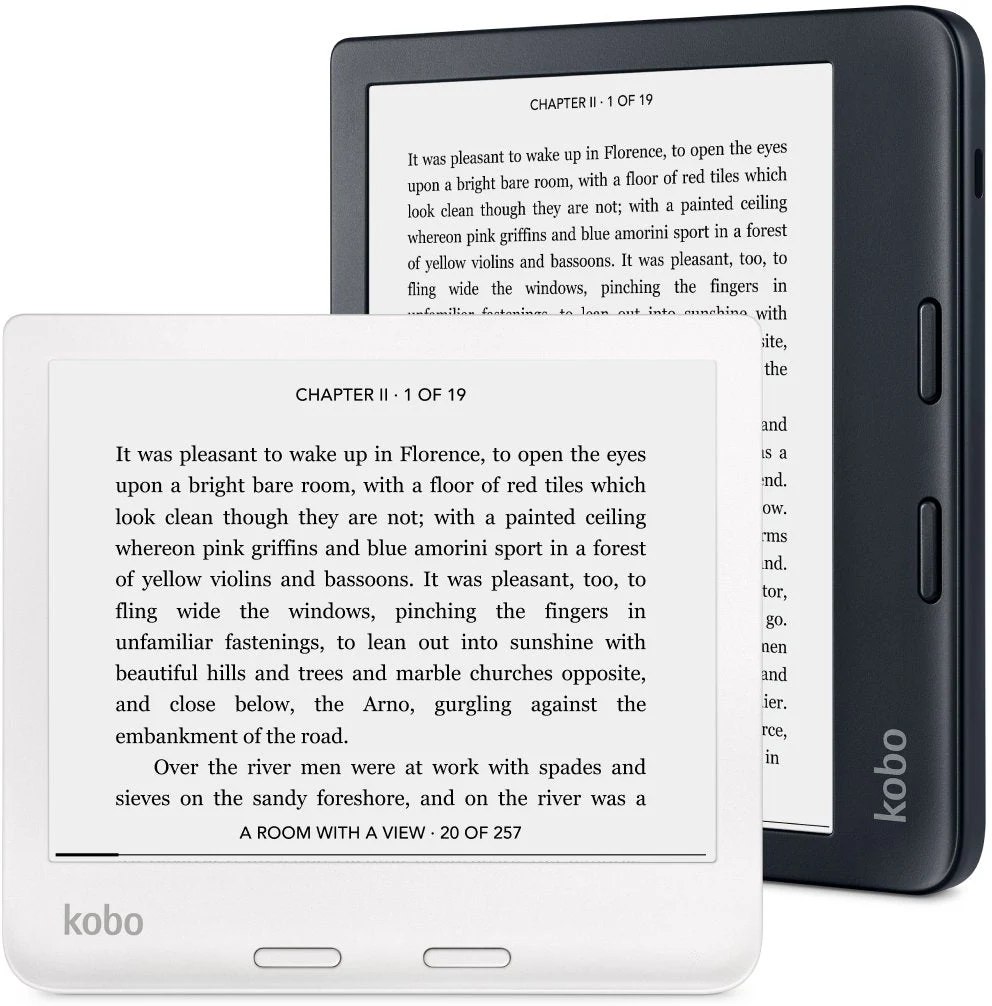 Best for One-Handed
Kobo Libra 2
Page-turn buttons and an ergonomic grip that bed readers and commuters never give back.
$189.99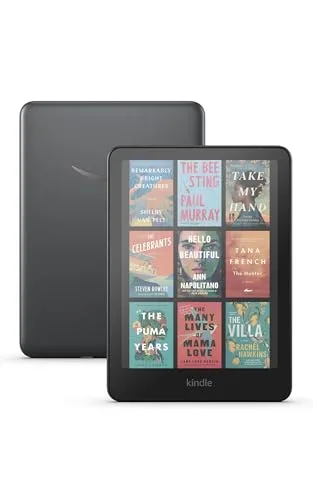 Best Color Kindle
Kindle Colorsoft Signature
Color highlights and covers without tablet distractions — the visual learner's Kindle.
$280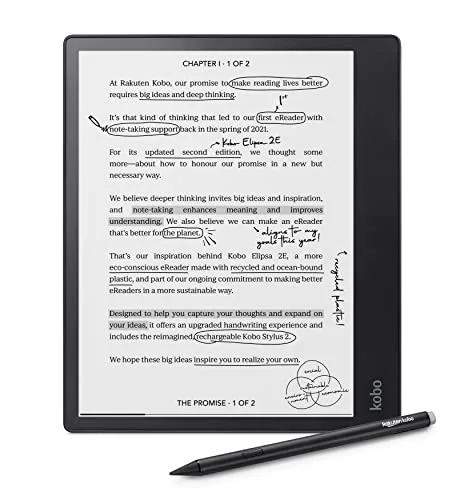 Best for Textbooks
Kobo Elipsa 2E
The big-screen pick that makes PDFs and margin notes finally usable for coursework.
$400Best Kindle picks for most readers
If you want an easy, mainstream e-reader experience with strong store integration, these are the Kindle models shoppers most often compare in 2026. Pick based on reading comfort, lighting, and whether you want a "nice-to-have" upgrade.
1. Amazon Kindle Paperwhite (12th Gen, 2024)



This is the current go-to Kindle for students and everyday book lovers who want a simple, distraction-free reading setup that still feels premium in the hand. Reviewers note the 7-inch glare-free screen and faster page turns hit a sweet spot for late-night chapters without feeling fussy, and the waterproof body survives pool and bath reading. Buyers consistently report it's the easiest "set it up and read" option to gift because the learning curve is minimal. Best for most people because it balances comfort, features, and straightforward usability.
- Comfortable, glare-free reading for long sessions
- Straightforward setup that works well as a gift
- Waterproof and travel-friendly for commuting or campus
- The most common complaint is that Kindle lock-in can be limiting if you prefer non-Amazon book ecosystems
- Some readers still prefer physical page buttons
- Upgrades can feel incremental if you already own a recent Paperwhite
2. Amazon Kindle Paperwhite Signature Edition (2024)
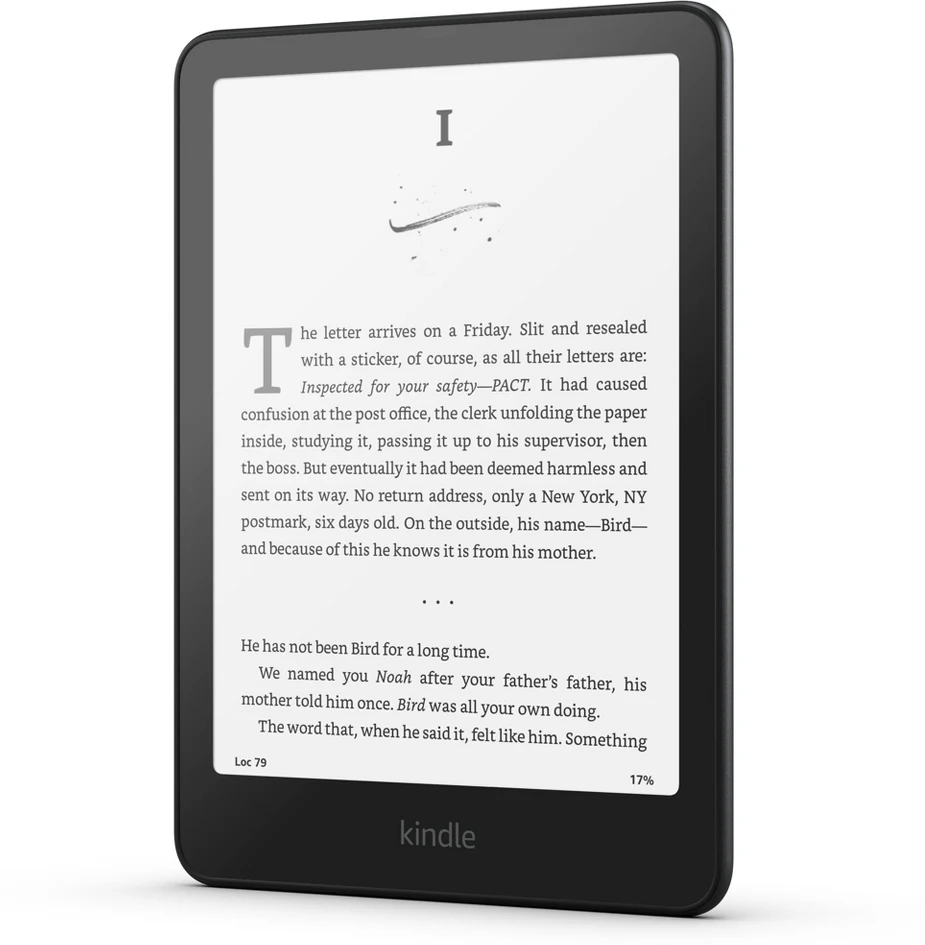
The Signature Edition is for the reader who loves the Paperwhite vibe but wants a more "set it and forget it" daily-driver — 32 GB of storage, auto-adjusting light, and wireless charging. Reviewers often frame it as a convenience upgrade: nice when you read constantly, less essential if you read occasionally. Buyers consistently report that it makes a great "big" gift because it feels like the upgraded trim level without changing the core Kindle learning curve. Best for frequent readers because it adds convenience-forward extras without complicating the experience.
- Feels like an upgraded, giftable version of the Paperwhite
- Auto-adjusting light and wireless charging for daily routines
- Good pick for readers who hate fiddly settings
- The most common complaint is that the added features may not justify the price difference for casual readers
- Still no physical page-turn buttons
- Not the best fit if you prefer an open ecosystem
3. Amazon Kindle Paperwhite Kids (with case & warranty)
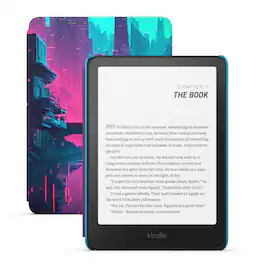
This bundle is built for younger readers (or families) who want an e-reader that can handle backpacks, bedtime, and occasional drops without turning into a constant worry. Buyers consistently point to the included kid-friendly case as the real value-add, since it makes the device feel "ready to use" right out of the box. Reviewers also note it's a smart choice when you want to encourage more reading time without handing over a full tablet. Best for families because it's gifting-friendly and designed for durability-minded parents.
- Bundle includes a kid-friendly case for immediate protection
- Good "first e-reader" path for younger readers
- Less distracting than a tablet for reading habits
- The most common complaint is that kids can outgrow the simplified setup as they get older
- Parents may want additional content controls depending on household needs
- Not ideal if your family prefers borrowing primarily through non-Kindle ecosystems
Best Kobo picks for library lovers & customization
Kobo is often the shortlist choice for readers who prioritize library borrowing workflows, file flexibility, and a less "walled garden" feel. These picks cover everything from entry-level gifts to more ergonomic, button-forward designs.
4. Kobo Clara BW
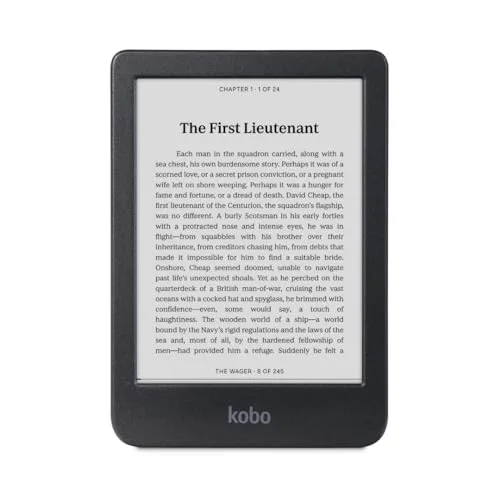

Clara BW is a no-nonsense choice for readers who want the classic black-and-white e-ink look for novels, essays, and deep-focus reading. Reviewers note that BW models appeal to people who don't need color markup and would rather prioritize a clean, paper-like page. Buyers consistently report that it's the kind of device you can hand to anyone and they'll understand instantly — tap, read, repeat. Best for purists because it keeps the experience simple and book-first.
- Classic black-and-white reading experience
- Easy to use with a low learning curve
- Good fit for long-form reading and study sessions
- The most common complaint is that it's not ideal for color-coded notes, comics, or visual textbooks
- Small form factor isn't great for PDFs
- Some users prefer more premium ergonomic designs
5. Kobo Clara 2E
The Clara 2E is for readers who want a compact e-reader that disappears in a tote bag and still feels comfortable for long sessions. Across expert reviews, this model is often praised as a sensible middle ground: small, practical, and friendly for nightly reading routines. Buyers consistently report it's an easy recommendation for students who want a dedicated reading device that won't tempt them into other apps. Best for commuters and minimalists because it's compact and gets out of the way.
- Compact and easy to carry everywhere
- Great for distraction-free reading habits
- Strong value in Kobo's lineup when discounted
- The most common complaint is that the smaller screen can feel cramped for PDFs or textbooks
- Not the best choice if you want page-turn buttons
- Power users may want more storage or premium build features
6. Kobo Libra 2
Kobo Libra 2 is a favorite style of e-reader for people who read a lot one-handed — think bed readers, parents holding a sleeping kid, or students reading while standing on a train. Across buyer feedback, page-turn buttons are the consistent "can't go back" feature once people get used to them. Reviewers note it's a practical step up from smaller devices without becoming bulky. Best for heavy readers because the ergonomic shape and buttons make long sessions feel easier.
- Ergonomic grip that suits one-handed reading
- Page-turn buttons many readers strongly prefer
- Great balance between portability and comfort
- The most common complaint is that it's larger than pocketable models, so it's less minimal for travel
- Can be harder to find certain accessories compared with Kindles
- Not a dedicated note-taking device for PDFs
Color and note-taking upgrades (for textbooks & research)
If your reading life includes highlighted lecture slides, color-coded annotations, comics, or planning, a step-up device can make the experience feel dramatically more usable. These options skew pricier, but they're the ones people target as "one device for reading + study."
7. Kobo Clara Colour
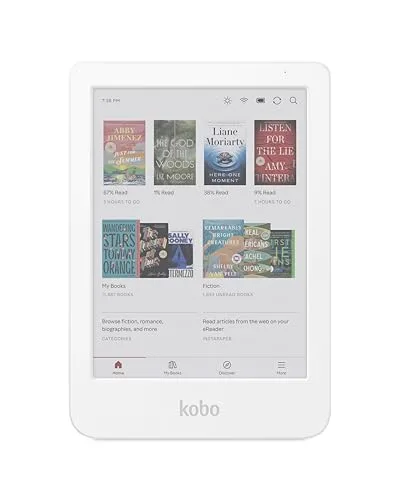
Kobo Clara Colour is a compact color e-reader for people who want a more open, library-friendly vibe while still getting color for markup and visual content. Across expert reviews, color on e-ink is positioned as "readable and useful," not glossy — great for gentle diagrams and color-coded notes. Buyers consistently report it's a satisfying middle option if you want color without jumping to an oversized device. Best for library-loving readers because it pairs Kobo's ecosystem flexibility with practical color.
- Color adds value for highlights, notes, and comics
- Compact size stays easy to carry
- Good fit for readers who like Kobo's ecosystem
- The most common complaint is that color e-ink can look less vibrant than expected
- Small screen can limit comfort for PDFs
- May require some setup learning for new-to-Kobo users
8. Kobo Elipsa 2E
Kobo Elipsa 2E is aimed at students, researchers, and big-screen readers who deal with PDFs, textbook pages, and margin notes where a small e-reader feels cramped. Reviewers often describe large-format e-readers as the "finally usable for documents" category, especially when you're reading to study rather than just for fun. Buyers consistently report it makes academic reading less annoying by reducing constant zooming and panning. Best for annotators because the larger canvas suits real coursework and long documents.
- Large screen is better for PDFs and textbooks
- More comfortable for note-heavy study workflows
- Great option for readers who hate constant zooming
- The most common complaint is that it's less portable than standard e-readers
- Higher price makes it a considered purchase
- Accessory ecosystem can add extra cost
9. Amazon Kindle Colorsoft Signature Edition
Kindle Colorsoft is designed for readers who want the Kindle flow but with color for highlights, covers, and more visual reading — useful for students who organize notes by color. Reviewers note that color e-ink is more about gentle, readable color than tablet-like pop, which matters if expectations are set correctly. Buyers consistently report it's a compelling upgrade when you read illustrated content or rely on color-coded annotations. Best for visual learners because it adds color without inviting the distractions of a full tablet.
- Color is helpful for highlights, diagrams, and comics
- Keeps the focused e-reader feel versus a tablet
- Nice "upgrade gift" for avid Kindle readers
- The most common complaint is that color e-ink looks muted compared with phone/tablet screens
- Higher price than standard black-and-white readers
- Not ideal if you mainly read plain-text novels
Beyond Kindle & Kobo (alternatives worth a look)
Not every great e-ink device comes from the big two. These alternatives earn a spot for specific readers — one for note-first power users, one for Barnes & Noble loyalists.
10. ONYX BOOX Note Air 5 C
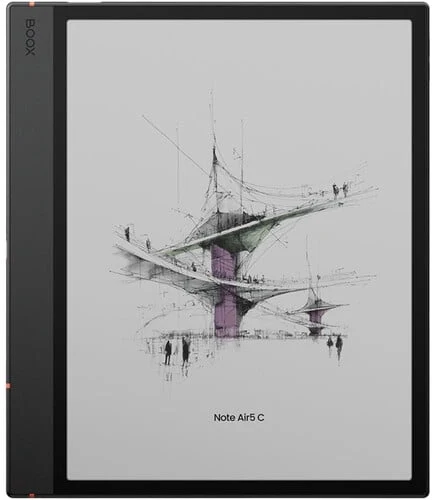

ONYX BOOX Note Air 5 C is for advanced students and professionals who want an e-ink workspace that leans into notes, reading, and planning — closer to a digital notebook than a simple e-reader. Across buyer feedback, the big draw is flexibility: people like having room to read documents and keep study notes in one place. Reviewers also point out that the learning curve is higher than Kindle/Kobo, so it suits tinkerers more than "just read" users. Best for productivity-minded readers because it combines reading with a more notebook-like workflow.
- Great for combining reading with a notes-first workflow
- More flexible than standard e-readers for documents
- Appeals to power users who like customizing their setup
- The most common complaint is that setup and software can feel complex compared with Kindle/Kobo
- Overkill if you only read novels
- Support and accessories can be less straightforward than mainstream brands
11. Barnes & Noble NOOK GlowLight 4 Plus
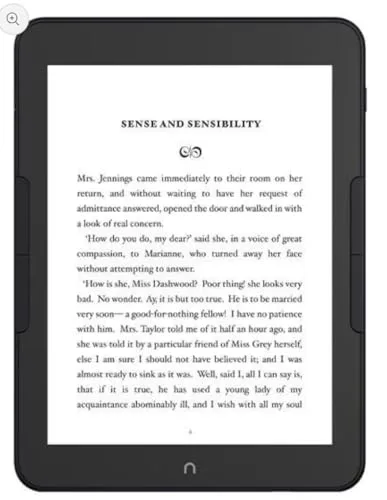

NOOK GlowLight 4 Plus is a solid alternative for readers who shop through Barnes & Noble or want a different storefront feel than Kindle or Kobo. Reviewers often mention it as a comfortable, reader-first device that suits people who want a dedicated book gadget rather than a multipurpose tablet. Buyers consistently report it's especially appealing for B&N loyalists who like keeping purchases under one roof. Best for NOOK ecosystem shoppers because it aligns your device with where you already buy books.
- Good fit for Barnes & Noble ecosystem loyalists
- Reader-first experience without app distractions
- Comfortable for long reading sessions
- The most common complaint is that the ecosystem and integrations can feel less universal than Kindle/Kobo
- Fewer third-party accessories than the biggest brands
- Not ideal if your priority is library-first borrowing workflows
Ready to Share Your Wishlist
Comparing Kindle vs Kobo? Save the finalists and let the decision breathe. Add both contenders to a WishDeck wishlist with your preferred color, case, and storage notes, organize picks into folders for school or birthdays, then share the list. Family can reserve the one they're gifting — so you never unwrap the same e-reader twice.
Frequently Asked Questions
Popular Reads
- Gifts for Book Lovers That Aren’t Books: E-Readers, Reading Lights & Journals
- 15 Best Tablets for Students (2026): Note-Taking Picks, iPad vs Galaxy vs Budget
- Best Printers for College Students: Compact, Cheap Ink & Wireless (2026)
- Best iPad Accessories for Students: Pencils, Keyboard Cases & Note Apps (2026)
- Best Noise-Cancelling Headphones for Students (2026): Under $100 Picks
Looking for more insights? Explore related topics: Gifts for Book Lovers That Aren’t Books, 15 Best Note-Taking Tablets for Students (2026), Best Printers for College Students (2026) or find more on our Blog.