
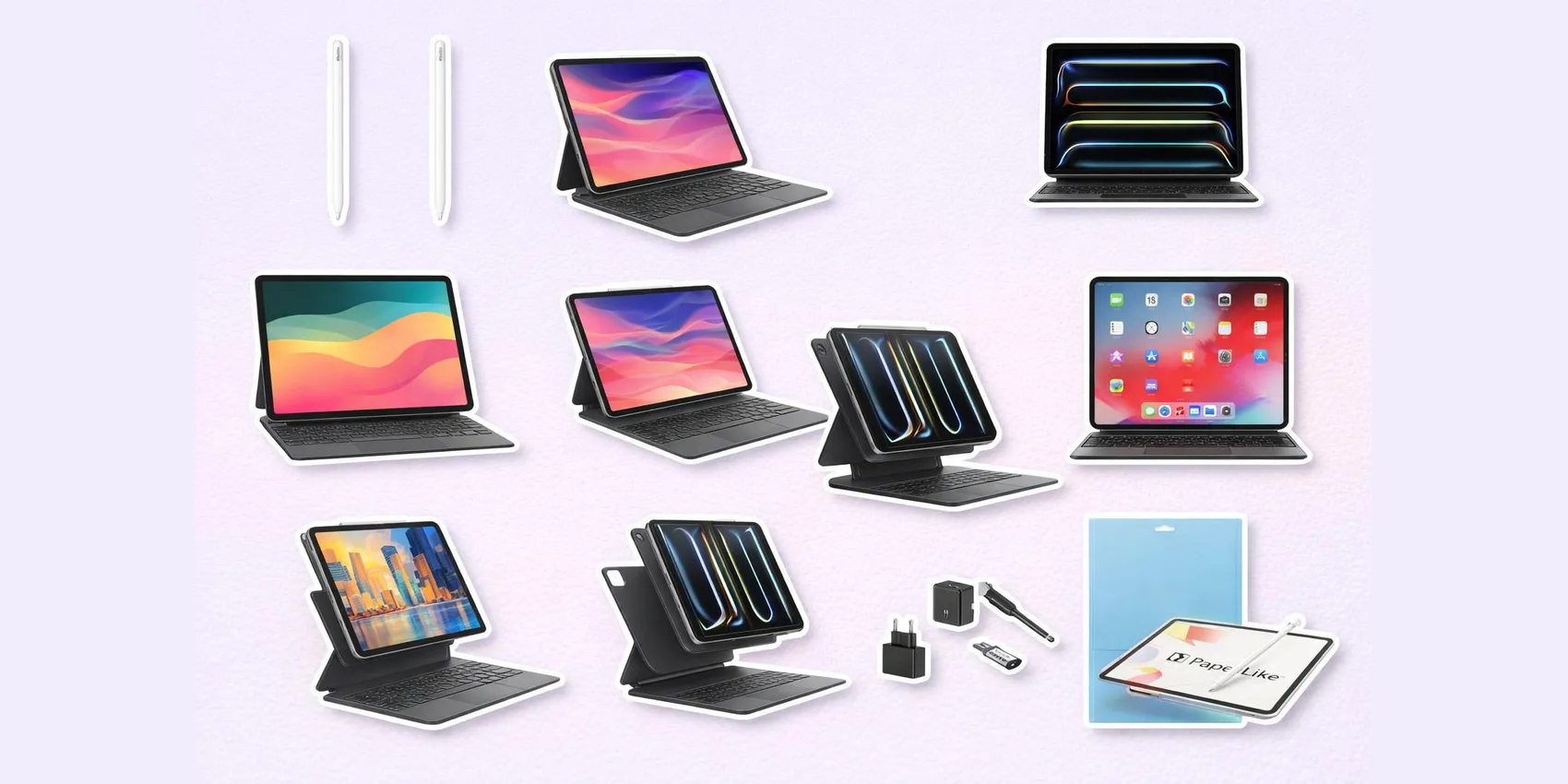
 Best iPad Accessories for Students (2026)
Best iPad Accessories for Students: Pencils, Keyboard Cases & Note Apps (2026)
The best iPad accessories for students turn lecture notes, essays, and study sessions into a smoother workflow—starting with a precise stylus, a keyboard case, dependable power, and the right note app. This 2026 guide organizes 20 picks into six sections (styluses, keyboard cases, protection, charging, audio, and note apps) spanning roughly $10 to $300, so you can match your real school routine fast.
Already weighing the device itself or how to keep it charged through back-to-back classes? Pair this list with our guides to the best note-taking tablets and the best power banks and GaN chargers.
Add-on magic: Tap to save any accessory below to your WishDeck wishlist, compare the same product across Amazon, Walmart, and brand sites to grab the best price, then share the list with family or roommates in seconds.
Table of Contents (2026)
1. Styluses for Note-Takers & Creators
2. Keyboard Cases for Essay Season
3. Protection & Screen Feel Upgrades
4. Charging & Power for Long Campus Days
5. Audio & Pointer Upgrades for Study Focus
6. Note Apps & Digital Organization
7. Ready to Share Your Wishlist
Our Top 5 Picks
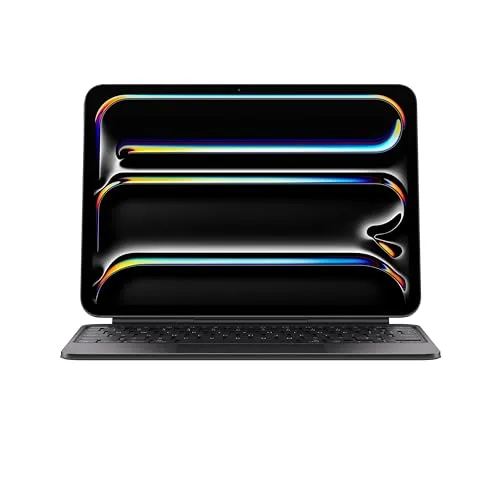 Best Splurge
Apple Magic Keyboard for iPad Pro 11"
Turns an iPad Pro into a laptop-like writing machine for papers and Canvas.
$289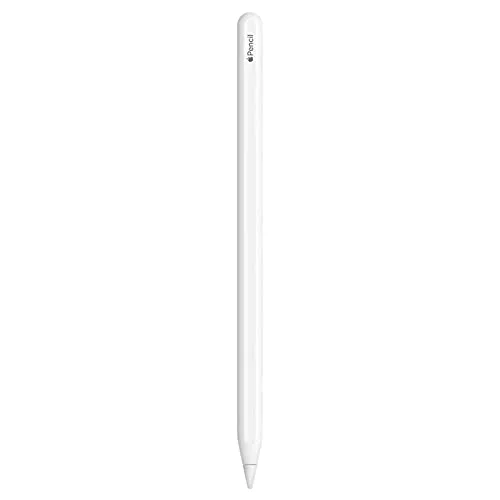 Best for Notes
Apple Pencil (2nd generation)
Low-latency handwriting and PDF markup that snaps on to charge between classes.
$72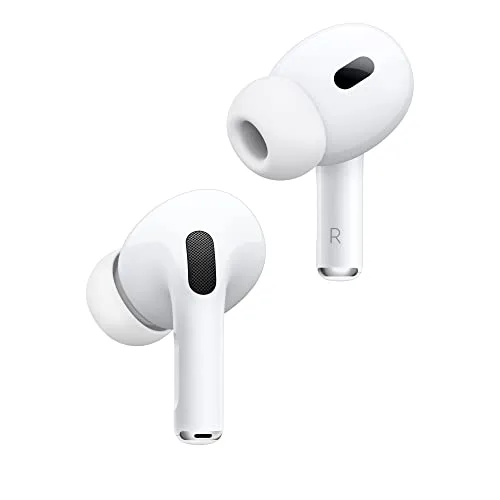 Best for Focus
Apple AirPods Pro (2nd generation)
Strong noise cancellation for dorms, libraries, and group-call clarity.
$169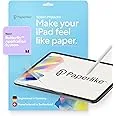 Best Writing Feel
Paperlike 3 Screen Protector
Adds a paper-like drag that makes handwriting feel controlled in fast lectures.
$50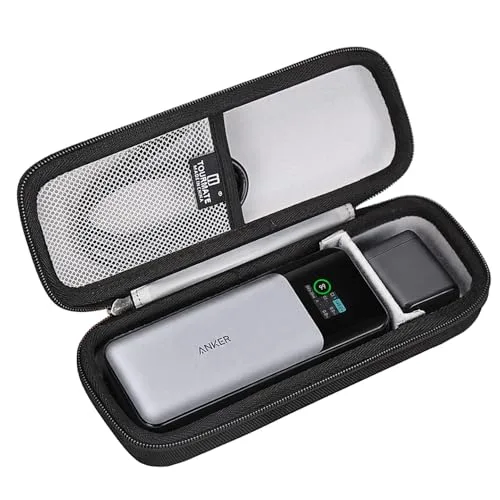 Best Budget
Anker 737 Power Bank (PowerCore 24K)
High-capacity backup battery for finals week when every outlet is taken.
$15Styluses for Note-Takers & Creators
If a student handwrites notes, sketches diagrams, or marks up PDFs, a great stylus is the single biggest quality-of-life upgrade. These picks focus on comfort, reliability, and features students actually use during lectures.
1. Apple Pencil (2nd generation)



A precision stylus for students who handwrite class notes, annotate readings, or sketch diagrams without breaking focus. Reviewers consistently highlight its natural-feeling writing, low-latency responsiveness, and how convenient magnetic attachment and charging are for staying ready between classes. The main caveat across buyer feedback is compatibility—many people recommend double-checking the exact iPad model before buying. Best for students who want a seamless, always-ready stylus because it integrates cleanly into daily iPad study routines.
- Smooth, low-latency writing for fast lecture notes
- Convenient magnetic attach/charge behavior (when supported)
- Great for PDF markup and diagram-heavy classes
- The most common complaint is compatibility confusion across iPad models
- Premium accessory pricing compared with third-party styluses
- Easy to misplace if you don’t keep it attached or in a pouch
2. Apple Pencil Pro
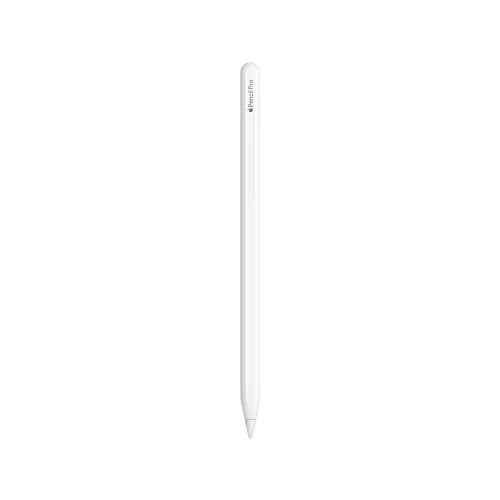
A feature-forward Apple stylus for students who want quicker tool control for drawing, design work, or heavy annotation. Across reviewer impressions, buyers point to the "it just works" feel with supported iPads and appreciate the extra controls for switching tools without interrupting their flow mid-lecture or mid-sketch. The biggest theme in complaints is, again, model compatibility—some students assume it works with any iPad and get stuck returning it. Best for creative majors and power note-takers because it adds quicker tool control while staying in Apple’s ecosystem.
- Feature-rich stylus experience on supported iPads
- Helpful controls for switching tools during notes or art
- Clean integration for charging/storage when compatible
- The most common complaint is limited compatibility with certain iPad generations
- Higher cost than basic styluses for casual note-takers
- Extra features can feel unnecessary for simple handwriting
“A magic wand for artists and note takers that even Steve Jobs would have loved.” — iPhone J.D.

Keyboard Cases for Essay Season
A keyboard case is the difference between "iPad as a tablet" and "iPad as a mini laptop." These options cover premium laptop-style typing, more flexible detachable setups, and budget-friendly alternatives for everyday assignments.
3. Apple Magic Keyboard for iPad Pro (11‑inch)

A premium keyboard-and-trackpad setup that turns an 11-inch iPad Pro into a polished writing machine for papers, emails, and long Canvas sessions. Reviewers frequently praise the stable floating design, comfortable typing feel, and trackpad gestures that make multitasking less clunky for schoolwork. The most repeated downside is the price, plus the added weight in a backpack. Best for students who type a lot because it delivers a laptop-like workflow without extra accessories.
- Laptop-like typing and trackpad gestures for productivity
- Stable, desk-friendly form factor for long writing sessions
- Clean integration with iPad Pro workflows
- The most common complaint is the high price
- Adds noticeable weight compared with a simple folio
- Limited protection around edges compared with rugged cases

4. Apple Magic Keyboard for iPad Pro (12.9‑inch)
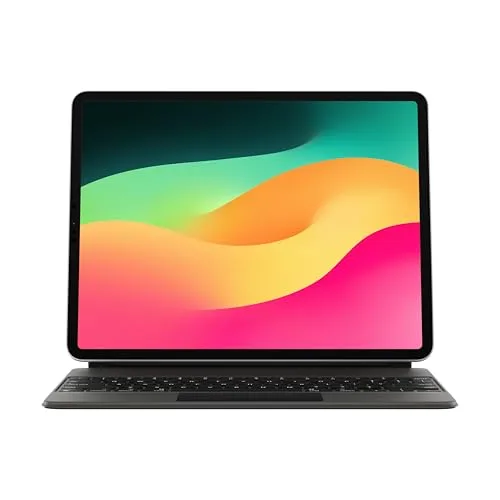
A larger Magic Keyboard built for students using the big-screen iPad Pro as their main school computer. Across reviews, the consistent feedback is that it makes writing, research, and split-screen studying feel closer to a traditional laptop—especially with the roomy key spacing and trackpad support. The tradeoff most buyers mention is cost and bulk, which can be a lot if the iPad already lives in a crowded backpack. Best for students replacing a laptop because it offers a more desktop-like typing experience on a large iPad.
- Roomier typing experience for long essays and reports
- Trackpad support helps with multitasking and editing
- Sturdy, stable setup for desk and library use
- The most common complaint is the price for a keyboard case
- Heavier than most folios and detachable keyboard options
- Not the best choice if you prefer lap use on soft surfaces
5. Logitech Combo Touch Keyboard Case for iPad (with Trackpad)
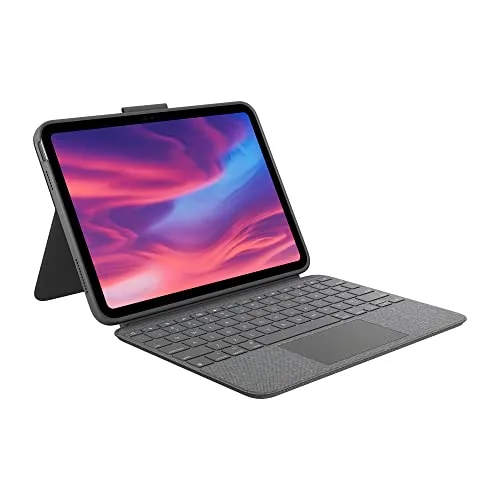
A versatile keyboard case with a trackpad for students who want laptop-like functionality but also want to detach and go tablet-mode for reading or handwriting. Reviewers often call out the flexibility of the kickstand and detachable keyboard for switching between lecture notes, lab manuals, and long writing sessions. The most common drawback buyers mention is added bulk compared with slim folios, plus some preference-based complaints about key feel. Best for students who bounce between typing and touch because it adapts quickly to different class tasks.
- Detachable keyboard makes it easy to switch to tablet mode
- Trackpad support helps with editing and multitasking
- Kickstand-style setup is flexible for desk angles
- The most common complaint is that it can feel bulky in a backpack
- Key feel is subjective and not everyone loves it
- Kickstand needs space on small lecture hall desks
6. Brydge Pro+ Wireless Keyboard for iPad Pro
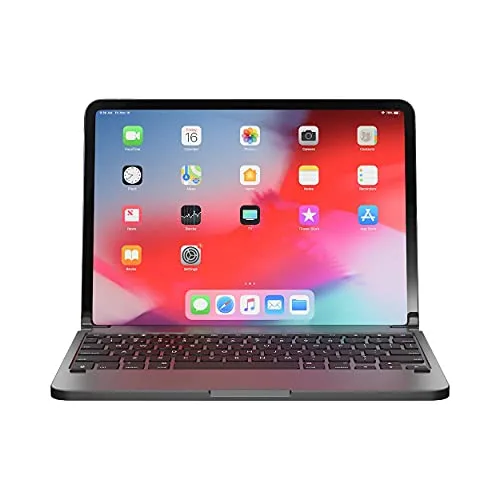
A wireless keyboard for students who want a more laptop-like hinge style for their iPad Pro without committing to a premium first-party case. Buyers often mention it can be a solid value when found on sale, especially for writing-focused tasks like essays and discussion posts. The most common complaint across reviews is fit and stability quirks depending on iPad generation, plus the extra step of Bluetooth pairing versus a connector-based keyboard. Best for budget-minded students because it offers a more laptop-ish typing setup for less—when compatibility lines up.
- Often a strong value option for typing-heavy schoolwork
- Hinge-style design appeals to laptop replacers
- Works as a standalone keyboard beyond a specific case setup
- The most common complaint is inconsistent fit/compatibility across iPad Pro versions
- Bluetooth pairing adds a bit of friction vs. connector keyboards
- Provides less all-around iPad protection than many full cases
7. ZAGG Pro Keys Keyboard Case for iPad
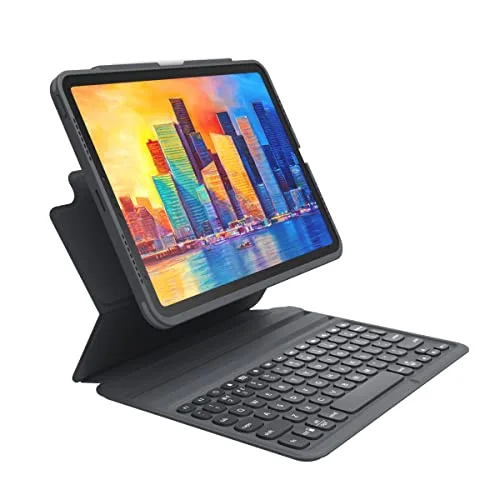
A protective, portable keyboard case for students who want a note-taking and writing setup without going full premium. Reviewers often highlight the convenience of having a keyboard always attached to the iPad for quick responses in class, plus the general travel-friendly vibe. The most common complaint is that the typing feel and trackpad (when present in some variants) can be less refined than pricier options, especially for long sessions. Best for students who want an all-in-one school case because it balances protection and typing at a mid-range price.
- Convenient all-in-one case + keyboard approach
- Good for quick typing between classes and on commutes
- Typically more protective than ultra-slim folios
- The most common complaint is that typing feel isn’t as premium as higher-end keyboards
- Can add bulk compared with minimalist cases
- Model/variant differences can be confusing when ordering
8. ESR Rebound Magnetic Keyboard Case for iPad
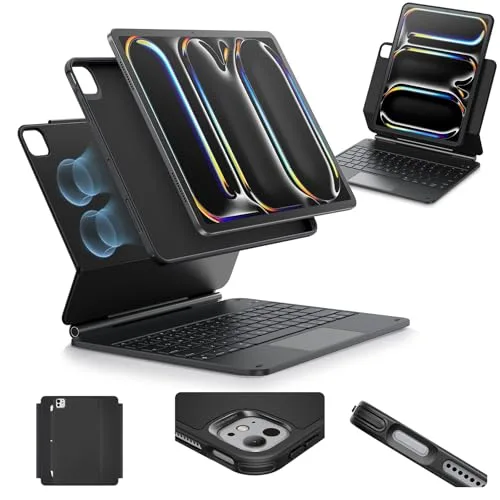

A magnetic keyboard case for students who want a more affordable route to a type-plus-trackpad setup for school. Across buyer feedback, people like the convenience of snapping the iPad on and off for switching from typing to reading and handwriting, and they often mention it feels like a smart compromise for everyday assignments. The most common complaint is that fit and magnet strength or angle stability can vary by model, so checking compatibility matters. Best for students building a budget productivity kit because it aims for laptop-style utility without the premium price tag.
- Magnetic attach/detach makes switching modes quick
- Budget-friendlier path to a keyboard-case workflow
- Good for homework, emails, and light essay writing
- The most common complaint is model-dependent fit and stability
- Not as rigid or premium-feeling as top-tier keyboard cases
- Trackpad/shortcuts may feel less refined for power users
Protection & Screen Feel Upgrades
Students toss iPads into backpacks, slide them across desks, and use them everywhere—so protection matters. These picks focus on everyday durability and the "feels better to write on" upgrades that make notes more enjoyable.
9. Paperlike 3 Screen Protector for iPad
A matte-style screen protector for students who write a lot on iPad and want a more paper-like drag for handwriting and sketching. Across reviews, buyers often say it makes note-taking feel more controlled and reduces that slippery-glass sensation, which can help with neatness during fast lectures. The most common complaint is that matte protectors can soften screen clarity and may show wear over time depending on use. Best for heavy note-takers because it improves writing feel and control for long study sessions.
- More controlled writing feel for handwriting and diagrams
- Helpful for students who dislike writing on slick glass
- Can reduce distracting reflections in some lighting
- The most common complaint is reduced screen crispness compared with bare glass
- Can show wear or texture changes over time with heavy stylus use
- Installation needs care to avoid dust and bubbles
10. OtterBox Symmetry Series+ Case for iPad
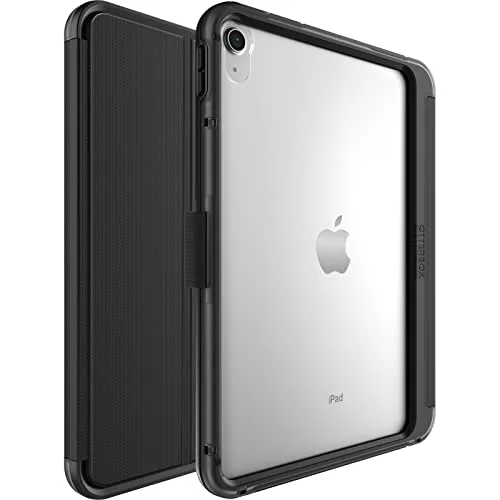
A protective iPad case for students who treat their backpack like a black hole and need extra peace of mind between dorms, labs, and coffee shops. Reviewers commonly point out the sturdier feel and how it helps the iPad survive everyday bumps and drops that can happen during a busy semester. The most frequent downside buyers mention is added thickness and weight compared with minimalist cases. Best for on-the-go students because it prioritizes protection when your iPad is constantly in transit.
- More protective feel for backpack life and daily commutes
- Good option for students who are hard on their gear
- Helps reduce worry about bumps and minor drops
- The most common complaint is added bulk compared with slim folios
- Heavier feel in-hand for long reading sessions
- Some users prefer a softer or more flexible grip texture
11. Apple Smart Folio for iPad
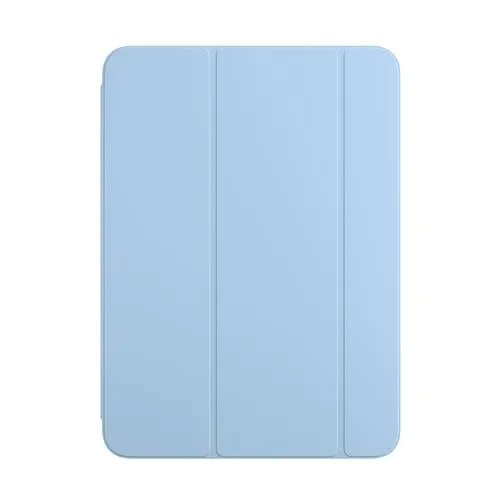

A slim folio-style cover for students who want basic protection and an easy stand for reading, watching lectures, or presenting in study groups. Reviewers often describe it as clean and convenient—simple to open, close, and prop up without fuss. The most common complaint is that it’s not rugged, so it won’t satisfy anyone who needs heavy-duty drop protection. Best for minimalist students because it keeps the iPad light while adding everyday scratch coverage and stand positions.
- Slim, lightweight profile for backpacks and tote bags
- Easy stand positions for reading and video lectures
- Simple, polished look that doesn’t feel bulky
- The most common complaint is limited drop protection
- Premium price for a relatively simple folio
- Edges can remain more exposed than in full-coverage cases
Charging & Power for Long Campus Days
Nothing derails study time like a dead iPad in the library. These charging picks are about dependable everyday power—one for the wall and one for your backpack—so students can stay online through back-to-back classes.
12. Belkin BoostCharge USB‑C GaN Wall Charger 30W
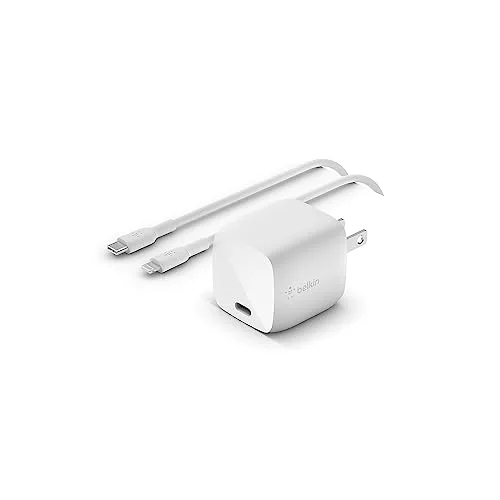

A compact USB‑C wall charger that’s a smart "leave one in the dorm, one in the backpack" upgrade for students. Reviewers tend to like the travel-friendly size and the reliability for daily charging routines—especially when you’re moving between classrooms and study spots. The most common complaint is that a single-port charger can feel limiting if you want to charge multiple devices at once. Best for students who want a dependable everyday charger because it’s small, simple, and easy to pack.
- Compact design that’s easy to toss in a bag
- Reliable everyday charging for iPad and other USB‑C gear
- Good for dorm, library, and travel rotations
- The most common complaint is single-port convenience limits
- Cable not always included, depending on where you buy
- Not ideal if you need a multi-device charging hub
13. Anker 737 Power Bank (PowerCore 24K) with USB‑C PD


A high-capacity power bank built for students who spend long days on campus and can’t always find an outlet during finals week. Buyers consistently report it’s great for keeping multiple devices topped up (think iPad plus phone) during travel, long library sessions, or lab days. The most common complaint is weight and bulk—it’s powerful, but it’s not pocket-friendly. Best for commuter students because it’s a dependable backup battery when outlets are taken or far away.
- Strong backup power for long study days and commutes
- Useful for charging more than one device in a pinch
- Good choice for travel, campus libraries, and all-day schedules
- The most common complaint is that it’s heavy and bulky
- Premium power banks can be overkill for light users
- Charging cables may need to be planned separately
Audio & Pointer Upgrades for Study Focus
For shared dorms, noisy libraries, and remote lectures, audio quality and focus tools matter. These upgrades help students concentrate, attend calls clearly, and navigate iPadOS more comfortably with a pointer.
14. Apple AirPods Pro (2nd generation)
Wireless earbuds for students who study in public spaces, attend video lectures, or need a reliable way to focus in a busy dorm. Reviewers and buyers regularly point to strong noise cancellation, a secure everyday fit for many ear shapes, and convenient device switching in Apple-centric setups. The most common complaint is fit preference—some people simply don’t love in-ear tips for long study sessions. Best for commuters and library regulars because they help create a quieter, more focused study environment fast.
- Noise cancellation helps in dorms, cafés, and libraries
- Great for calls, lecture audio, and group project meetings
- Convenient pairing and switching in Apple ecosystems
- The most common complaint is that in-ear tips aren’t comfortable for everyone
- Easy to misplace without a consistent storage habit
- Premium price compared with basic earbuds

15. Logitech MX Anywhere 3 Wireless Mouse
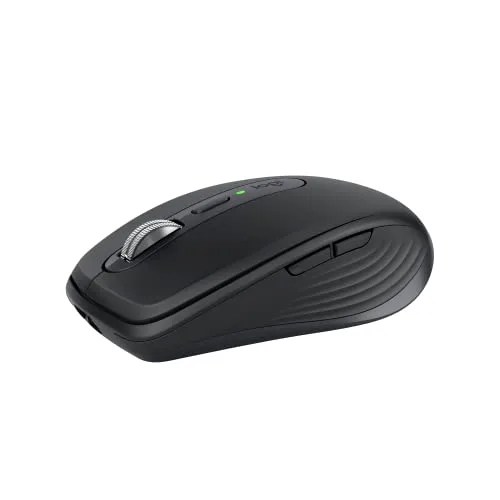

A compact wireless mouse for students who use their iPad with a keyboard case and want more precise control for editing documents, spreadsheets, or design work. Across expert roundups and buyer feedback, people consistently praise the portable size and the smooth, fast scrolling that makes long readings and web research less annoying. The most common complaint is the price for a travel mouse, especially if you only occasionally use a pointer. Best for productivity-focused students because it makes iPad multitasking and text editing feel quicker and more controlled.
- Compact and easy to pack for campus life
- Precise pointer control for editing and multitasking
- Smooth scrolling helps with long docs and research
- The most common complaint is the premium price for a small mouse
- Requires charging and another item to keep track of
- Not ideal if you prefer touch-only iPad workflows
Note Apps & Digital Organization
The right app can make an iPad feel like a complete school system: notebooks, planners, PDFs, recordings, and searchable handwriting. These options cover different student styles—from handwritten notes to structured databases for assignments.
16. GoodNotes 6 (note‑taking app)
A popular note-taking app for students who want digital notebooks that still feel like writing on paper—great for lectures, problem sets, and PDF annotation. Reviewers frequently point to its polished handwriting workflow, strong organization for subjects and semesters, and how natural it feels with a stylus. The most common complaint from users is that feature changes and pricing models can be confusing depending on when you download and how you subscribe or purchase. Best for handwritten-note students because it keeps classes neatly separated while staying fast in live lectures.
- Excellent for handwriting, highlighting, and PDF markup
- Organizes notes cleanly by class and semester
- Feels intuitive for students moving from paper notebooks
- The most common complaint is confusion around pricing/subscription options
- Takes time to set up folders and templates to your liking
- Power features can feel overwhelming at first
17. Notability (note‑taking app)
A note-taking app for students who like mixing typed notes, handwriting, and recordings—especially useful for fast-paced lectures. Across reviewer discussions, people often mention its flexible note formats and how it fits students who review material later and want context. The most common complaint is that long-time users can be sensitive to subscription changes and ongoing costs, so it’s worth checking what’s included for your plan. Best for lecture-heavy majors because it supports multi-format notes that are easy to revisit before exams.
- Great for mixing handwriting and typed notes
- Useful workflow for reviewing lecture material later
- Strong option for students who like flexible note pages
- The most common complaint is frustration around subscription/pricing changes
- Can feel feature-dense if you just want simple notebooks
- Sync/setup preferences may take a bit of tweaking
18. Microsoft OneNote (note‑taking app)
A flexible, cross-platform notebook app for students who want their notes available across iPad, laptop, and phone—especially helpful in mixed-device households. Reviewers and users often emphasize its organizational structure (sections and pages) and how well it fits students already living in Microsoft school ecosystems. The most common complaint is that the interface can feel less paper-like than dedicated handwriting-first apps, and some features vary by platform. Best for students who juggle devices because it keeps course notes accessible almost anywhere.
- Strong organization for multi-class note systems
- Works well for students in Microsoft-based schools
- Easy to access notes across multiple devices
- The most common complaint is that handwriting-first experiences feel less polished than dedicated note apps
- Feature consistency can vary by device/platform
- Can take time to learn the best structure for your classes
19. Notion — Notes & Workspace (app)
An all-in-one workspace app for students who want more than notes—think assignment trackers, study plans, group project hubs, and searchable course wikis. Reviewers and students consistently describe it as powerful for organization, especially once you build templates for classes and recurring tasks. The most common complaint is that it can feel intimidating at first and takes time to set up a system that truly sticks. Best for planner-minded students because it turns an iPad into a customizable command center for the semester.
- Excellent for organizing tasks, projects, and class materials together
- Highly customizable with templates and databases
- Great for group projects and shared planning
- The most common complaint is a steep setup/learning curve
- Can become messy without consistent organization habits
- Some features work best with a keyboard for faster input
Ready to Share Your Wishlist
Build your student iPad setup in minutes with WishDeck: tap to add any accessory from this guide in one click, then keep everything organized so you don’t lose the exact model or color you wanted. Create folders like Back-to-School 2026, Dorm Desk, or Finals Week Essentials, and share your WishDeck wishlist with family or roommates. The best part: friends can reserve gifts, so you won’t receive the same keyboard case or stylus twice.
Frequently Asked Questions
Popular Reads
- 15 Best Tablets for Students (2026): Note-Taking Picks, iPad vs Galaxy vs Budget
- Best Power Banks & GaN Chargers for Students (2026): USB-C + Laptop-Friendly
- Best Dorm Tech Under $55 (2026): Small Upgrades Students Actually Use
- Best Backpacks for College Students: Durable Picks for Class, Commutes & the Gym
- Best Wireless Earbuds for Students (2026): AirPods Alternatives for Class & Calls
Looking for more insights? Explore related topics: 15 Best Note-Taking Tablets for Students (2026), Best Power Banks for Students (2026), Best Dorm Tech Under $55 for Students (2026) or find more on our Blog.