
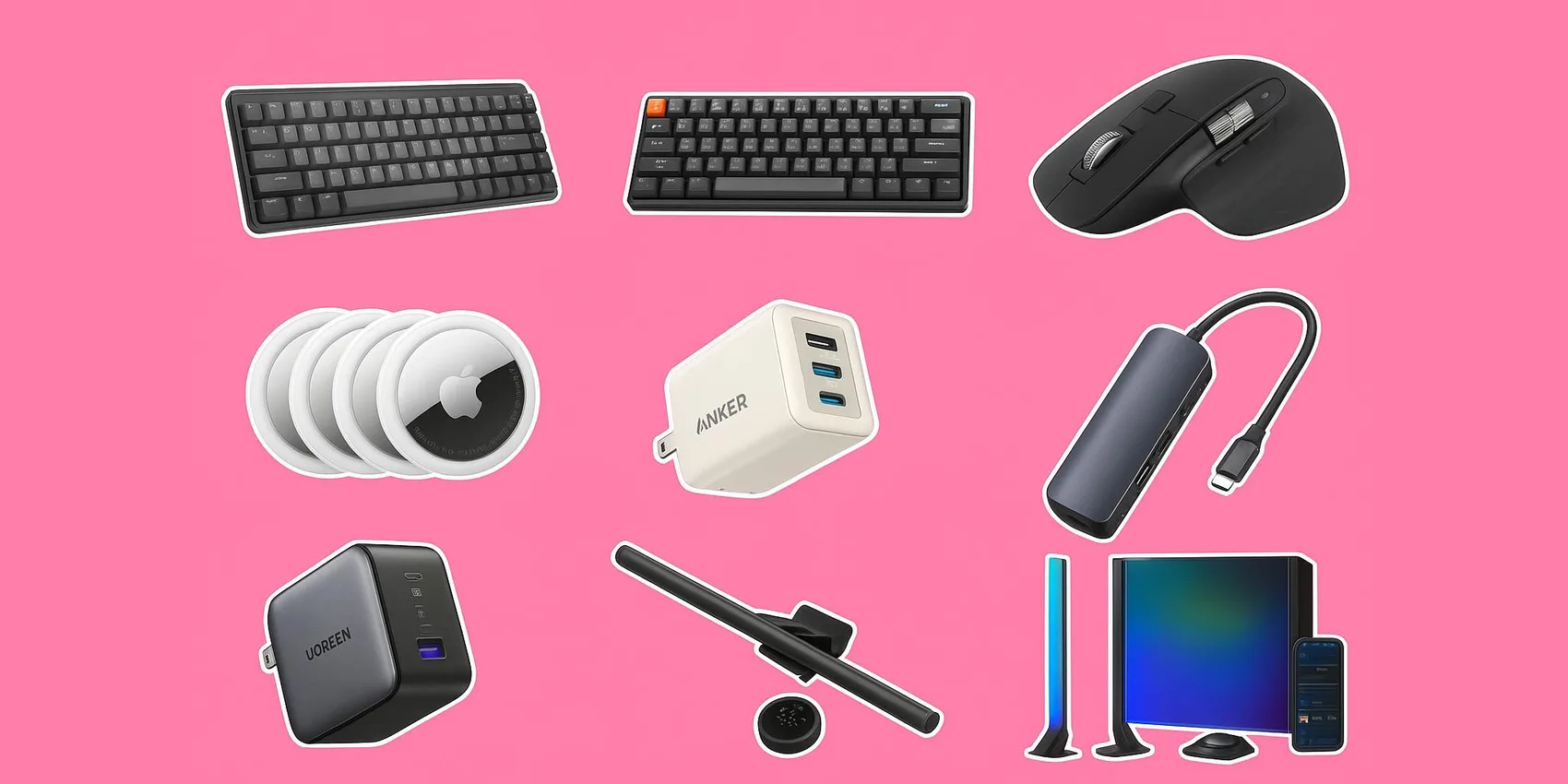
 TikTok Desk Setup Finds for Students (2026)
TikTok Desk Setup Finds for Students (2026): Aesthetic Dorm Desk Stations
Back-to-class season and spring refreshes make a 2026 desk setup feel urgent—especially when assignments, dorm moves, and internships pile up. This guide is for students (and the friends or family shopping for them) who want TikTok-style desk upgrades without wasting money on hype. You’ll get a tight shortlist of practical, aesthetic picks across a few lanes—mainly tech and organization—so you can build a cleaner workspace fast, stay focused longer, and check out before the best deals disappear.
Add-on magic: Quickly save desk-setup gift ideas to your WishDeck wishlist, share it in seconds, and end the “what do you want?” confusion. Perfect for tracking tech and study essentials and sharing your updated list anytime.
Table of Contents
1. Keyboards for a clean, quiet(ish) workflow
2. Pointer upgrades for long study sessions
3. Power + connectivity to tame cable chaos
4. Lighting that looks good on camera and feels good IRL
5. Desk essentials that keep your day moving
6. Ready to Share Your Wishlist
Our Top 5 Picks
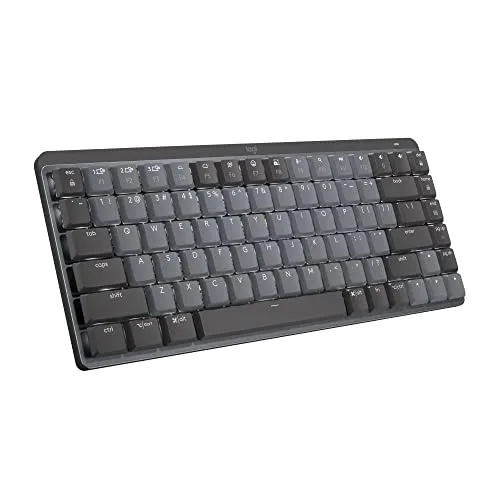 Best Quiet Keyboard
Logitech MX Mechanical Mini Wireless Keyboard
A compact, low-profile mechanical keyboard that stays minimal on small desks while still feeling premium fo...
$150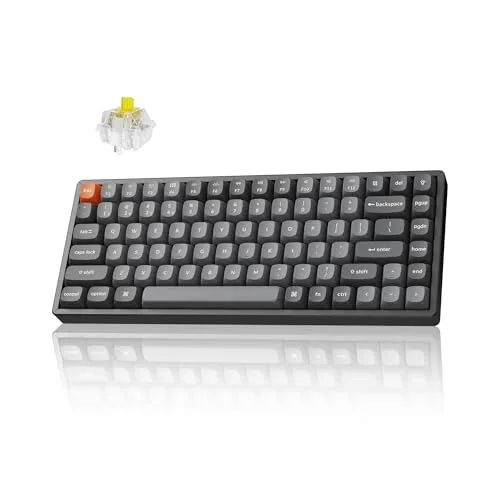 Best Mechanical Keyboard
Keychron K2 Max QMK/VIA Wireless Mechanical Keyboard
A customizable wireless mechanical keyboard with QMK/VIA remapping that’s great for students who want faste...
$100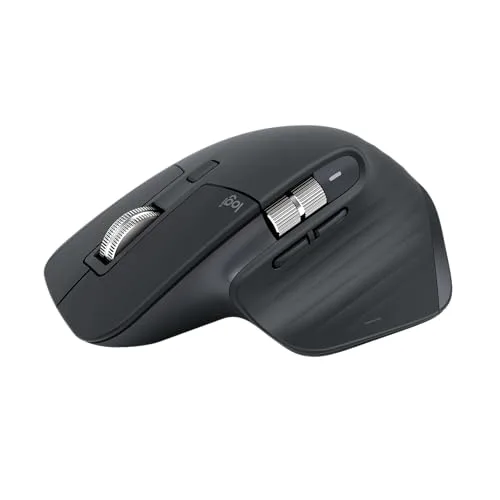 Best Mouse
Logitech MX Master 3S Wireless Mouse
A comfortable, do-everything mouse with smooth scrolling and multi-device support that’s ideal for long res...
$90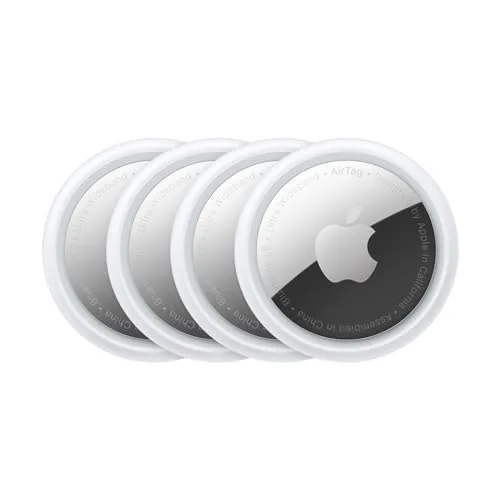 Best for Lost Keys
Apple AirTag (4-Pack)
A simple, practical way to track keys, backpacks, and essentials across busy campus days—especially helpful...
$70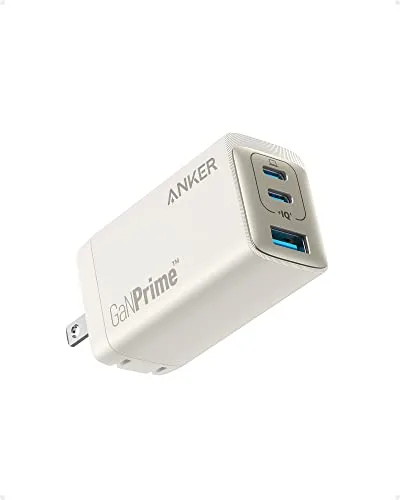 Best Compact Charger
Anker 735 Charger (GaNPrime 65W)
A compact 65W GaN charger that replaces bulky bricks and keeps a laptop + phone powered from one outlet.
$38.99Keyboards for a clean, quiet(ish) workflow
A great keyboard is the fastest way to make your setup feel “intentional” in 2026—better feel, better shortcuts, and fewer distractions. These picks are student-friendly for dorm desks, shared spaces, and late-night typing.
1. Logitech MX Mechanical Mini Wireless Keyboard


A compact, low-profile mechanical keyboard that stays minimal on small desks while still feeling premium for papers, notes, and coding in 2026.
- Low-profile tactile switches stay library-quiet so roommates and lecture-hall neighbors aren't disturbed
- 75% layout saves about 4 inches of desk width vs a full-size keyboard — fits cramped dorm desks
- Pairs with up to 3 devices over Bluetooth and swaps with the Easy-Switch keys (laptop, iPad, phone)
- $150 sticker price is steep next to $40 membrane keyboards that do the same typing job
- No numpad — a real workflow tax for accounting, stats, or finance majors
- Switches aren't hot-swappable, so you can't change typing feel later without buying a new board
2. Keychron K2 Max QMK/VIA Wireless Mechanical Keyboard
A customizable wireless mechanical keyboard with QMK/VIA remapping that’s great for students who want faster workflows and a compact footprint.
- Hot-swappable switches let you change typing feel (linear, tactile, clicky) without a soldering iron
- QMK/VIA firmware remaps keys for coding shortcuts, LaTeX symbols, or app-specific macros in minutes
- 75% layout keeps arrow keys and function row — better for spreadsheet and IDE work than a 65% board
- About 1 kg / 2.2 lb — not the keyboard you toss in a backpack for café study days
- VIA software setup has a learning curve; first-time mechanical buyers may never use the customization they paid for
- Stock keycaps and stabilizers can rattle — most users end up lubing or modding for "endgame" feel
Pointer upgrades for long study sessions
A better mouse can make long reading and editing sessions feel less tiring in 2026. These picks are for students who bounce between tabs, PDFs, and projects all day.
3. Logitech MX Master 3S Wireless Mouse
A comfortable, do-everything mouse with smooth scrolling and multi-device support that’s ideal for long research, editing, and study sessions.
- MagSpeed scroll wheel rips through 1,000-line PDFs and long Notion docs in a single flick
- Quiet clicks (~90% less noise than the older MX Master 3) work in shared dorm rooms and 24-hour study lounges
- 8K DPI tracking works on glass desks and glossy desk mats where cheap optical mice stutter
- Right-handed sculpt only — lefties have to look elsewhere
- At ~141 g it's heavy for FPS gaming; this is a productivity mouse, not an esports tool
- Full feature set (gesture button, app-specific scrolling) requires installing Logi Options+ on every device
Power + connectivity to tame cable chaos
In 2026, the cleanest desk setups are the ones that charge everything fast and connect everything simply. These picks help students reduce cable clutter, keep devices topped up, and make laptop-only setups feel like full workstations.
4. Apple AirTag (4-Pack)
A simple, practical way to track keys, backpacks, and essentials across busy campus days—especially helpful for commuters and frequent travelers. TikTok proof shows students clipping AirTags inside backpack pockets, on keychains, or in laptop sleeves so they can find gear fast when moving between dorm, library, and class.
- Taps into Apple's billion-device Find My network — your lost backpack pings off any nearby iPhone, not just yours
- Precision Finding on iPhone 11+ points an exact arrow + distance once you're within ~30 ft of the tag
- Four pack covers keys, backpack, laptop sleeve, and dorm room essentials for ~$17.50 each
- iPhone-only — Android users get nothing; coordinate with the gift recipient first
- No built-in keyring hole; budget an extra $5–$15 for keychain/sleeve accessories
- CR2032 battery lasts about a year and needs replacing — easy to forget until the tag goes silent
5. Anker 735 Charger (GaNPrime 65W)
A compact 65W GaN charger that replaces bulky bricks and keeps a laptop + phone powered from one outlet. TikTok highlights students using it in dorms and libraries to keep one small charger in their backpack while powering multiple devices during long study blocks.
- 65W is enough to fast-charge a 13" MacBook Air, M2 MacBook Pro, or most Windows ultrabooks at full speed
- 3 ports (2x USB-C + 1x USB-A) replace the laptop brick, phone block, and AirPods plug for one outlet
- Foldable prongs and ~3.5 oz weight slip into a pencil case — no extra bulge in a packed backpack
- Power splits when more than one device is plugged in (laptop drops to 45W if phone is also charging)
- 16" MacBook Pro and gaming laptops want 96W+ — this charger will trickle them, not fast-charge
- No cable included — bring your own USB-C to USB-C, ideally 100W rated
6. Anker 7-in-1 USB-C Hub (PowerExpand 332)


A grab-and-go hub that adds the ports students actually need for monitors, flash drives, and peripherals—perfect for turning a laptop into a workstation.
- 4K@30Hz HDMI out drives a second dorm monitor or hotel TV for late-night Netflix study breaks
- SD + microSD slots are a quiet win for film, photo, and journalism majors offloading footage
- 100W pass-through means one USB-C cable to the laptop powers the laptop AND every connected peripheral
- HDMI capped at 30Hz at 4K — fine for documents and Zoom, choppy for scrolling spreadsheets
- Short attached cable (~5 inches) limits how you can route it behind a monitor
- Plastic chassis runs warm during 4K output and big file transfers — give it breathing room
7. UGREEN Nexode 100W USB-C Charger
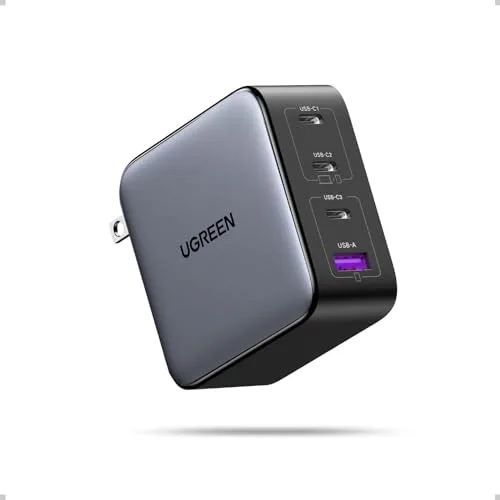
A higher-power multi-port charger for charging a laptop, tablet, and phone together—great for consolidating cables and keeping a desk setup tidy.
- Full 100W to a single USB-C port fast-charges a 16" MacBook Pro at the same speed as Apple's stock brick
- 4 ports run a laptop, iPad, phone, and AirPods at once — kills the multi-charger dorm power-strip mess
- Sits on a desk like a small puck instead of hogging a wall outlet — the cleaner option for a wall-mounted study station
- Desktop puck design needs its own AC cable to reach the outlet — extra cord vs a wall-plug GaN charger
- Power drops to ~65W on Port 1 the moment you plug into any other port
- Overkill for students who only carry a Chromebook + phone — the 65W Anker 735 is cheaper and lighter
Lighting that looks good on camera and feels good IRL
Good lighting is the secret sauce of 2026 desk setups: it’s easier on your eyes and makes your space look more polished in photos and video calls. These options help you balance cozy vibes with practical visibility.
8. BenQ ScreenBar Halo Monitor Light
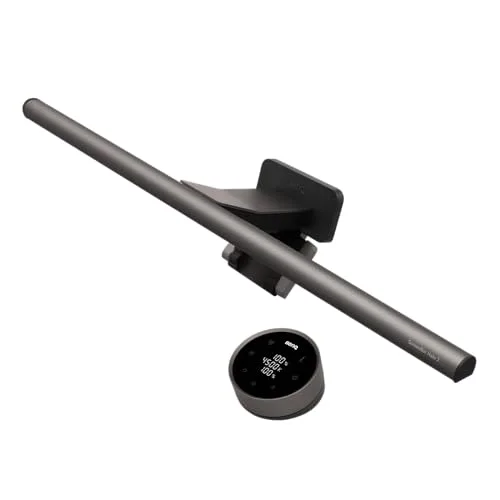
A space-saving monitor light that reduces glare and improves visibility for late-night studying, while keeping the desktop clean and camera-ready.
- Asymmetric light pattern aims at the keyboard, not the screen — zero glare unlike a standard desk lamp
- Wireless puck remote dials brightness and color temp without reaching behind the monitor
- Backlight on the rear softens contrast against a dark wall, easier on eyes during 2 a.m. paper sprints
- $179 is a lot when an IKEA Tertial desk lamp gives 80% of the lighting benefit for $15
- Clip fits flat-edge monitors but won't grip many ultrawides or curved panels — measure first
- USB-C powered — needs a free port on your hub or charger, no wall plug option
9. Govee RGBIC Wi-Fi Gaming Light Bars (H6047)
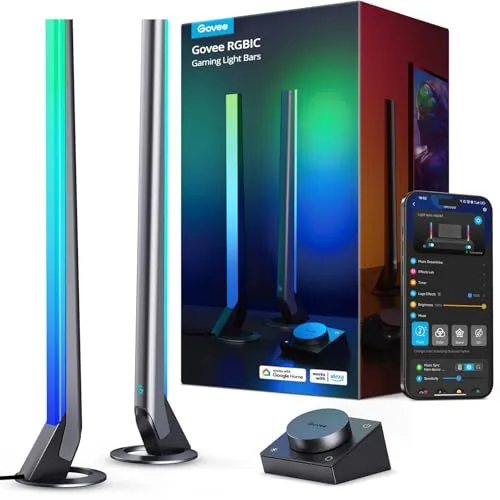
RGB light bars for an easy “ambient glow” backdrop behind a monitor or on shelves, letting students switch from focus mode to chill mode fast. TikTok proof shows students placing them behind monitors for a soft halo during study sessions and syncing scenes to change the vibe between classes.
- RGBIC tech runs multiple colors per bar at once for the gradient look that gets TikTok views
- Music sync reacts to dorm playlist or game audio via the built-in mic — no extra hardware
- Magnetic mounts and angled stands let you go vertical behind a monitor or flat across a shelf in seconds
- Requires the Govee app + an account for color routines — yet another login on your phone
- Cable octopus from the controller box is bulky and hard to hide on a small desk
- Bright RGB during a 9 a.m. Zoom class looks gaming-rig, not professional — keep it off for interviews
Desk essentials that keep your day moving
The best 2026 desk setups aren’t only tech—they’re the little quality-of-life upgrades that keep you comfortable, organized, and hydrated. These picks are great for gifting because they’re useful daily and easy to personalize by color or style.
10. Hydro Flask 32 oz Wide Mouth with Flex Straw Cap
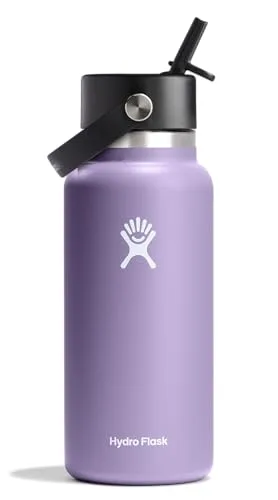

A durable insulated bottle with an easy-sip straw cap that makes staying hydrated during long study blocks feel effortless (and looks great in desk photos).
- TempShield insulation keeps water cold for 24 hours and hot for 12 — covers a full lecture day on one fill
- 32 oz hits roughly half the recommended daily water intake in one refill — fewer trips to the dorm fountain
- Wide mouth fits ice cubes from any dispenser and is easy to scrub clean with a standard bottle brush
- Heavy when full (~3 lb) — adds noticeable weight to a backpack already loaded with a laptop and books
- 32 oz doesn't fit most car cup holders or side mesh pockets on slim daypacks
- $34 sticker is double the price of a generic insulated bottle that performs almost identically
11. Owala FreeSip Insulated Stainless Steel Water Bottle (24 oz)
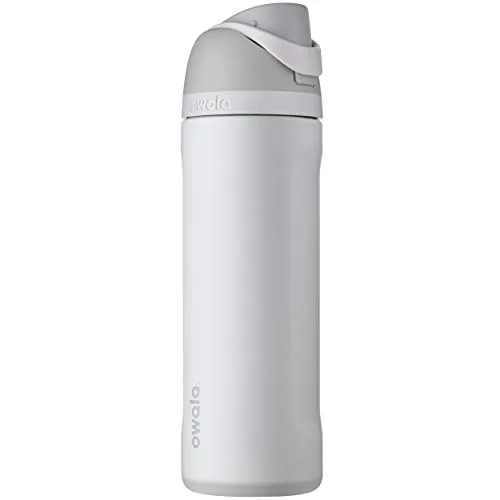
A compact, backpack-friendly bottle that’s easy to keep on the desk during lectures and study sessions, with a design that still feels stylish in 2026.
- FreeSip lid lets you sip from a straw OR tilt-and-chug — handles both quiet libraries and post-workout gulps
- Push-button lid stays locked in a backpack — no leaks onto a $1,500 MacBook
- 24 oz slides into most backpack side pockets and standard car cup holders that 32 oz bottles can't
- Lid mechanism has small grooves around the spout that trap residue — needs a thin brush, not just dish soap
- Straw is replaceable but the carry loop is plastic and can crack if dropped on concrete
- Smaller capacity (24 oz) means more refills during all-day lecture marathons vs a 32 oz bottle
12. Rocketbook Core Reusable Smart Notebook (Letter)
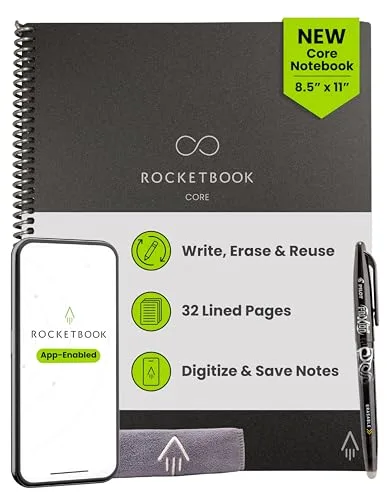
A reusable notebook that lets students handwrite notes, scan them fast, and keep everything searchable without stacks of paper. TikTok proof shows students using it for lecture notes, lab checklists, and study plans—wipe clean and reuse between classes.
- Free Rocketbook app auto-scans pages straight to Google Drive, OneNote, or email — no more "where are my notes?"
- Wipe pages clean with the included Pilot FriXion pen and a damp cloth — one notebook lasts the whole degree
- OCR turns handwriting into searchable, exportable text — actually useful before exams
- Only works with FriXion erasable pens — losing one mid-lecture means borrowing a regular pen and wasting a page
- FriXion ink fades above ~140°F — leave it in a hot car and notes can vanish
- Wipe-clean step takes 30+ seconds per page — slower than just turning to a fresh sheet of paper
13. Lamicall Adjustable Laptop Stand (Aluminum)
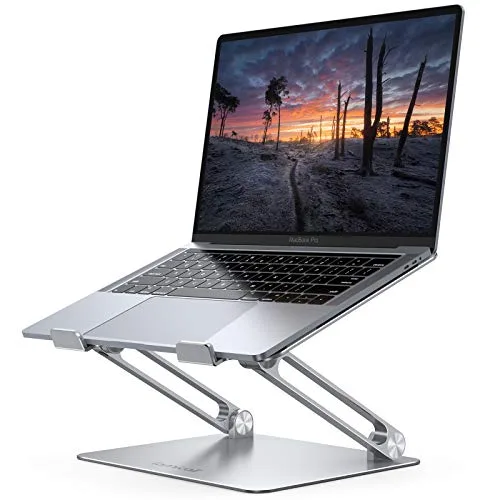
An adjustable stand that lifts a laptop to a more ergonomic height, making a small dorm desk feel like a real workstation when paired with a keyboard and mouse.
- Raises the screen to eye level — kills the slouched dorm-desk neck strain after 8-hour study days
- Open aluminum frame doubles as a heat sink — MacBook fans spin up less during Zoom + Chrome combos
- Tilts and pivots flat, then folds to laptop-thinness for travel between dorm and library
- Requires an external keyboard + mouse to actually be ergonomic — extra ~$50–$200 to do it right
- Aluminum can scratch the laptop bottom over time if the silicone pads peel off (they do, after a year+)
- Stand wobbles slightly when typing directly on the laptop keyboard — defeats the purpose unless you use peripherals
14. Orbitkey Desk Mat
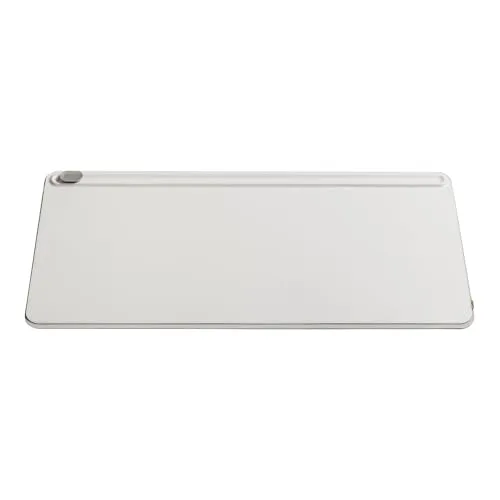
A sleek desk mat that instantly makes a workspace look cleaner, protects the surface, and improves mouse glide for a more polished everyday setup. TikTok trend clips show students using it to define a clean study zone, hide scratches, and keep notebooks + laptops aligned during long study sessions.
- Vegan-leather front + microfiber back gives mouse-pad glide AND a soft writing surface in one mat
- Rolls up into the included strap for moving between dorm, library, and home over breaks
- Hides scratches and pen marks on cheap dorm-issued desks — saves you the move-out damage fee
- $100 for a mat is brutal next to $15 Amazon alternatives that look nearly identical at arm's length
- PU "vegan leather" picks up creases from coffee mugs and laptop corners over the school year
- Light colors stain from highlighters, coffee rings, and pen ink — go dark if you're messy
15. Arzopa Z1FC 16.1" 144Hz Portable Monitor
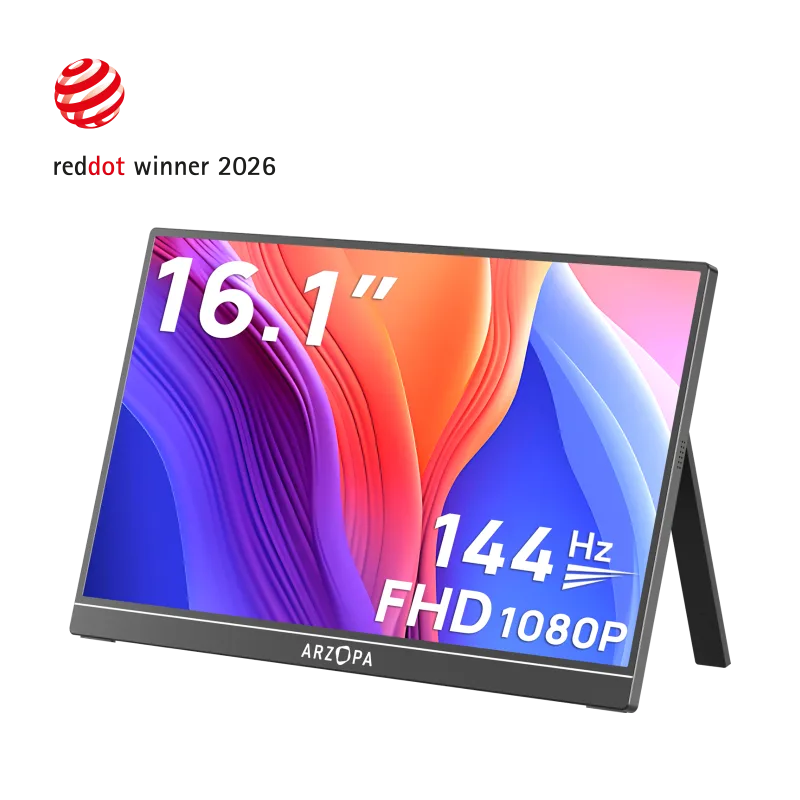
The dual-screen flex that shows up in half the 2026 desk tours—a 16.1" 144Hz 1080p panel that props next to your laptop for chat-on-one-screen, work-on-the-other. TikTok trend clips lean on it for split-screen editing, Notion + browser combos, and Switch/Steam Deck breaks between classes. It's under two pounds with a built-in kickstand and runs off a single USB-C cable, so it packs away when you're filming a clean desk reset.
- Instant dual-monitor look for desk tours without a bulky second display
- 144Hz + 100% sRGB feels smooth for scrolling, editing, and gaming breaks
- Single USB-C cable and built-in stand — packs flat when you reset the desk
- 1080p on 16" is sharp enough, but not a Retina-level panel
- Needs a full-function USB-C port (or HDMI + power) on your laptop
- Built-in speakers are basic — use your own for filming
Ready to Share Your Wishlist
If you’re building a 2026 desk setup for school, keep everything in one place with WishDeck. Create a wishlist in seconds, add items in 1 click as you browse, and organize picks into folders like Dorm Move-In, Midterm Reset, or Graduation Gifts. Share your list with friends and family so they can shop confidently, and use secret reservations to avoid duplicates. It’s the easiest way to get the exact colors, sizes, and accessories you actually want—start with a WishDeck wishlist.
Frequently Asked Questions
Popular Reads
- 10 Best Laptops for College Students (2026): By Major & Budget

- Best Tablets for Students (2026): Note-Taking Picks, iPad vs Galaxy vs Budget
- Best Tech Gadgets for STEM Students (2026): Coding, Calculators & Kits

- Best Tech Gadgets for Students (2026): MacBook Neo, iPad Air, Headphones & More

- Best Power Banks & GaN Chargers for Students (2026): USB-C + Laptop-Friendly
Looking for more insights? Explore related topics: 10 Best Laptops for College Students (2026), Best Note-Taking Tablets for Students (2026), Best Tech Gadgets for STEM Students (2026) or find more on our Blog.