
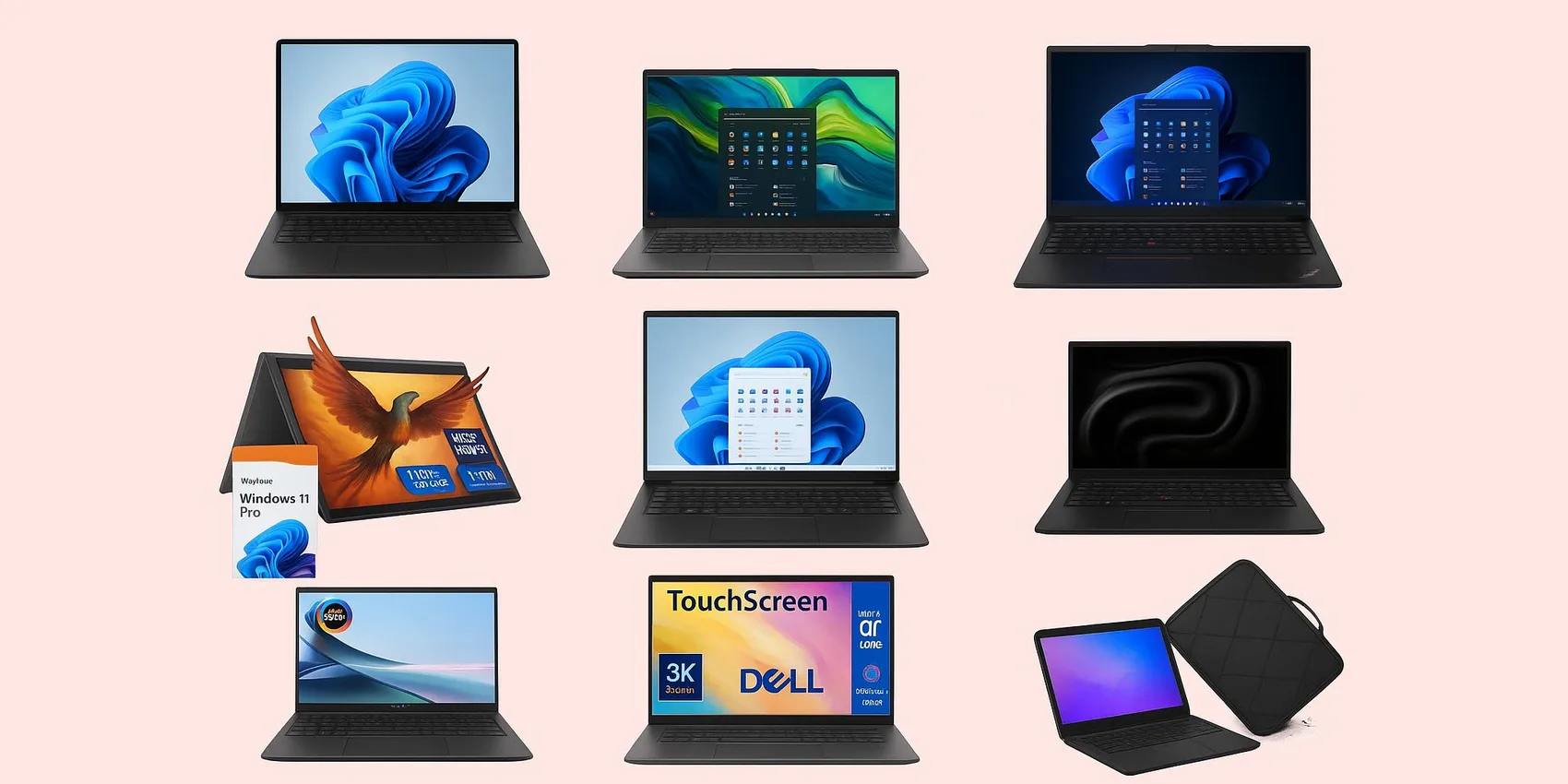
 10 Best Laptops for College Students (2026)
10 Best Laptops for College Students (2026): By Major & Budget
College laptop shopping in 2026 gets stressful fast: different majors need different power, and budgets can swing wildly. This guide helps students (and parents) pick confidently by matching common workloads to a few clear lanes—everyday note-taking, creative/media work, coding/data, and heavy engineering. You'll see what specs matter most, where to save, and when to spend, with realistic sweet spots across a wide range. Make your choice soon to avoid backorder delays and missed semester deals.
Add-on magic: Save contenders, compare later, and share your shortlist with family using the WishDeck wishlist.
Table of Contents
1. Best for Most Students (All‑Around Value)
2. Best for Writing, Research & All‑Day Portability
3. Best 2‑in‑1s for Note‑Taking & Sketching
4. Best for Creators (Design, Photo, Video)
5. Best for Engineering, CS & Gaming‑Level Performance
Our Top 5 Picks
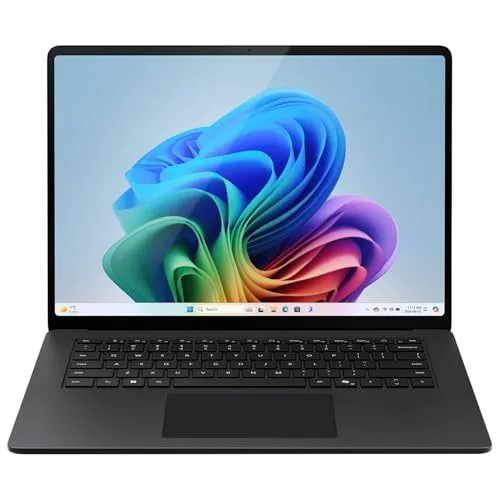 Best Windows Laptop
Microsoft Surface Laptop (7th Edition) (Snapdragon X Elite)
A sleek, premium-feeling Windows laptop built for Microsoft 365, web apps, and heavy multitasking—an excell...
$919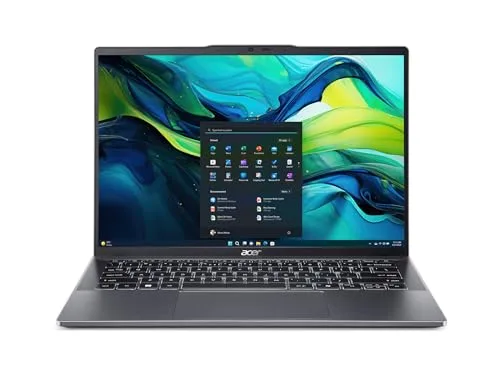 Best Mid-Range Ultrabook
Acer Swift Go 14
A strong value pick for everyday student life—documents, research, streaming, and lots of browser tabs—with...
$673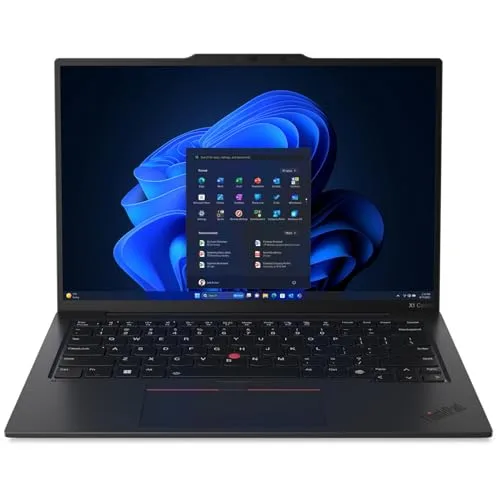 Best for Writing Majors
Lenovo ThinkPad X1 Carbon Gen 14 Aura Edition
A productivity-first workhorse with a famously comfortable keyboard and a durable, professional build—great...
$1949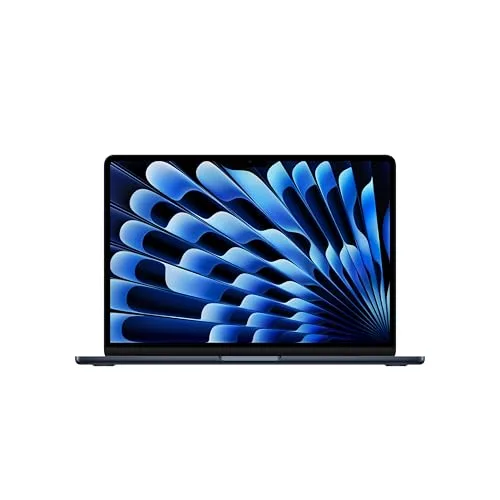 Best MacBook
Apple MacBook Air (13-inch, M4, 2026)
A campus favorite for a reason: lightweight, quiet, and consistently smooth for writing, research, and ligh...
$850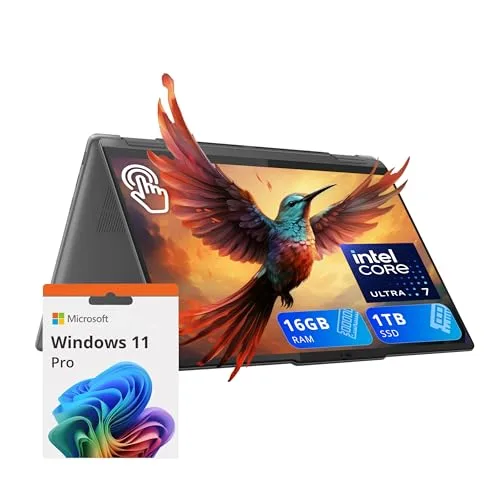 Best 2-in-1 for Notes
Lenovo Yoga 7i 2-in-1 (14-inch)
A practical 2‑in‑1 for lecture-heavy schedules—flip, tap, and annotate quickly while keeping a comfortable...
$790Best for Most Students (All‑Around Value)
If you want one dependable laptop that can handle essays, tabs, Zoom, and light creative work in 2026, start here. These picks balance performance, portability, and price without overcomplicating the decision.
1. Microsoft Surface Laptop (7th Edition) (Snapdragon X Elite)


A sleek, premium-feeling Windows laptop built for Microsoft 365, web apps, and heavy multitasking—an excellent daily driver for long lecture days and library sessions.
- Snapdragon X Elite delivers fanless silence and 18+ hour battery on a single charge—ideal for back-to-back lectures
- Copilot+ PC NPU accelerates on-device AI features (Live Captions, Cocreator) for note-taking and study workflows
- Premium aluminum chassis with a sharp 120Hz touchscreen feels two price tiers above its $919 entry point
- ARM architecture still has occasional x86 app emulation quirks—niche engineering/CAD tools may not run natively
- Not a gaming machine; integrated Adreno GPU can't handle modern AAA titles at native resolution
- Only 16GB RAM and 512GB SSD in the base config—heavy multitaskers may want to step up before checkout
2. Acer Swift Go 14
A strong value pick for everyday student life—documents, research, streaming, and lots of browser tabs—without paying for pro-level extras you may not use.
- Intel Core Ultra chip handles 20+ Chrome tabs, Zoom, and Office side-by-side without lag at a sub-$700 price
- 14-inch 2.2K touchscreen + fingerprint reader feel premium for the price tier
- Under 3 lbs with a full-size keyboard—fits in a tote and stays comfortable for long writing sessions
- Battery life is solid but trails ARM and M-series rivals on all-day campus runs
- Plastic-feel deck and lid show fingerprints; build doesn't match ThinkPad/XPS durability
- Integrated Intel Arc graphics are fine for casual gaming but not for Premiere or Blender workloads
Best for Writing, Research & All‑Day Portability
For majors that live in Google Docs, PDFs, and lecture recordings, the best laptop is the one you'll happily carry everywhere. These options emphasize a light footprint, strong battery habits, and comfortable typing for long papers.
3. Lenovo ThinkPad X1 Carbon Gen 14 Aura Edition
A productivity-first workhorse with a famously comfortable keyboard and a durable, professional build—great for writing-heavy majors, presentations, and internship-ready reliability.
- Best-in-class keyboard with deep travel makes 4,000-word essays and thesis drafts genuinely comfortable
- MIL-STD-810H tested carbon-fiber chassis under 2.2 lbs survives backpack life and looks internship-ready
- Intel Core Ultra 7 + 32GB RAM and Aura Edition smart features handle heavy multitasking through senior year
- $1,949 is steep for students who don't need ThinkPad-grade durability or business features
- Integrated graphics aren't suited to video editing, 3D rendering, or modern gaming
- Conservative business aesthetic—matte black slab won't appeal to students who want a bolder design
4. Apple MacBook Air (13-inch, M4, 2026)

A campus favorite for a reason: lightweight, quiet, and consistently smooth for writing, research, and light creative work—an easy "buy once, use for years" option.
- M4 chip is completely fanless and silent—perfect for quiet library and lecture-hall environments
- 15+ hours of real-world battery life means you can leave the charger in the dorm all day
- Tight macOS + iPhone integration (AirDrop, Handoff, Universal Clipboard) saves real time on note-taking and research
- Base model ships with only 16GB unified memory and 256GB SSD—the upgrade tax is real if you need more
- Limited Windows-only software support (some engineering, finance, and CAD tools won't run natively)
- Only two Thunderbolt ports + MagSafe—dongle life is real if you need HDMI, SD card, or extra USB-A
Best 2‑in‑1s for Note‑Taking & Sketching
If your major involves diagrams, handwritten notes, or frequent annotation, a 2‑in‑1 can replace a stack of notebooks. These picks are great for students who want to switch between laptop mode and tablet mode fast.
5. Lenovo Yoga 7i 2-in-1 (14-inch)

A practical 2‑in‑1 for lecture-heavy schedules—flip, tap, and annotate quickly while keeping a comfortable keyboard for papers, emails, and day-to-day campus multitasking.
- 360-degree hinge + included active pen makes handwritten lecture notes in OneNote/Notability fast and natural
- 14-inch 2K touchscreen is sharp enough for diagrams, PDF markups, and split-screen reading
- Strong value at under $800—rare to get convertible + pen + AI-class CPU at this price
- 2-in-1 hinge adds weight—at ~3.5 lbs it's heavier than non-convertible peers in this price tier
- Battery life is shorter in tablet mode with the pen active vs. ARM/M-series competitors
- Speakers are middling for streaming—you'll want headphones for movie nights in the dorm
6. HP Spectre x360 14
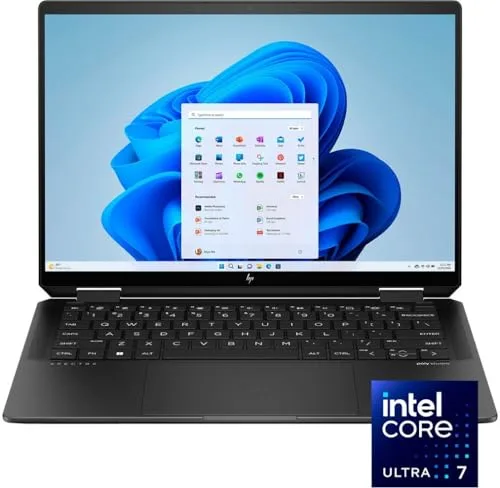
A premium convertible that looks presentation-ready and works tablet-style for constant markups—perfect if you want a high-end feel plus flexible study modes.
- Gem-cut CNC aluminum chassis with hidden hinges looks polished in internship pitches and class presentations
- 2.8K OLED touchscreen delivers true blacks and vivid color for design coursework and movie nights
- Includes HP Rechargeable Tilt Pen plus IR camera + fingerprint reader—both biometric options for fast lab logins
- OLED panel is gorgeous but burn-in risk on static UI elements after years of taskbar/dock use
- Reflective glossy display can be tough to read in bright outdoor study spots
- $1,569 is a real splurge over the Yoga 7i for similar core 2-in-1 capability
Best for Creators (Design, Photo, Video)
Creative majors need a laptop that stays smooth under editing timelines, big files, and color-sensitive work. These options prioritize strong displays, responsive performance, and a setup that feels good for long studio sessions.
7. Apple MacBook Pro (14-inch, M4 Pro)
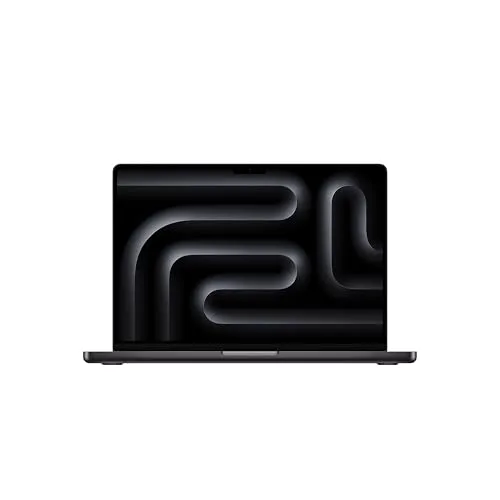
A sustained-performance powerhouse for demanding creative apps—ideal for video, audio, and design students who need smooth timelines, fast exports, and reliable speed under pressure.
- M4 Pro chip scrubs 4K Final Cut and Premiere timelines without dropped frames or fan ramp-up
- Mini-LED Liquid Retina XDR display covers full P3 color—reliable for film, photo, and design grading work
- Three Thunderbolt 5 ports + HDMI + SD card reader = no dongles for external drives, monitors, and camera offloads
- $1,749 entry is overkill for non-creative majors; M4 Air does 80% of student work for half the price
- At 3.4 lbs it's noticeably heavier in a backpack than the MacBook Air or Zenbook
- Apple's RAM and SSD upgrade pricing is brutal—24GB/1TB tier pushes well over $2,000
8. ASUS Zenbook 14 OLED
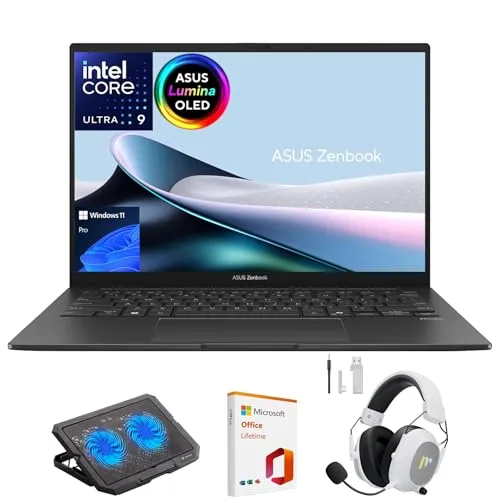
A portable creative companion with an OLED display that makes visuals pop—great for design-minded coursework, photo edits, marketing decks, and color-forward media classes.
- 14-inch 2.8K 120Hz OLED with 100% DCI-P3 coverage is genuinely color-accurate for Photoshop and Lightroom work
- Under 2.8 lbs in a CNC aluminum chassis—Mac-Air-level portability with a Windows OLED panel
- Intel Core Ultra 7 + 32GB LPDDR5X gives creative students headroom for Premiere edits and design suites
- Integrated Intel Arc graphics will bottleneck heavy 3D, Blender, or sustained video exports vs. discrete GPU peers
- OLED brightness drops outdoors and carries long-term burn-in risk on static UI elements
- Single-zone backlit keyboard and shallow key travel feels less premium than ThinkPad/MacBook competitors
Best for Engineering, CS & Gaming‑Level Performance
For CAD, simulations, heavy coding environments, or GPU-intensive work, you'll want headroom. These picks are for students who can't afford slowdowns during labs, builds, or late-night project crunches.
9. Dell XPS 14 (2026)
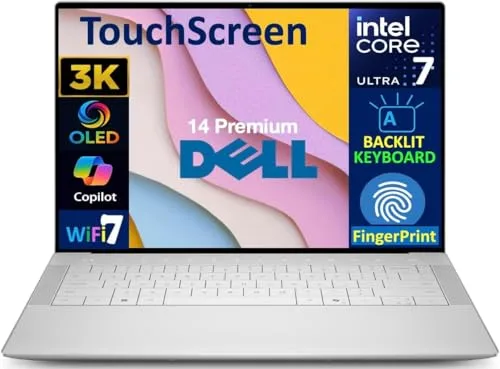
A premium Windows machine with a modern design and strong performance headroom—ideal for engineering, CS, and data-heavy majors juggling big projects and many tools at once.
- Intel Core Ultra 9 + RTX 4050 handles MATLAB, Solidworks, Unity, and Docker stacks without slowdowns
- InfinityEdge 14-inch display with near-zero bezels keeps the footprint backpack-friendly despite the power
- Edge-to-edge keyboard with capacitive function row and large haptic trackpad feels modern in IDE workflows
- Battery life takes a hit with the discrete RTX GPU—plan on charging mid-day in the lab
- Polarizing capacitive touch function row has no tactile feedback—muscle memory needs adjusting
- Only two Thunderbolt 4 ports + headphone jack—no USB-A or HDMI without a dongle for projectors
10. ASUS ROG Zephyrus G14 (2026) GU405

A compact, GPU-capable performance laptop for students who need serious power for demanding workloads—and also want a machine that can game smoothly after class.
- Ryzen AI 9 HX + RTX 5070 Ti rips through Unreal Engine builds, ML training notebooks, and AAA games at 1440p
- 14-inch 3K OLED 120Hz panel doubles as a color-accurate creator display and gaming screen
- Stays under 3.8 lbs and 16mm thin—rare to find this much GPU power in something that fits a standard backpack
- $3,295 is firmly in the splurge tier—only worth it if your major actually leverages the discrete GPU regularly
- Battery life drops to 3-4 hours under heavy GPU load; you'll want the charger nearby for gaming and 3D work
- Fans get audibly loud under sustained gaming and rendering loads—not ideal in quiet lecture halls
Ready to Share Your Wishlist
Picking a college laptop in 2026 is easier when everyone can see the exact model and configuration you want. Add your favorites to WishDeck in one click, then share the list with family so they can coordinate and avoid duplicates using secret reservations. Create folders like 'Dorm Tech', 'School Essentials', or 'Graduation Upgrades', and save notes like RAM/storage, color, and preferred retailer. When it's time to buy, you're more likely to get the right laptop—no awkward guesswork. Use WishDeck here.
Frequently Asked Questions
Popular Reads
- Best Tech Gadgets for Students (2026): MacBook Neo, iPad Air, Headphones & More

- 20 Best Back-to-School Gifts 2026: Trending Tech, Dorm Gear & Daily Essentials
- 20 Affordable Everyday Makeup Essentials for Students (2026): Drugstore Picks
- Vacation Packing Guide 2026: Viral Travel Essentials Under $60 + Carry-On Tech

- Best Tablets for Students (2026): Note-Taking Picks, iPad vs Galaxy vs Budget
Looking for more insights? Explore related topics: Best Tech Gadgets for Students (2026), 20 Best Back-to-School Gifts (2026), Everyday Student Makeup (2026) or find more on our Blog.